Example: air traffic controller
Dell™ OptiPlex™ 780 Service Manual
Power one 24-pin connector Controls and Lights Front of the computer ... Diagnostic lights four lights. For more information, see ... Link integrity light on integrated network adapter green — a good 10 Mbps connection exists between the network and the computer. orange — a good 100 Mbps connection
Tags:
Information
Domain:
Source:
Link to this page:
Documents from same domain

Inspiron 15-7559 Laptop Reference Guide - Dell
downloads.dell.comNOTE: The weight of your laptop varies depending on the configuration ordered and the manufacturing variability. Views Specifications System information Memory Ports and connectors Dimensions and weight Computer environment Storage Camera Touch pad Power adapter Communications Battery Video Audio Display Media‑card

Dell™ S2240M/S2340M Monitor
downloads.dell.comThe Dell™ S2240M/S2340M flat panel display has an active matrix, Thin-Film Transistor, Liquid Crystal Display. The monitor's features include: S2240M: 54.61 cm (21.5 inches) viewable area display. 1,920 x 1,080 resolution, plus full-screen support for lower resolutions.

Dell S3220DGF Monitor User's Guide
downloads.dell.comThe Dell S3220DGF monitor has an active matrix, Thin-Film Transistor (TFT), Liquid Crystal Display (LCD), anti-static, and LED backlight. The monitor features include: ∞ 80.01 cm (31.5 in.) viewable area display (measured diagonally). 2560 x 1440 resolution, with full-screen support for lower resolutions.

Configuring iSCSI connectivity with VMware vSphere 6 and ...
downloads.dell.comiSCSI SAN Configuration Guide (available on the VMware website), this document provides a summary of the steps specific to connecting to a PS Series SAN. It covers the steps for utilizing the software iSCSI initiator inside the ESXi host. Users connecting their vSphere environment using iSCSI HBAs, both

Dell EMC Networking S4148-ON and S4128-ON
downloads.dell.comNote: The configuration steps in this section are only recommended when the switch is used as a dedicated SAN for iSCSI traffic. 2.1 Hardware configuration 1. Power on the two switches. 2. Connect a serial cable to the serial port of the first switch. 3. Using PuTTY or another terminal utility, open a serial connection session to the switch. 4.

Dell EMC PowerVault ME4 Series and VMware vSphere
downloads.dell.combest practices presented in this paper, the vSphere ESXi® hypervisor provides an optimized experience with ME4 Series storage. These recommendations include guidelines for SAN fabric design, HBA settings, and multipath configuration. There are often various methods for accomplishing the described tasks, and this

Dell Universal Dock
downloads.dell.comDell Universal Dock D6000 Quick Setup Guide Author: Dell Inc. Subject: Setup Guide Keywords: Electronics & Accessories#Docking Stations#dell universal dock d6000#dell-universal-dock-d6000#Setup Guide#Dell Universal Dock D6000 Quick …

Dell ControlVault Installation Instructions for the ...
downloads.dell.com• Dell Data Protection | Encryption (v8.0.1 and older) • BitLocker Drive Encryption – Available in certain flavors of Windows® operating systems Specific combinations of one or more of the above mentioned products already installed in your system may prevent a smooth migration to the latest Dell Da ta Protection security offering . ...

Laptop Reference Guide - Dell
downloads.dell.comall-products#esuprt_laptop#esuprt_xps_laptop#xps 13 9350 laptop#xps-13-9350-laptop#Reference Guide Created Date: 9/30/2015 12:04:09 PM ...

Dell EMC Storage Compatibility Matrix for SC, PS, and FS ...
downloads.dell.comOverview 7 Dell EMC Storage Compatibility Matrix for SC, PS, and FS Series Arrays | DSCM 1.3 Conventions used in this document Blue Text is used for all section titles. When visible in body text or tables, blue text indicates a change or addition from the previous version of the Dell Storage Compatibility Matrix (DSCM).
Related documents

J1939 Data Link Troubleshooting Page 1 17
static.nhtsa.govSpecial Tool(s) or Software Connector Views Diagnostic Steps Service Information (Known Issues) Description There are a few things that you need to understand before troubleshooting the 1939 data link. 1.First, the drivetrain J1939 data link, J1939 body builder data link, and J1939 engine data link are three completely separate data links.

chapter 1 THE DIAGNOSTIC PROCESS - Pearson
www.pearsonhighered.comfollow if no diagnostic trouble code has been set. 7. List the steps in most manufacturers' diagnostic routines. 8. Describe how to verify the repair and conduct a universal drive cycle. 9. Describe how to run OBD-II monitors on a light duty diesel vehicle. LEARNING OBJECTIVES 1 Data link connector (DLC) 7 Drive cycle 20 Flash code retrieval 11

IO-Link Design Guideline
io-link.comThe IO-Link communication protocol does not include any definitions regarding the higher-level communication protocol. IO-Link is a communication protocol independent of the bus which cyclically transmits process data and demand-oriented parameterization and diagnostic data from the sensors and actuators via a point-to-point connection.

Product Data
www.aireclima.comdiagnostic light 115-vac(l2)neutral connections cool heat spare-1 spare-2 blower speed selection terminals eac-1 terminal (115-vac 1.0 amp max.) 115 vac (l1) line voltage connection pl2-hot surface igniter & inducer motor connector pl1-low volta ge main harness connector transformer 24-vac connections humidifier terminal (24-vac 0.5 amp max ...

Creader VII+ (CRP123) and Creader VIII (CRP129) Update and ...
www.obdii365.comanother end to the computer) or by the vehicle diagnostic socket (connect the OBDII connector of Creader VII+ / Creader VIII to vehicle diagnostic socket ), after the Creader starts, it popup a window prompting " System Upgrade- Sure Upgrade?", select " …

ShareCenter™ Pulse DNS-320 - D-Link
eu.dlink.comD-Link ShareCenter Pulse User Manual Page ¯°±«¬² ® «² ³´ ® hen irst oered on during the initial boot seuence the ShareCenter Pulse ill ait to be assigned an P address ia DCP. t is recommended that you use the included D-Link asy Search Utility hen accessing and coniguring the ShareCenter Pulse or the irst time.
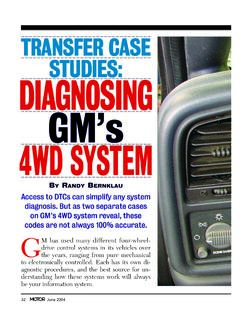
TRANSFER CASE STUDIES: DIAGNOSING GM’s 4WD SYSTEM - …
www.motor.comdiagnostic trouble codes (DTCs) to help locate and diagnose many of the problems associated with them. We looked at two GM K 1500 trucks that have the NVG 246 two-speed transfer case. One is a 1999 model, the other a 2000. Both use the same controls and happen to have stored the same DTC. The basic sys-tem consists of a transfer case motor

IK0800219 - Accelerator Position Sensor/IdleValidation ...
static.nhtsa.govTitle: Accelerator Position Sensor/IdleValidation Switch APS / IVS Diagnostics NavPakŽ, CEC equipped engine control systems Applies To: All NavPakŽ, CEC equipped engines 1998 through 2003, including T444E, DT466E and 530E engines. Vehicles included, but not limited to, would be: 2000,3400,3800,4000FBC,4000 8000, 4300,4400,7400,7500, 8500, CE Bus,RE Bus, FE Bus

ConnectorCare Health Plans
www.mahealthconnector.orglower out-of-pocket costs through ConnectorCare plans and other Health Connector plans. Visit MAhealthconnector.org to learn more. ConnectorCare Health Plans: Affordable, high-quality coverage from the Health Connector ConnectorCare Health Plans Plan Type FPL Range Plan Type 1 0 -100% FPL Plan Type 2A 100.1-150% FPL Plan Type 2B 150.1-200% FPL