Example: bankruptcy
Dell™ SonicWALL™ Global VPN Client 4.9
Global VPN client every time I login option can no longer be set during installation, but this option is available on the General tab in the View > Options page of the client. Platform compatibility Dell SonicWALL Global VPN Client 4.9.22 …
Tags:
Information
Domain:
Source:
Link to this page:
Documents from same domain
Global VPN Client Administration Guide - SonicWall
software.sonicwall.comSonicWall Global VPN Client 4.10 Administration Guide Introduction to Global VPN Client 8 •Default VPN Connections File ‐ Enables the SonicOS administrator to configure and distribute the corporate VPN connections with the Global VPN Client software to streamline VPN client deployment.

Global VPN Client Release Notes
software.sonicwall.comGlobal VPN Client 4.10.2 Release Notes 1 SonicWall™ Global VPN Client 4.10.2 Release Notes June 2017 These release notes provide information about the SonicWall™ Global VPN Client 4.10.2 release.
SonicWall™ SonicOS 5.9.1
software.sonicwall.comSonicWall SonicOS 5.9.1.8 Release Notes 2 New Features New features were added to SonicOS 5.9.1.8 for in this release. New features and enhancements include:
SonicWall™ SonicOS 6.2.7
software.sonicwall.comSonicWall SonicOS 6.2.7.1 Release Notes 3 A new page is added to the SonicOS web management interface, Network > DNS Proxy. Select the Enable DNS Proxy checkbox to globally enable the feature.
SonicWall™ SonicOS 5.9.1
software.sonicwall.comSonicWall SonicOS 5.9.1.10 Release Notes 2 See the tables in the following sections for supported feature information: • Supported key features by platform ...

Getting Started Guide - SonicWall
software.sonicwall.comSonicWALL NSA 5000/4500/3500 Getting Started Guide Page 5 Obtain Configuration Information Please record and keep for future reference the following setup
Aventail E-Class SRA 10.6.3 Administrator Guide - …
software.sonicwall.com2 Notes, Cautions, and Warnings © 2013 Dell Inc. Trademarks: Dell™, the DELL logo, SonicWALL™, SonicWALL GMS™, SonicWALL ViewPoint™, Aventail™, Reassembly-Free Deep Packet Inspection™, Dynamic Security for

Dell™ SonicWALL™ SonicOS 5.9.1
software.sonicwall.comSonicOS 5.9.1.7 1 Release Notes Dell™ SonicWALL™ SonicOS 5.9.1.7 Release Notes August 2016, updated December 2016 These release notes provide information about the Dell™ SonicWALL™ SonicOS 5.9.1.7 release.
SonicWall™ SonicOS 6.5.0 - software.sonicwall.com
software.sonicwall.comSonicWall SonicOS 6.5.0.0 Release Notes 5 • Native Bridge Support • Hi‐Link 4G/LTE USB Modem Support Wireless Feature Support Matrix This matrix specifies the SonicWall access point platforms that support each wireless feature available in
Getting Started Guide - SonicWall
software.sonicwall.comSonicOS Release Notes Contents 4 5 2 3 9 67 8 Thank You Network Security Appliance Getting Started Guide SonicWALL Network Security Appliances NETWORK SECURITY NSA 5000/4500/3500. SonicWALL NSA 5000/4500/3500 Getting Started Guide Page 5 Obtain Configuration Information
Related documents

Check Point Mobile for Windows - Check Point Software
downloads.checkpoint.comMicrosoft Windows 7, all editions 32 bit and 64 bit The Installation Process Administrator permissions. Consult with your system administrator. Important - To install a R75 Remote Access Client on any version of Windows, you need To install a R75 Remote Access Client: 1. Log in to Windows with a user name that has Administrator permissions. 2.

N150 Wireless Router Setup Manual - Netgear
www.downloads.netgear.com• The Smart Wizard Installation Assistant lets you check for and install updates as part of the ... Corporate network settings or Virtual Private Network (VPN) client software might conflict with the default settings of a home router. If you are ... (Windows 7, Windows Vista, Windows 2000, or Windows XP with Service Pack 2), and with
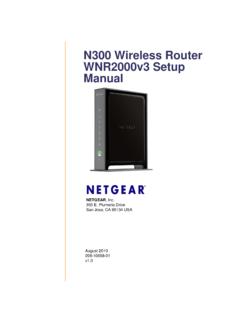
N300 Wireless Router WNR2000v3 Setup Manual
www.downloads.netgear.comCorporate network settings or Virtual Private Network (VPN) client software might conflict with the default settings of a home router. If you are ... • The NETGEAR genie Installation Assistant lets you check for and install updates as part of ... (Windows 7, Windows Vista, Windows 2000, or Windows XP with Service Pack 2 or above).
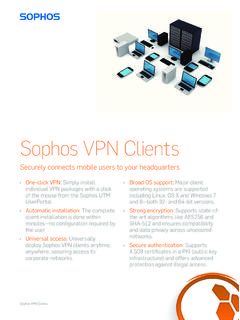
Sophos VPN Clients
www.sophos.comÌWindows XP, Windows Vista, Windows 7, Windows 8 Sophos SSL Client: Ì 128 MB RAM Ì Hard drive Ì Windows 2000/XP, Windows Vista, Windows 7, Linux, Mac OS X, BSD or Solaris Appliance UTM 110 UTM 120 UTM 220 UTM 320 UTM 425 UTM 525 UTM 625 Concurrent IPsec VPN tunnels 10 25 125 400 800 1,000 1,500 Concurrent SSL VPN tunnels 10 20 35 65 180 200 …

Configuring GlobalProtect - Palo Alto Networks
media.paloaltonetworks.com• GlobalProtect Client: Download and activate the GlobalProtect Client. GlobalProtect Client supports 32-bit XP, both 32-bit and 64-bit of Vista and Windows 7, Mac OS 10.6 Network Topology In this example, the firewall will be configured with details shown below

User’s Manual - Verizon
www.verizon.coming advantage of Universal Plug-and-Play support in Windows XP. The Windows default network settings dictate that in most cases, the setup pro-cedure described in the “Computer Network Configuration” will be unnecessary. For example, the default DHCP setting in Windows 2000 is “client,” requiring no further modification.
Using VMware Horizon View HTML Access - Horizon View
www.vmware.comn Operating systems: Windows XP SP3 (32-bit), Windows Vista (32-bit), Windows 7 (32- or 64-bit), or Windows Server 2008 R2. In addition, HTML Access is available on Windows 8 (32- or 64-bit) or Windows 8.1 (32- or 64-bit) as a Tech Preview. You can try out HTML Access on a Windows 8 or Windows 8.1 desktop, but no support is provided. n View ...
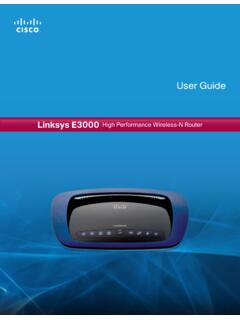
Linksys E3000 User Guide
downloads.linksys.comusing Windows Explorer Speed up my system using Windows ReadyBoost Set Up Your Linksys Router If you do not see this, access setup on the CD directly . To do so, perform the following steps for your specific operating system: Windows 7 a . Go to Start > Computer. b . Double-click on your CD-ROM drive . Windows Vista c . Go to Start > Computer. d .