Transcription of External Triggering Options - Ocean Optics
1 External Triggering Options Instructions Overview Ocean Optics USB2000, USB2000+, USB4000, HR2000, HR2000+, HR4000, Jaz, Maya, QE65000, NIR. Series, NIRQ uest Series, S2000, and S1024DW Spectrometers provide several methods of acquiring data (see table below). In the Normal mode, the spectrometer is free running. That is, the spectrometer is continuously scanning, acquiring, and transferring data to your computer, according to parameters set in the software. In this mode, however, there is no way to synchronize the scanning, acquisition, and transfer of data with an External event. However, trigger pulses for synchronizing an External event with the spectrometer are available. To synchronize data acquisition with External events, other modes of acquiring data are available. Each mode involves connecting an External Triggering device to the spectrometer and then applying an External trigger to the spectrometer before the software receives the data.
2 The length of the integration time and the source for the integration clock depend upon the mode chosen. All other acquisition parameters are set in the software. For spectrometers with FPGA firmware versions of or higher, and for spectrometers not covered by this document, see New External Triggering Options Instructions for Spectrometers with Firmware Version and Above. Also see the HR4000 and USB4000 Shutter Mode Performance in Hardware Trigger Mode for more information on External Triggering with these spectrometers. Triggering Mode Description Applicable Spectrometer(s). Normal Spectrometer acquires spectra continuously. All External Integration time is set in the software. Software All Software receives a trigger event and transmits spectra obtained in the data acquisition cycle in which the trigger occurred.
3 External Integration time set via chip in spectrometer (USB USB2000/USB4000/Jaz/. Hardware Series/Jaz/HR Series/S2000 D Series) or jumpers HR2000/HR2000+/HR4000/. (S2000 series). Spectrometer waits for a sharp rise in S2000/S1024DW. voltage on the trigger input pin, and then acquires spectra until the voltage is removed. External Spectrometer acquires data from an External trigger Synchronization event (such as a push button) until the next time the S2000/S1024DW. trigger is activated, at which time the spectrometer ceases spectral acquisition and begins a new acquisition. Integration time cannot be set, since the trigger can fire at random intervals. 200-00000-000-01-201401 1. External Triggering Options Instructions Triggering Mode Description Applicable Spectrometer(s). Quasi-Real Time The integration clock is set to 4ms, which is the time QE65000, Maya2000, Acquisition required to completely read out all the pixels.
4 When the Maya2000 Pro Mode software (user) requests a spectrum, the integration clock waits for the current period to expire, changes to the desired integration time set via software commands, and then returns to 4ms. With this approach, the start of the integration period will always be within 4ms of the time when the request for a spectrum is issued. No trigger signal is required to operate in this mode. IMPORTANT: Voltage Regulation The maximum recommended voltage on the Triggering Pin is V. If your Triggering device exceeds this voltage, you must regulate or condition the signal (via transistor buffering, transformer isolation or opto-isolation, for example) or isolate the signal from the spectrometer. Note To use one of the External Triggering Options , you must know the specifications and limitations of the Triggering device.
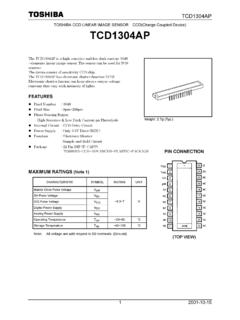
5 The design of the Triggering device may prevent you from using one of the External Triggering modes as it is described in these pages. Consult the following images and table for information on which pin to connect to the Triggering device when using each Triggering mode on the spectrometer. Pinout Diagrams for Ocean Optics Spectrometers J2 (D-SUB-15) Accessory Connector on NIR Pinout Diagram of 10-pin Connector on USB2000. Series, S2000 and S1024DW Spectrometers Spectrometer Pinout Diagram of 22-pin Connector on Pinout Diagram of 30-pin Connector on HR2000+, USB2000+, USB4000, Jaz and HR2000. HR4000, JazNIRQ uest Series, and QE65000. Spectrometers (be sure to also use Ground Spectrometers Pin 6 when Triggering ). 2 200-00000-000-01-201401. External Triggering Instructions Trigger Input Pin Information for Ocean Optics Spectrometers Trigger Input Pin USB2000.
6 Trigger Mode QE65000 USB2000+ NIR Series S2000. USB4000. HR4000. NIRQ uest Description S1024DW HR2000+. HR2000 Series Jaz Asynchronous Mode - External 8 10 7 10 10 Integration time specified in Software software External Not Not Not Not Synchronous Mode - User 5. Synchronization Available Available Available Available provides integration clock External Not Not Synchronous Mode - 4 7 10. Hardware Available Available Integration fixed by jumpers External Triggering vs. Triggering an External Event There could be some confusion between the concepts of External Triggering and Triggering an External event. The following sections explain each of these concepts. External Triggering In External Triggering , an event outside the sampling system (such as a push button, lever activation, or laser pulse) triggers the voltage level on the spectrometer's trigger pin and instructs the spectrometer to begin spectra acquisition.
7 Triggering an External Event When Triggering an External event, the spectrometer instructs an External device (typically a lamp such as the PX-2 or the LS-450) to illuminate immediately prior to spectral acquisition. 200-00000-000-01-201401 3. External Triggering Options Instructions Level Triggering and Edge Triggering In External Triggering , there are two modes of Triggering available. The trigger mode in use determines the kind of Triggering that the system will use. Level Triggering Level Triggering mode is only available when using External Software Triggering mode. In this mode, the software monitors the A/D converter for an increase in the voltage level applied to the trigger pin. When the appropriate increase in voltage is received (5 volts), the software instructs the spectrometer to acquire spectra. In this mode, the A/D converter will acquire data in intervals based on the integration time set in the software.
8 Thus, if a trigger occurs in the middle of an integration period, the software will retrieve the spectra obtained for that entire integration period (before AND after the trigger event). Similarly, if a trigger occurs immediately prior to the end of an integration period, the software will still retrieve the spectra obtained during that integration period. For example, if the integration time is 50 ms and the trigger event occurs 48 ms into the integration cycle, the 2 ms following the trigger will be acquired, and the 48 ms prior to and including the trigger will be acquired. Edge Triggering Edge Triggering mode is available when using External Hardware and External Synchronization Triggering modes. In both of these modes, the spectrometer monitors the trigger input pin for rapid rise in the voltage (which may or may not reach the 5 volt plateau) applied to the trigger pin.
9 When this voltage rise is received and the spectrometer sees the voltage peak caused by the increase, the spectrometer acquires spectra and transmits the spectra to the software. In External Hardware Triggering mode, the spectrometer begins an acquisition upon receiving trigger and acquires for one integration cycle. In External Synchronization Triggering mode, however, data acquisition continues until the next rise in voltage is seen by the spectrometer. 4 200-00000-000-01-201401. External Triggering Instructions Integration Times Available with External Triggering The following table illustrates the integration times available with External Triggering modes: Spectrometer External External External Software Hardware Synchronization USB2000/HR2000 Set in Software 50 msec Cannot Manually Set USB4000/USB2000+/Jaz/HR2000+/HR4000 Set in Software Set in Software Input by software NIR Series Set in Software Not Available Not Available NIRQ uest Series Set in Software Not Available Not Available S2000/S1024DW Set in Software Set on Jumpers Cannot Manually Set S2000 D-Series Set in Software 55 msec Cannot Manually Set QE65000 Set in Software Not Available Not Available Software Support The following table details External Triggering support capacity in all Ocean Optics software products.
10 Product Supported Not Supported SpectraSuite All Modes -- OOIBase All Modes -- OOIBase32 All Modes -- OOIBase32 Platinum All Modes -- OOIC olor External Software and External Hardware External Synchronization OOI Driver Products All Modes -- 200-00000-000-01-201401 5. External Triggering Options Instructions Product Supported Not Supported External Synchronization and External OOIS ensors External Software Hardware OOII rrad External Software and External Hardware External Synchronization Palm Spec External Software External Sync and External Hardware Configuring External Triggering External Software Trigger Mode In this level-triggered mode, the spectrometer is free running, just as it is in the Normal mode. The spectrometer is continually scanning and collecting data. With each trigger, the data collected up to the trigger event is transferred to the software.