Example: bankruptcy
Firmware Update Utility Manual - Samsung us
Samsung Solid State Drive Firmware Update Utility - 3 - 3. The SSD must be connected to the system at all times with stable power being supplied during the firmware update process. If the SSD device cable is disconnected or power is shut down during the firmware update process, the SSD may be permanently damaged or rendered inoperable.
Tags:
Information
Domain:
Source:
Link to this page:
Documents from same domain

Windows 8.1 Update Step-by-Step Guide - Samsung
www.samsung.com– Your current Windows settings, personal files, and some applications will be kept. – Make sure to back up important data to an external hard drive prior to the update.

Global Network - samsung.com
www.samsung.comCzech Samsung Electronics Czech (SECZ), Praha Tel: 420-225-020-710 Latvia Samsung Electronics Baltics (SEB), Riga Tel: 371-6750-8500 MIDDLE EAST & AFRICA
Samsung SSD 840 PRO Series. datasheet
www.samsung.com- 5 - MZ-7PD128 datasheet MZ-7PD512 840 PRO Series Rev. 1.0 MZ-7PD256 1.0 General Description The Samsung SSD 840 PRO is a high-performance SSD (Solid State Drive) designed for power users.
PRODUCT SELECTION GUIDE - samsung.com
www.samsung.comDDR4 4Gb (D die) based 0 = IDT 2 = Montage PB = DDR4-2133(15-15-15) 5 = IDT 4 = Montage RC = DDR4-2400(17-17-17)
Samsung Multifunction Printer's Practical Use Guide
www.samsung.com3 P rint Watermark printing • Add a watermark to your document. Samsung Anyweb Print • Print only the areas that you have selected on your web

White Paper Samsung V-NAND technology
www.samsung.comSamsung V-NAND technology Yield more capacity, performance, endurance and power efficiency White Paper

SAMSUNG'S GUIDE TO DLNA
www.samsung.comHere’s how to set up your Samsung 7-series plasma or 7-, 8-, or 9-series LCD HDTV to operate on a home media network or connect to a networked PC.

Electric Range - samsung.com
www.samsung.comfeatures of your new range Enhanced convenience. Better cooking. Easy maintenance. Your new electric range has been designed to bring you these benefits and more.
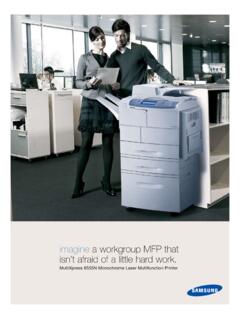
imagine a workgroup MFP that isn’t afraid of a little …
www.samsung.comMultiXpress 6555N Monochrome Laser Multifunction Printer imagine a workgroup MFP that isn’t afraid of a little hard work.

imagine a versatile laser MFP ready for any …
www.samsung.comimagine smart scanner Samsung’s Scan to E-mail solution is a powerful productivity tool for any small to medium sized enterprise or workgroup within a larger
Related documents
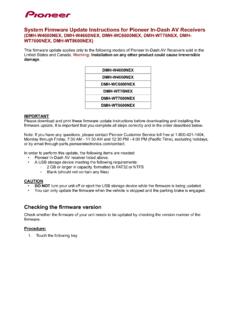
System Firmware Update Instructions for Pioneer In-Dash AV ...
www.pioneerelectronics.comJan 31, 2021 · • DO NOT remove the USB storage device during the firmware update process. • Performing the firmware update will restore all settings to their default values. • Disconnect any external mobile devices that are currently connected to your unit. Procedure: 1. Connect a blank (formatted) USB storage device to your computer, and then locate ...

Firmware Update Utility Manual - Samsung us
www.samsung.comthe firmware update process. If the SSD device cable is disconnected or power is shut down during the firmware update process, the SSD may be permanently damaged or rendered inoperable. 4. Samsung does not take any liability for any kind of data loss and restoration that may occur while the Samsung Firmware Utility is running. ...

Kingston Toolbox 2.0 Firmware Update Procedure
media.kingston.comproceeding with the firmware update. Proceed to the "Firmware Update" button. If you are ready to update your drive, click the white arrow to continue. The update process should take less than a minute to complete. Once the update is complete, you will see "Download Firmware Complete" appear in the lower left corner within the application window.

System Firmware Update Instructions for Certain Pioneer ...
www.pioneerelectronics.comThis firmware update (version 8.17) applies only to the following models of Pioneer products sold in the United States and Canada. DEH-S5100BT DEH-S5120BT ... • DO NOT remove the USB storage device during the firmware updat e process. • Performing the firmware update will restore all settings to their default values.

EC Firmware Update Instruction Windows mode
storage-asset.msi.comEC Firmware Update in Windows 5. Please skip this step if the battery inside your notebook is not removable (built-in battery), because the EC update process will also erase the EC RAM. If the battery inside your notebook is removable, please remove the battery and the AC adapter to erase the EC RAM. Please wait for 10 seconds. 6. EC update is ...

ENGLISH: Manual firmware update procedure ITALI …
ts.thrustmaster.comware update procedure begins (the update progress is displayed onscreen). During the firmware update, the MODE LED on the wheel will be OFF: this is perfectly normal. The update program will inform you whether the firmware has been successfully updated. If the firm ware has been successfully updated, the wheel will automatically calibrate
Firmware Update Guide - Ricoh
support.ricoh.com9. Click [Update]. Firmware update starts. After the file is transferred, the following screen is displayed. Updating the firmware takes time. Be sure not to operate the web browser, computer, or the printer during the update. The status of the updating process is displayed on the printer’s display. 1. Firmware Update Guide 10

Firmware Update Instructions for Crucial Client SSDs
content.crucial.comFirmware Update Instructions for Crucial ... The process for determining applicable updates, starting up into the update environment, and verifying that the update was successful are more complicated without Storage Executive. Step 1: Identify the drive model and current firmware

ENGLISH: Manual firmware update procedure ITALI ANO ...
ts.thrustmaster.com- The “Firmware” section displays information regarding the version of the firmware that will be applied to the device. 7) When you are ready to continue, click OK. IMPORTANT: DO NOT UNPLUG your Joystick from the USB port during the firmware update procedure! Thrustmaster Firmware Updater (2.9.0) Thrustmaster T300RS – Firmware: 24.B10