Example: stock market
Firmware Update Guide - Ricoh
9. Click [Update]. Firmware update starts. After the file is transferred, the following screen is displayed. Updating the firmware takes time. Be sure not to operate the web browser, computer, or the printer during the update. The status of the updating process is displayed on the printer’s display. 1. Firmware Update Guide 10
Tags:
Information
Domain:
Source:
Link to this page:
Documents from same domain
Istruzioni per l’uso Risoluzione dei problemi
support.ricoh.comIstruzioni per l’uso Risoluzione dei problemi Leggere attentamente questo manuale prima di utilizzare la macchina e tenerlo a disposizione per …
Operating Instructions General Settings Guide - …
support.ricoh.comOperating Instructions General Settings Guide Read this manual carefully before you use this machine and keep it handy for future reference. For safe and correct use, be sure to …
DDST Unit Type A / Type B - Ricoh
support.ricoh.comDDST Unit Type A / Type B Operating Instructions Printer / Scanner Reference Read this manual carefully before you use this machine and keep it handy for future reference.
Gebruiksaanwijzing Scannerhandleiding - …
support.ricoh.comGebruiksaanwijzing Scannerhandleiding Lees deze handleiding zorgvuldig door voordat u dit apparaat gebruikt en houd hem bij de hand voor toekomstig gebruik.
SP 210/SP 210SU/SP 210SF/ SP 211/SP ... - …
support.ricoh.com5 CTT213 CTT073 CTT074 DCT032 DCT049 CTT029 To connect to the network via wireless LAN, see Wi‑ Fi Settings Guide. Otherwise, see page 7 "2. Install‑
Manuel utilisateur Guide de paramétrage général
support.ricoh.comManuel utilisateur Guide de paramétrage général Lisez attentivement ce manuel avant d’utiliser ce copieur et conservez-le dans un endroit accessible afin de pouvoir vous y référer ultérieure-
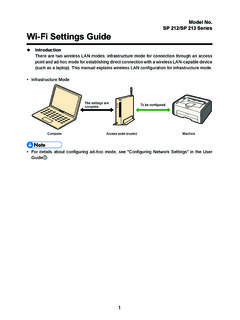
SP 212/SP 213 Series Wi-Fi Settings Guide - Ricoh
support.ricoh.com1 Model No. SP 212/SP 213 Series Wi-Fi Settings Guide Introduction There are two wireless LAN modes: infrastructure mode for connection through an access point and ad-hoc mode for establishing direct connection with a wireless LAN-capable device
Operating Instructions General Settings Guide - …
support.ricoh.comOperating Instructions General Settings Guide Read this manual carefully before you use this machine and keep it handy for future reference. For safe and correct use, be sure to …
Operating Instructions Troubleshooting - Ricoh
support.ricoh.comOperating Instructions Troubleshooting Read this manual carefully before you use this machine and keep it handy for future reference. For safe and correct use, be …
Network Guide - Ricoh
support.ricoh.comNetwork Guide Read this manual carefully before you use this machine and keep it handy for future reference. For safe and correct use, be sure to read the
Related documents
System Firmware Update Instructions for Pioneer In-Dash AV ...
www.pioneerelectronics.comJan 31, 2021 · • DO NOT remove the USB storage device during the firmware update process. • Performing the firmware update will restore all settings to their default values. • Disconnect any external mobile devices that are currently connected to your unit. Procedure: 1. Connect a blank (formatted) USB storage device to your computer, and then locate ...

Firmware Update Utility Manual - Samsung us
www.samsung.comSamsung Solid State Drive Firmware Update Utility - 3 - 3. The SSD must be connected to the system at all times with stable power being supplied during the firmware update process. If the SSD device cable is disconnected or power is shut down during the firmware update process, the SSD may be permanently damaged or rendered inoperable.

Firmware Update Utility Manual - Samsung us
www.samsung.comthe firmware update process. If the SSD device cable is disconnected or power is shut down during the firmware update process, the SSD may be permanently damaged or rendered inoperable. 4. Samsung does not take any liability for any kind of data loss and restoration that may occur while the Samsung Firmware Utility is running. ...

Kingston Toolbox 2.0 Firmware Update Procedure
media.kingston.comproceeding with the firmware update. Proceed to the "Firmware Update" button. If you are ready to update your drive, click the white arrow to continue. The update process should take less than a minute to complete. Once the update is complete, you will see "Download Firmware Complete" appear in the lower left corner within the application window.

System Firmware Update Instructions for Certain Pioneer ...
www.pioneerelectronics.comThis firmware update (version 8.17) applies only to the following models of Pioneer products sold in the United States and Canada. DEH-S5100BT DEH-S5120BT ... • DO NOT remove the USB storage device during the firmware updat e process. • Performing the firmware update will restore all settings to their default values.

EC Firmware Update Instruction Windows mode
storage-asset.msi.comEC Firmware Update in Windows 5. Please skip this step if the battery inside your notebook is not removable (built-in battery), because the EC update process will also erase the EC RAM. If the battery inside your notebook is removable, please remove the battery and the AC adapter to erase the EC RAM. Please wait for 10 seconds. 6. EC update is ...

ENGLISH: Manual firmware update procedure ITALI …
ts.thrustmaster.comware update procedure begins (the update progress is displayed onscreen). During the firmware update, the MODE LED on the wheel will be OFF: this is perfectly normal. The update program will inform you whether the firmware has been successfully updated. If the firm ware has been successfully updated, the wheel will automatically calibrate

Firmware Update Instructions for Crucial Client SSDs
content.crucial.comFirmware Update Instructions for Crucial ... The process for determining applicable updates, starting up into the update environment, and verifying that the update was successful are more complicated without Storage Executive. Step 1: Identify the drive model and current firmware

ENGLISH: Manual firmware update procedure ITALI ANO ...
ts.thrustmaster.com- The “Firmware” section displays information regarding the version of the firmware that will be applied to the device. 7) When you are ready to continue, click OK. IMPORTANT: DO NOT UNPLUG your Joystick from the USB port during the firmware update procedure! Thrustmaster Firmware Updater (2.9.0) Thrustmaster T300RS – Firmware: 24.B10