Example: marketing
fx-300ES PLUS Users Guide Eng - support.casio.com
E-2 Important Information • The displays and illustrations (such as key markings) shown in this User’s Guide are for illustrative purposes only, and may differ somewhat from the
Information
Domain:
Source:
Link to this page:
Documents from same domain

© 2014 CASIO COMPUTER CO., LTD. Operation …
support.casio.comOperation Guide 5146 5425 E-10 3. Press & to change the fl ashing screen content in the sequence shown below to select the other settings. Seconds

© 2016 CASIO COMPUTER CO., LTD. Operation …
support.casio.comOperation Guide 5229 5518 E-9 To set the digital time and date 1. In the Timekeeping Mode, hold down A for about three seconds until the currently selected city code flashes in

fx-570ES PLUS fx-991ES PLUS Users Guide Eng
support.casio.comE fx-570ES PLUS fx-991ES PLUS User’s Guide CASIO Worldwide Education Website http://edu.casio.com CASIO EDUCATIONAL FORUM http://edu.casio.com/forum/

FC-200V 100V Users Guide Eng - CASIO Official …
support.casio.comE-1 About this Manual • This User’s Guide covers use and operation of the CASIO FC-200V and FC-100V. Operations apply to both models, except in cases indicated by the text “FC-200V only”.

START 1. RÜCKSETZEN L HS-70W VORGANG …
support.casio.comENGLISH Timekeeping Mode Stopwatch Mode Recall Mode Press . Press . Year Month Day Second Minute Seconds Time Display Stopwatch Display Minutes

Operation Guide 3054 - support.casio.com
support.casio.comOperation Guide 3054 1 MO0606-EA Getting Acquainted Congratulations upon your selection of this CASIO watch. To get the most out of …

CTK2080 CTK2200 CTK2300 CTK3200 e - …
support.casio.comGeneral Guide E-4 Use the number buttons and the [–] and [+] keys to change the settings of the parameters that appear in the upper left area of the display.

MA1703-EA Operation Guide 5444/5524 - …
support.casio.comOperation Guide 5444/5524 E-29 x You can use the procedure under “To turn auto receive on and off” (page E-34) to enable or disable auto receive.

User's Manual SE-G1 - support.casio.com
support.casio.comE-4 •ongratulations upon your selection of this CASIO product. Be sure to read the C following safety precautions before using it for the first time.

fx-9860GII SD 9860GII 9860G AU PLUS ... - …
support.casio.comSitio web educativo para todo el mundo de CASIO http://edu.casio.com Los manuales están disponibles en varios idiomas en http://world.casio.com/manual/calc
Related documents

Place Value and Standard Form Worksheet - …
www.tlsbooks.comPlace Value and Standard Form Answer Key Item 4539 Place Value and Standard Form 0, 1, 2, 3, 4, 5, 6, 7, 8, 9 The ten digits above can be used to write any number.

Place Value (whole numbers) - Learning Trends
www.learningtrends.comAll rights reserved. 2010 www.learningtrends.com Adding Whole Numbers (sum, total) When the column of digits is greater than 9, you must regroup or carry to the next
GRADE 4 MATHS SYLLABUS - FIRST TERM …
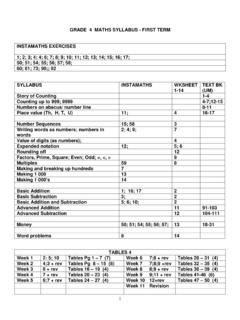
prep.bishops.org.za3 2. NUMBER SEQUENCE Count around 1000 Instamaths 15 Total 20 Your mark: Skip Counting Instamaths 58 Total 20 Your mark: When working out a number sequence you must work out the difference between the

fx-115ES PLUS 991ES PLUS C Users Guide Eng - CASIO
support.casio.comE-2 Important Information • The displays and illustrations (such as key markings) shown in this User’s Guide are for illustrative purposes only, and may differ somewhat from the

42 40 20 18 - bgsnps.com
www.bgsnps.comc) Arrange the following numbers from smallest to biggest. 41, 27, 14, 32 _____ d) Write the numbers.

QMT808-03 Internet Result Entry Guide - Electrical
www.ifmqs.com.auQMT808-03 Internet Result Entry Guide - Electrical Issue Date : 10th August 2015 Authorised by : J.Flemming Page 5 of 6 © 2016 IFM Quality Services Pty Ltd 6. The ...

Column Addi on Puzzle A + + IX = 9 - Primary …
www.primaryresources.co.ukColumn Addi on Puzzle A IX = 9 IX is the Roman numeral for 9. What one character can you add to this to change it into an even number? Complete the …