Example: air traffic controller
fx-CG500 - CASIO Official Website
2 Be sure to keep physical records of all important data! Low battery power or incorrect replacement of the batteries that power the calculator can cause the data stored
Information
Domain:
Source:
Link to this page:
Documents from same domain

© 2014 CASIO COMPUTER CO., LTD. Operation …
support.casio.comOperation Guide 5146 5425 E-10 3. Press & to change the fl ashing screen content in the sequence shown below to select the other settings. Seconds

© 2016 CASIO COMPUTER CO., LTD. Operation …
support.casio.comOperation Guide 5229 5518 E-9 To set the digital time and date 1. In the Timekeeping Mode, hold down A for about three seconds until the currently selected city code flashes in

fx-570ES PLUS fx-991ES PLUS Users Guide Eng
support.casio.comE fx-570ES PLUS fx-991ES PLUS User’s Guide CASIO Worldwide Education Website http://edu.casio.com CASIO EDUCATIONAL FORUM http://edu.casio.com/forum/

FC-200V 100V Users Guide Eng - CASIO Official …
support.casio.comE-1 About this Manual • This User’s Guide covers use and operation of the CASIO FC-200V and FC-100V. Operations apply to both models, except in cases indicated by the text “FC-200V only”.

START 1. RÜCKSETZEN L HS-70W VORGANG …
support.casio.comENGLISH Timekeeping Mode Stopwatch Mode Recall Mode Press . Press . Year Month Day Second Minute Seconds Time Display Stopwatch Display Minutes

Operation Guide 3054 - support.casio.com
support.casio.comOperation Guide 3054 1 MO0606-EA Getting Acquainted Congratulations upon your selection of this CASIO watch. To get the most out of …

CTK2080 CTK2200 CTK2300 CTK3200 e - …
support.casio.comGeneral Guide E-4 Use the number buttons and the [–] and [+] keys to change the settings of the parameters that appear in the upper left area of the display.

MA1703-EA Operation Guide 5444/5524 - …
support.casio.comOperation Guide 5444/5524 E-29 x You can use the procedure under “To turn auto receive on and off” (page E-34) to enable or disable auto receive.

User's Manual SE-G1 - support.casio.com
support.casio.comE-4 •ongratulations upon your selection of this CASIO product. Be sure to read the C following safety precautions before using it for the first time.

fx-9860GII SD 9860GII 9860G AU PLUS ... - …
support.casio.comSitio web educativo para todo el mundo de CASIO http://edu.casio.com Los manuales están disponibles en varios idiomas en http://world.casio.com/manual/calc
Related documents

Conversion of Binary, Octal and Hexadecimal Numbers
www.cs.ucr.eduFrom Binary to Hexadecimal Starting at the binary point and working left, separate the bits into groups of four and replace each group with the corresponding hexadecimal digit. 10001011 2 = 1000 1011 = 8B 16 From Octal to Binary Replace each octal digit with the corresponding 3-bit binary string. 213 8 = 010 001 011 = 10001011 2 From ...

Standards compliance according to IEC 61131-3 (3rd Edition)
cache.industry.siemens.com4 Binary literal 2#1111_1111 5 Octal literals 8#377 6 Hexadecimal literal 16#FF 7 Boolean zero and one 8 Boolean FALSE and TRUE 9 Typed literal INT#-123 ...

SCIENTIFIC CALCULATOR OPERATION GUIDE
global.sharpBinary, pental, octal, decimal, and hexadecimal operations (N-base) 49 e to the power of x, natural logarithm 21 Exponential, logarithmic 18-20 Permutations, combinations 24-26 Matrix calculation 27-31 Hyperbolic 44-46 Differentiation calculation 50-51 Integration calculation 52-54 Polynomial equation 55-58 Simultaneous calculation 59-61
DECIMAL, BINARY, AND HEXADECIMAL
courses.cs.washington.eduConverting Binary Hexadecimal Hex Binary • Substitute hex digits, then drop leading zeros • Example: 0x2D in binary –0x2 is 0b0010, 0xD is 0b1101 –Drop two leading zeros, answer is 0b101101 Binary Hex • Pad with leading zeros until multiple of 4, then substitute groups of 4 • Example: 0b101101 –Pad to 0b 0010 1101 –Substitute to ...
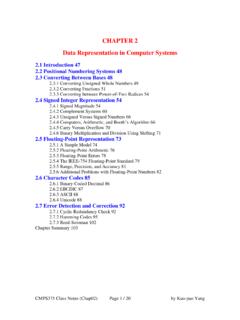
CHAPTER 2 Data Representation in Computer Systems
www2.southeastern.eduto octal and hexadecimal. 110 . 010 011 101 2 = 6235 8 Separate into groups of 3 for octal conversion . 1100. 1001 . 1101 2 = C9D 16 Separate into groups of 4 for octal conversion . CMPS375 Class Notes (Chap02) Page 4 / 20 by Kuo-pao Yang