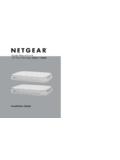
Transcription of GS110TP Hardware Installation Guide
1 202-10596-01 March , East Plumeria DriveSan Jose, California 95134 USAGS110TP Hardware Installation , March 2010 2010 by NETGEAR, Inc. All rights , the NETGEAR logo, and Auto Uplink are trademarks or registered trademarks of NETGEAR, Inc. Microsoft, Windows, and Windows NT are registered trademarks of Microsoft Corporation. Other brand and product names are registered trademarks or trademarks of their respective holders. Portions of this document are copyright Intoto, of ConditionsIn the interest of improving internal design, operational function, and/or reliability, NETGEAR reserves the right to make changes to the products described in this document without does not assume any liability that may occur due to the use or application of the product(s) or circuit layout(s) described of the Manufacturer/ImporterIt is hereby certified that the GS110TP Smart PoE Switch has been suppressed in accordance with the conditions set out in the BMPT-AmtsblVfg 243/1991 and Vfg 46/1992.
2 The operation of some equipment (for example, test transmitters) in accordance with the regulations may, however, be subject to certain restrictions. Please refer to the notes in the operating instructions. The Federal Office for Telecommunications Approvals has been notified of the placing of this equipment on the market and has been granted the right to test the series for compliance with the regulations. Product and Publication DetailsModel Number:GS110 TPPublication Date:March 2010 Product Family:Gigabit Advanced Smart SwitchProduct Name: GS110TP Smart PoE SwitchHome or Business Product:BusinessLanguage:EnglishPublicat ion Part Number:202-10596-01 Publication Version , March 2010 ContentsGS110TP Hardware Installation GuideAbout This ManualConventions, Formats, and Scope.
3 VHow to Print this Manual .. viRevision History .. viChapter 1 IntroductionOverview ..1-1 Features ..1-2 PoE Features ..1-3 Green Features ..1-3 Package Contents ..1-4 Chapter 2 Physical DescriptionGS110TP Front and Back Panel Configuration ..2-1 LED Designations ..2-2 Port LEDs ..2-2 System LEDs ..2-3 Device Hardware Interfaces ..2-3RJ-45 Ports ..2-3 Reset Button ..2-4 Factory Defaults Button ..2-4 Chapter 3 ApplicationsDesktop Switching .. , March 2010 Chapter 4 InstallationStep 1: Preparing the Site ..4-1 Step 2: Installing the Switch ..4-2 Installing the Switch on a Flat Surface.
4 4-2 Wall Mounting the Switch ..4-2 Step 3: Checking the Installation ..4-3 Step 4: Connecting Devices to the Switch ..4-3 Step 5: Applying AC Power ..4-4 Step 6: Managing the Switch using a Web Browser or the PC Utility ..4-4 Appendix A TroubleshootingTroubleshooting Chart .. A-1 Additional Troubleshooting Suggestions .. A-2 Network Adapter Cards .. A-2 Configuration .. A-2 Switch Integrity .. A-2 Auto-Negotiation .. A-3 Appendix B Technical , March 2010 About This ManualThe NETGEAR ProSafeTM GS110TP Hardware Installation Guide describes how to install and power on the GS110TP Smart PoE Switch.
5 The information in this manual is intended for readers with intermediate computer and Internet , Formats, and ScopeThe conventions, formats, and scope of this manual are described in the following paragraphs: Typographical Conventions. This manual uses the following typographical conventions:ItalicEmphasis, books, CDs, file and server names, extensionsBoldUser input, IP addresses, GUI screen textFixedCommand prompt, CLI text, code italicURL links Formats. This manual uses the following formats to highlight special messages:Tip: This format is used to highlight a procedure that will save time or : Ignoring this type of note may result in a malfunction or damage to the : This format is used to highlight information of importance or special : This is a safety warning.
6 Failure to take heed of this notice may result in personal injury or Hardware Installation GuideviAbout This , March 2010 Scope. This manual is written for the GS110TP Smart PoE Switch according to these specifications:Product VersionGS110TP Smart PoE SwitchManual Publication DateMarch 2010 Note: Product updates are available on the NETGEAR, Inc. website at to Print this ManualTo print this manual, use the Complete PDF Manual link at the top left of any page. Click the Complete PDF Manual link at the top left of any page in the manual. The PDF version of the complete manual opens in a browser window.
7 Click the print icon in the upper left of the window. Tip: If your printer supports printing two pages on a single sheet of paper, you can save paper and printer ink by selecting this HistoryPart NumberVersion 2010 Initial , March 2010 Chapter 1 Introduction Congratulations on the purchase of your NETGEAR GS110TP Smart PoE Switch. The GS110TP Smart PoE Switch is a supplement to the Gigabit Advanced Smart Switch family. Available as a desktop or wall-mountable switch, the GS110TP Smart PoE Switch is not intended to be rack-mountable. The GS110TP is a PoE-supportable, low-port switch with two fiber uplinks chapter serves as an introduction to the GS110TP Smart PoE Switch and provides the following information: Overview Features Package ContentsOverviewThis Installation Guide is for the NETGEAR GS110TP Smart PoE Switch.
8 This product offers support for eight 10/100/1000 Mbps autosensing and two 1000M SFP Gigabit Ethernet switching ports. Using Gigabit ports, high-speed connections can be made to a server or network backbone. For example: Linking to high-speed servers Providing 10/100/1000 Mbps copper connectivityThe GS110TP Smart PoE Switch also provides the benefit of administrative management with a complete package of features for the observation, configuration, and control of the network. With a Web-based Graphical User Interface (GUI), the switch s many capabilities can be viewed and used in a simple and intuitive manner.
9 The switch s management features include configuration for port and switch information, VLAN for traffic control, port trunking for increased bandwidth, and Class of Service (CoS) for traffic prioritization. These features provide better understanding and control of the network. Initial discovery of the switch on the network requires the Netgear Smart Control Center program, a utility that runs on a Hardware Installation , March 2010 The GS110TP Smart PoE Switch is a free-standing switch. It is IEEE-compliant and offers low latency for high-speed networking. All ports can automatically negotiate to the highest speed.
10 This capability makes the switch ideal for environments that have a mix of Ethernet, Fast Ethernet, or Gigabit Ethernet devices. In addition, all RJ-45 ports operate in half-duplex or full-duplex mode. The maximum segment length is 328 feet (100 meters) over Category 5 Unshielded Twisted-Pair (UTP) following list identifies the key features of the GS110TP Smart PoE Switch: Eight RJ-45 10/100/1000 Mbps autosensing Gigabit Ethernet switching ports. Two 1000M SFP Gigabit Ethernet switching ports. Full NETGEAR Smart Switch functionality. Full compatibility with IEEE standards: IEEE CSMA/CD IEEE (10 BASE-T) IEEE (100 BASE-TX) IEEE (Full-duplex flow control) IEEE (1000 BASE-T) IEEE (1000 BASE-x) IEEE (DTE power via MDI) Autosensing and auto-negotiating capabilities for all ports.