Example: dental hygienist
Hik-Connect: Remote Access Platform & APP
Hik-Connect is a remote access platform and mobile app that is designed to allow quick set up of your security cameras for remote viewing via the internet on a smart phone, tablet, desktop PC, or web browser. Depending on your needs, there are two different service offerings: Hik-Connect P2P service Hik-Connect P2P service allows for remote access
Information
Domain:
Source:
Link to this page:
Documents from same domain
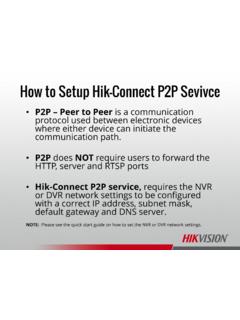
How to Setup Hik-Connect P2P Sevivce - Hikvision …
hikvisionusa.comHow to Setup Hik-Connect P2P Sevivce ... P2P does NOT require users to forward the HTTP, server and RTSP ports •Hik-Connect P2P service, requires the NVR or DVR network settings to be configured with a correct IP address, subnet mask, ... please contact the Hikvision USA, Technical Support team. Title: DDNS

How to Download & Install the SADP Tool - …
hikvisionusa.comHow to Download & Install the SADP Tool . SADP Tool SADP = Search Active Device Protocol. Currently only supported on Windows OS Finds only devices on same physical network as computer Finds all Hikvision devices on physical network, even if on other subnets . How to Download • Go to Hikvision.com

Add Hik-Connect 3.0 Remote Access Platform Device
hikvisionusa.com© 2016 Hikvision USA Inc. and Hikvision Canada Inc. All Rights Reserved. Confidential and Proprietary Add Hik-Connect 3.0 Remote Access Platform Device
Enable Hik-Connect 3.0 Remote Access Platform …
hikvisionusa.com© 2017 Hikvision USA Inc. and Hikvision Canada Inc. All Rights Reserved. Confidential and Proprietary At the Recorder Using the Menus • Login to your recorder
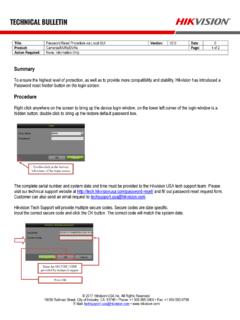
Hikvision Technical Bulletin
hikvisionusa.comTitle: Password Reset Procedure via Local GUI Version: V2.0 Date: 0 Product: Cameras/NVRs/DVRs Page: 1 of 2 Action Required: None, Information Only © 2017 Hikvision USA Inc.

iVMS-4200 Part 4 Playback - Hikvision USA
hikvisionusa.companel Camera4„ IP Camera C017716 IPCamera1m IP IP IP CameraS„, IP Camera V I? Cameraa.„ IP Camera E Ipcameral„. IR Cameral., IP Cameral _
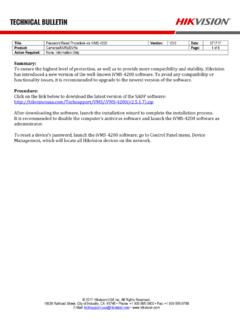
Password Reset Procedure via iVMS-4200 Version: …
hikvisionusa.comTitle: Password Reset Procedure via iVMS-4200 Version: V3.0 Date: 071717 Product: Cameras/NVRs/DVRs Page: 2 of 8 Action Required: None, Information Only © 2017 Hikvision …

iVMS-4200 Part 1 Download, Install, Login - …
hikvisionusa.comiVMS-4200 Accounts •iVMS-4200 accounts are separate from the accounts on a camera or DVR/NVR. They can have the same names, but creation of accounts in iVMS-4200 …
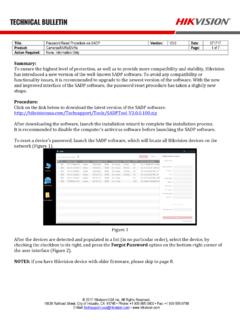
Password Reset Procedure via SADP Version: Date: …
hikvisionusa.comTitle: Password Reset Procedure via SADP Version: V3.0 Date: 071717 Product: Cameras/NVRs/DVRs Page: 2 of 7 Action Required: None, Information Only © …

How to Add a Hik-Connect P2P Device to the …
hikvisionusa.comHow to Add a Hik-Connect P2P Device to the iVMS4500 Mobile Software •A Hik-Connect P2P device, is a device that is registered to dev.hik-connect.com using the P2P …
Related documents
How to Download & Install the SADP Tool - hikvisionusa.com
hikvisionusa.comVISION@ SUPPORT Notice Downloads Support Notice Downloads Firmware Tools SDK Client Software Product Catalog Leaflet FAQ Technical Bulletin White Papers Video Security Center Warranty / RMA Notices Training vsqayerw.zo Hikvision Tools VI 21.2 SADPT001V3.O_O.100 VISION@

How to Setup Hikvision DDNS
hikvisionusa.comHow to Setup Hikvision DDNS •DDNS (Dynamic Domain Name Service) allows users to access their NVRs and DVRs or IP Camera remotely without the expensive requirement for a static IP.
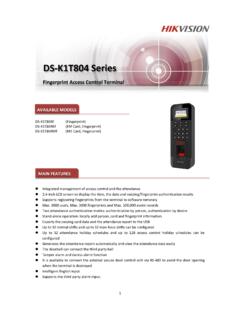
DS K1T804 Series - Hikvision
www.hikvision.comAug 02, 2017 · Spec of DS-K1T804 Fingerprint Access Control Terminal www.hikvision.com

Activate and Access Network Camera - enpinfo.hikvision.com
enpinfo.hikvision.comHik-Connect is an application for mobile devices. Using the App, you can view live image, receive alarm notification and so on. Note Hik-Connect ser vice should be supported by the camera. 3.1 Enable Hik-Connect Ser vice on Camera Hik-Connect ser vice should be enabled on your camera before using the ser vice.
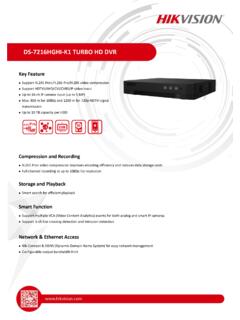
DS-7216HGHI-K1 TURO HD DVR - Hikvision
www.hikvision.comTP/IP, PPPoE, DHP, Hik- onnect, DNS, DDNS, NTP, SADP, NFS, iSSI, UPnP™, HTTPS, ONVIF Network interface 1, RJ45 10M/100M self-adaptive Ethernet interface Auxiliary interface SATA 1, SATA interface apacity Up to 10 T capacity for each disk US interface 2 × US 2.0 General Power supply 12 VD onsumption (without HDD) ≤ 10 W
Password Reset Procedure via iVMS-4200 Version: Date ...
hikvisionusa.comTitle: Password Reset Procedure via iVMS-4200 Version: V3.0 Date: 071717 Product: Cameras/NVRs/DVRs Page: 3 of 8 Action Required: None, Information Only © 2017 ...
How to Setup Hik-Connect P2P Sevivce
hikvisionusa.comHow to Setup Hik-Connect P2P Sevivce •P2P – Peer to Peer is a communication protocol used between electronic devices where either device can initiate the communication path. •P2P does NOT require users to forward the HTTP, server and RTSP ports •Hik-Connect P2P service, requires the NVR or DVR network settings to be configured

iVMS-4500 (iOS) Mobile Client Software User Manual (V2.0)
download.hikvision.comSep 03, 2012 · the DDNS is adopted when the hik-online DDNS server is used. 2) The Alias name for the DDNS register mode must be the same with that configured in the DDNS settings interface of the device to be added. 5. Configure the IP address/domain address/DNS address and the port. Note: By default settings, the port 8000 is used for the IP/Domain register ...