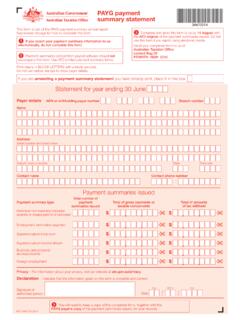
Transcription of How to complete the PAYG payment summary – …
1 Instructions for PAYG withholding payersHow to complete the PAYG payment summary individual non-business formUse these instructions when completing a PAYG payment summary individual non-business (NAT 0046).NAT 3388 TO USE THIS FORMUse this form if you make payments to payees who: are employees, company directors or office holders are religious practitioners receive social security or other benefit payments receive Commonwealth education or training payments receive compensation, sickness or accident payments receive non superannuation income streams receive return to work payments receive a non super annuity or not use this form for amounts you have withheld from payments that are: under a labour hire arrangement or other specified payment arrangement under voluntary agreements to withhold for supplies where an Australian business number (ABN) was not quoted super lump sums super income streams employment termination payments (ETP) for foreign employment not use this form where you have paid tax for personal services income (PSI) attributed to an individual.
2 To obtain copies of the forms and instructions for each of the above situations, phone our publication ordering service on 1300 720 092 at any time you must quote your ABN to use this HOW TO complete THE PAYG payment summary INDIVIDUAL NON-BUSINESS FORMHOW TO complete THIS FORMYou must: write each letter in a separate box use a black pen use BLOCK do not have to complete every field. For example, where an amount has not been paid or withheld, leave those boxes all amounts in whole dollars, do not show cents. For example, show an amount of $ as $ you send the payment summary to us as part of your PAYG withholding payment summary annual report, send the ATO original . We cannot accept photocopies or not include living away from home allowance fringe benefits at not report these amounts on the payment summary , unless it forms part of the reportable fringe benefits amount, because living away from home allowance fringe benefits are not assessable income for the not include amounts reported at Allowances in Gross you report an allowance at Allowances, do not include it in the amount you report at Gross not report negative amend a previous year s payment summary , see Amending payment summaries on page not report amounts containing a decimal not report cents at any label instead, remove the cents from any amount before you enter it on the payment not provide a payment summary containing all you have not made any payments to a payee throughout the year.
3 You do not need to give them a payment payment summary for year ending 30 June, do not show the year as anything but a four-digit the year as a four digit figure for example, show the year ending 30 June 2013 as 2013, and not common errorsDo not include amounts you paid as employment termination , report employment termination payments on a PAYG payment summary employment termination payment (NAT 70868).Do not include amounts paid under a salary sacrifice arrangement at Gross that are paid to a super fund under a salary sacrifice arrangement must be reported at Reportable employer superannuation other amounts paid under a salary sacrifice arrangement may need to be reported at Reportable fringe benefits amount; otherwise, they should not be reported on the payment not include cents at Reportable fringe benefits not show cents at any label instead, remove the cents from any amount before you enter it on the payment not include contributions made by you to meet your super guarantee obligations or industrial agreement obligations in respect of the employee at Reportable employer superannuation that are paid to a super fund under salary sacrifice arrangement must be reported at Reportable employer superannuation TO complete THE PAYG payment summary INDIVIDUAL NON-BUSINESS FORM 3 Amending payment summariesYou cannot change the information on a payment summary after you have either.
4 Given it to the payee provided your PAYG payment summary statement (NAT 3447 or NAT 7885) to you find a mistake with payment amounts, payment codes and/or tax withheld amounts after giving the payment summary to your payee or us, you must complete a new payment summary . You must mark the amending a payment summary box on the new payment summary as you amending a payment summary you have already sent? If so, place X in this you complete amended payment summaries, you must do the following: complete all payee, payment and payer information on each amended payment summary send it to us give a copy to your must show the payee and payer information as it was on the original payment summary . You must send the ATO original to:Australian Taxation Office Locked Bag 50 PENRITH NSW 2740 You may also need to complete and send us an amended PAYG payment summary statement (NAT 3447).
5 If only the payee or payer information is incorrect, do not prepare a new payment summary . Instead, advise the payee as soon as possible. Document the correct details and keep them in your files there is no need to advise us of the corrected must also give a copy of the letter to your the payee loses their payment summary , do not issue a new one. Give them a photocopy of your own copy, showing all the details from the lost payment A: PAYEE DETAILSP ayee s nameSeparate the surname or family name from the given names and print in the boxes for example, show Jane Mary Covers as:Payee s surname or family nameCPayee s given name/sOVERSJANEMARYP ayee s residential addressYou must show the street number and name, suburb/town/locality, state or territory and postcode separately in the boxes provided for example, show the address 2 Bell St, Ablem WA 6999 as:ABLEMWA6999 Suburb/town/localityState/territoryPostc odePayee s residential address2 BELLSTREETDate of birth (if known)Provide this information if you have the format DDMMYYYY for example:Date of birth (if known)DayMonthYear01051975 SECTION B.
6 payment DETAILSP eriod during which payments were madeShow the period during which the payments were made to your payee. Use the format DDMMYYYY for example, show the period 25 September 2012 to 4 January 2013 as:toPeriod during which payments were madeDayMonthYear25092012 DayMonthYear04012013If your payee worked on a casual basis either: during the year, write the period of the year the payments were made over over various times for the whole year, show the period as the whole financial do not need to show the first and last pay dates for the financial year in this field. If your payee has been employed for the entire financial year, show the period as 1 July 2012 to 30 June s tax file numberYou must show the tax file number (TFN) your payee quoted in this field for example, show a nine-digit TFN as:Payee s tax file number987654321X4 HOW TO complete THE PAYG payment summary INDIVIDUAL NON-BUSINESS FORMTo help us process your form, you must substitute the TFN with one of the numbers listed below if.
7 A new payee has not made a TFN declaration, but 28 days have not passed use 111 111 111 your payee is under 18 years of age and earn less than $350 per week, $700 per fortnight or $1,517 per month use 333 333 333 your payee is an Australian Government pensioner payee use 444 444 444 your payee chose not to quote a TFN and has not claimed an exemption from quoting a TFN or does not fit into any of the above categories use 000 000 tax withheldShow the total tax withheld in whole dollars for example, show $12, as:TOTAL TAX $,12,672 Total tax withheld - whole dollars only in wordsTwelve thousand, six hundred and seventy-twoPension or annuity paymentsPlace an X in the box if the information on the payment summary relates to payments of a non super pension or you make payments of super income, you need to complete PAYG payment summary superannuation income stream (NAT 70987).
8 Gross paymentsInclude all salary, wages, bonuses and commissions you paid your payee as an employee, company director or office holder. Include the total gross amount before amounts are payments also include: non super pensions and annuities compensation sickness or accident the gross payments in whole dollars for example, show a gross salary of $46, as:GROSS payments (do not include amounts shown under Allowances , Lump sum payments , CDEP payments or Exempt foreign employment income ).00$,46,844 Also include the following amounts: allowances you paid to compensate for specific working conditions and payments for special qualifications or extended hours allowances you paid to cover expenses that are not tax deductible to your payee for example, normal home to work transport expenses return to work payments holiday pay or bonuses amounts you paid for unused long service leave, unused holiday pay and other leave related payments that accrued after 17 August 1993, except if the amount was paid in connection with a payment that includes (or consists of) either a genuine redundancy payment an early retirement scheme payment or the invalidity segment of an employment termination payment super benefit (see Lump sum payments on page 5).
9 Do not include amounts that are shown separately as: Community Development Employment Projects (CDEP) payments allowances lump sum payments reportable fringe benefits amounts. Do not include amounts that have been salary sacrificed in Gross Development Employment Projects (CDEP) paymentsThis is the total you have paid to your payee from a CDEP wages grant. You must show this amount in whole dollars. Do not include this amount in Gross fringe benefits amountComplete this section if the total taxable value of certain fringe benefits you provided to your payee in the fringe benefits tax (FBT) year (1 April to 31 March) exceeds $2,000 for the FBT must record the grossed up taxable value of those benefits on your payee s payment summary for the financial year that corresponds with the reportable fringe benefits amount. Do not include cents in this amount for example, show a reportable fringe benefits amount of $4, as.
10 00$,4,178 Reportable fringe benefits amountFBT year 1 April to 31 MarchDo not include this amount in Gross TO complete THE PAYG payment summary INDIVIDUAL NON-BUSINESS FORM 5 For more information about the fringe benefits you must include in this section and calculating grossed up amounts, refer to Fringe benefits tax for small business (NAT 8164).Reportable employer superannuation contributionsComplete this section if you paid employer contributions to a super fund at the request of the employee. This includes amounts paid at the direction of your payee under a salary sacrifice or similar arrangement. This does not include contributions that are made by you to meet your super guarantee obligations or industrial agreement obligations for your are reportable employer superannuation contributions?