Example: dental hygienist
HP ProBook User Guide
place the computer directly on your lap or obstruct the computer air vents. Use the computer only on a hard, flat surface. Do not allow another hard surface, such as an adjoining optional printer, or a soft surface, such as pillows or rugs or clothing, to block airflow. Also , do not allow the AC adapter to contact
Tags:
Information
Domain:
Source:
Link to this page:
Documents from same domain
HP Pavilion PC User™s Guide - HP® Official Site
h10032.www1.hp.com2 HP Pavilion PC User’s Guide Putting Your Computer Together For step-by-step instructions on putting your computer together, refer to the Welcome Poster that came in your computer box.

Quick Start Guide - HP
h10032.www1.hp.comHP Web Sites. Quick Start Guide Filename: ma2usqs.doc Title: HP-Print2k.dot Template: HP-Print2K.dot Author: jiml Last Saved By: WASSER, Inc. ® ® Start. ...
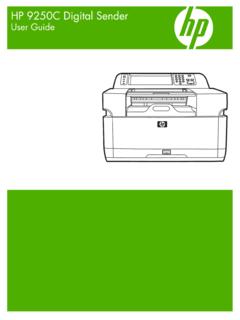
HP 9250C Digital Sender - HP® Official Site
h10032.www1.hp.comDevice information The HP 9250C Digital Sender connects directly to your network converts black-and-white and color documents, drawings, and photographs into an electronic form and then distributes them directly to

Technical Reference Guide HP Compaq dc7800 …
h10032.www1.hp.comTechnical Reference Guide HP Compaq dc7800 Series Business Desktop Computers ... deal with the system board and the power supply assembly.
Reference Guide - HP
h10032.www1.hp.comReference Guide A–1 A Troubleshooting This section provides three methods for resolving issues you may encounter when using your docking station. Use the methods

HP Pavilion 15 Notebook PC - HP® Official Site
h10032.www1.hp.com1 Product description Category Description Computer models equipped with an AMD processor Computer models equipped with an Intel processor Product Name HP Pavilion 15 Notebook PC √√

HP MINI User Guide
h10032.www1.hp.comSafety warning notice WARNING! To reduce the possibility of heat-related injuries or of overheating the device, do not place the device directly on …

User Guide - HP
h10032.www1.hp.comproprietor and used by Hewlett-Packard Company under license. Google, ... bound by the terms of the HP End User License ... see the printed Quick Start guide included ...

Manuel de l'utilisateur de l'ordinateur portable HP
h10032.www1.hp.comAvis d'avertissement sur la sécurité AVERTISSEMENT ! Pour éviter tout risque de blessure liée à la chaleur ou tout risque de surchauffe de l'ordinateur, ne le posez pas directement sur vos genoux et n'obstruez pas les ouvertures d'aération.

Manuel de l'utilisateur - HP® Official Site
h10032.www1.hp.comL'ordinateur et l'adaptateur secteur sont conformes aux limites de température de surface accessible à l'utilisateur, définies par la norme internationale sur la …
Related documents

Safety Data Sheet - Fisher Sci
www.fishersci.comWear protective gloves/protective clothing/eye protection/face protection Do not eat, drink or smoke when using this product ... of this product contain explosion relief vents or an explosion suppression system or an oxygen deficient environment.Ensure that dust-handling systems (such as exhaust ducts, dust collectors, vessels, and processing ...

Technical Note - Roofs - Queensland
www.qld.gov.austructure that spans the building and holds up the protective covering, and the protective covering material. These notes describe, individually, the types of roof coverings found on ... around flues, vents, skylights and chimneys can also cause problems. It is good practice to keep the roof free of debris.

Safety Data Sheet - Fisher Sci
beta-static.fishersci.comUse personal protective equipment as required ... of this product contain explosion relief vents or an explosion suppression system or an oxygen deficient environment.Ensure that dust-handling systems (such as exhaust ducts, dust collectors, vessels, and processing

10 States Standards - Recommended Standards for Water …
www.broward.org5.3.4 Other protective equipment 5.4 SPECIFIC CHEMICALS 5.4.1 Chlorine gas ... 7.0.9 Vents 7.0.10 Roof and sidewall 7.0.11 Construction materials ...
PPE: Eye Protection
vamedicine.ucsf.eduvents help with airflow, indirect vent goggles will fog up more often. • Non-vented: This style of goggle is completely sealed and doesn’t have any vents. They provide excellent protection from impact, splash, dust and caustic vapors. Due to the lack of vents, these goggles tend to fog up quickly; an anti-fog lens is necessary.
PERSONAL PROTECTIVE EQUIPMENT STANDARD …
www.tntech.eduPersonal protective equipment (PPE): Equipment worn to minimize exposure to a variety of hazards. Examples of PPE include such items as gloves, foot and eye protection, protective hearing devices (earplugs), hard hats, respirators and full body suits. III. Responsibility: a.
Environmental Services Cleaning Guidebook - mnhospitals.org
www.mnhospitals.orgHigh dusting includes all horizontal surfaces and fixtures above shoulder height, including vents. Ideally, the patient/resident should be out of the room during high dusting to reduce the risk of inhaling dust particles.