Example: stock market
HR-8TEC - support.casio.com
j SA1211-C Printed in China Imprimé en Chine HR-8TEC User’s Guide Bedienungsanleitung Mode d’emploi Guía del usuario …
Information
Domain:
Source:
Link to this page:
Documents from same domain
© 2014 CASIO COMPUTER CO., LTD. Operation …
support.casio.comOperation Guide 5146 5425 E-10 3. Press & to change the fl ashing screen content in the sequence shown below to select the other settings. Seconds
© 2016 CASIO COMPUTER CO., LTD. Operation …
support.casio.comOperation Guide 5229 5518 E-9 To set the digital time and date 1. In the Timekeeping Mode, hold down A for about three seconds until the currently selected city code flashes in
fx-570ES PLUS fx-991ES PLUS Users Guide Eng
support.casio.comE fx-570ES PLUS fx-991ES PLUS User’s Guide CASIO Worldwide Education Website http://edu.casio.com CASIO EDUCATIONAL FORUM http://edu.casio.com/forum/
FC-200V 100V Users Guide Eng - CASIO Official …
support.casio.comE-1 About this Manual • This User’s Guide covers use and operation of the CASIO FC-200V and FC-100V. Operations apply to both models, except in cases indicated by the text “FC-200V only”.
START 1. RÜCKSETZEN L HS-70W VORGANG …
support.casio.comENGLISH Timekeeping Mode Stopwatch Mode Recall Mode Press . Press . Year Month Day Second Minute Seconds Time Display Stopwatch Display Minutes
Operation Guide 3054 - support.casio.com
support.casio.comOperation Guide 3054 1 MO0606-EA Getting Acquainted Congratulations upon your selection of this CASIO watch. To get the most out of …
CTK2080 CTK2200 CTK2300 CTK3200 e - …
support.casio.comGeneral Guide E-4 Use the number buttons and the [–] and [+] keys to change the settings of the parameters that appear in the upper left area of the display.
MA1703-EA Operation Guide 5444/5524 - …
support.casio.comOperation Guide 5444/5524 E-29 x You can use the procedure under “To turn auto receive on and off” (page E-34) to enable or disable auto receive.
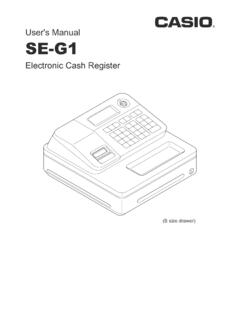
User's Manual SE-G1 - support.casio.com
support.casio.comE-4 •ongratulations upon your selection of this CASIO product. Be sure to read the C following safety precautions before using it for the first time.
fx-9860GII SD 9860GII 9860G AU PLUS ... - …
support.casio.comSitio web educativo para todo el mundo de CASIO http://edu.casio.com Los manuales están disponibles en varios idiomas en http://world.casio.com/manual/calc
Related documents

CALCOLATRICE NTC - mc-ingegneria.com
www.mc-ingegneria.comCALCOLATRICE NTC Convertitore temperatura – resistenza per sensori d i tipo NTC Calcolatrice NTC – Versione 1.01 Pagina 2 di 10 INDICE

CALCOLATRICE ALCOLATRICEALCOLATRICE …
www.sharp.it1 INDICE ISTRUZIONI PER L’USO Prima di iniziare a usare la calcolatrice Funzioni e utilizzo dei tasti Tasti di accensione, spegnimento, cancellazione e correzione 6

CLASSE: 5^ CURRICOLO DI MATEMATICA - …
www.camillobortolato.itCLASSE: 5^ CURRICOLO DI MATEMATICA - Settembre 2011 Resa disponibile dall’ins. Mariarosa Fornasier Unità di apprendimento

NOMI CONCRETI E ASTRATTI rI nomi CONCRETI …
www.latecadidattica.itNOMI CONCRETI E ASTRATTI rI nomi CONCRETI indicano cose che si possono vedere, sentire, gustare, toccare, annusare o che si possono comunque conoscere utilizzando almeno uno dei 5 sensi.

fx-82ES PLUS 85ES PLUS 350ES PLUS Users Guide It
support.casio.comI-22 Informazioni importanti • Le visualizzazioni e le illustrazioni (come ad esempio i simboli chiave) mostrate in questa Guida dell’utilizzatore hanno unicamente scopo