Example: quiz answers
Installation and Deployment Guide
Sep 24, 2021 · Forcepoint™ One Endpoint solutions provide complete real-time protection against advanced threats and data theft for both network and roaming users. Forcepoint
Tags:
Information
Domain:
Source:
Link to this page:
Documents from same domain
Installation and Deployment Guide - Forcepoint
www.websense.comInstallation and Deployment Guide 3 For supported browsers, TRITON AP-ENDPOINT Web manipulates proxy settings in real time. For example, if TRITON AP-ENDPOINT Web detects it is at a hotspot, but the user has not finished registration, it …

Endpoint Solutions Installation and Deployment …
www.websense.comInstallation and Deployment Guide 3 a hotspot, but the user has not finished registration, it removes its proxy settings until the gateway has successfully opened.

TRITON Appliances Getting Started Guide - …
www.websense.comTRITON Appliances 2 TRITON Appliances: Getting Started Supported software TRITON appliances support: TRITON AP-EMAIL with integrated data loss prevention TRITON AP-WEB with integrated data loss prevention Web Filter & Security — V5000 and VMware virtual appliance TRITON AP-DATA Protector Mobile Agent Email Gateway for …
Websense: PAC File Best Practices
www.websense.comProxy Auto-Configuration Best Practices 2 component) and is required to support the hybrid web filtering feature of Web Security Gateway Anywhere. A PAC file is a JavaScript function definition for FindProxyForURL(url, host).
PAC File Best Practices for TRITON AP-WEB
www.websense.comPAC File Best Practices 3 TRITON AP-WEB PAC File Best Practices Why use a PAC file? In explicit proxy and Web Hybrid module deployments of TRITON AP-WEB, using a

Creating Custom Block Pages - Forcepoint
www.websense.comCreating Custom Block Pages 3 The block page is created from a multiple files that are stored with each instance of Filtering Service in your network.
Introduction to machine learning - Forcepoint
www.websense.comMachine learning is a branch of artificial intelligence, comprising algorithms and techniques that allow computers to learn from examples instead of pre-defined rules. As a user of Websense ® Data Security, you can provide examples that train the

Introduction to Forcepoint DLP Machine Learning
www.websense.comIntroduction to Machine Learning for Forcepoint DLP 3 ensemble of documents as counterexamples. (See Negative examples consisting of “All documents”, page 4, and Positive examples, page 3.) For text-based data, some of the algorithms automatically create an optimal “weighted
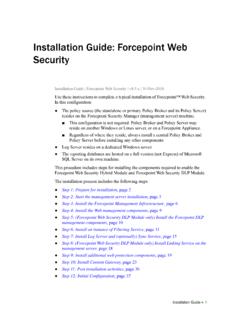
Installation Instructions: Forcepoint Web Security
www.websense.comGuide and gather information as instructed under “Gather data for firstboot”. Step 2: Start the management server installation Before installing management server components on a supported Windows server,
Stonesoft VPN Client 2.0 for Mac User Guide - websense.com
www.websense.comIntroduction | 3 Introduction This guide provides end-user instructions for installing and using Stonesoft® VPN Client for Mac OS X. The Stonesoft VPN Client is a software application that runs on your Mac.
Related documents

Guide Symantec Endpoint Protection Installation and ...
techdocs.broadcom.comSymantec Endpoint Protection Installation and Administration Guide December 2020 14.3 RU1

Symantec Endpoint Protection Quick Start
techdocs.broadcom.comSymantec ™ Endpoint Protection Quick Start – Whether or not you want to run LiveUpdate after the installation finishes. Symantec recommends that you run LiveUpdate during installation. (14.3 MPx and earlier) – Whether or not Symantec collects data from the clients. – Partner information, if it applies to your licensing situation. This step may take some time to finish.
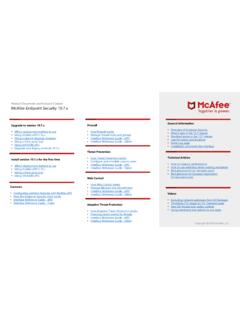
McAfee Endpoint Security 10.7.x Product Documentation
b2b-download.mcafee.com• Using Endpoint Upgrade Assistant • Using a third-party tool • Using MVISION ePO • Upgrade your legacy products 10.7.x Install version 10.7.x for the first time • Which deployment method to use • Using McAfee ePO 5.10.x • Using a third-party tool • Using MVISION ePO Adaptive Threat Protection • How Adaptive Threat Protection ...
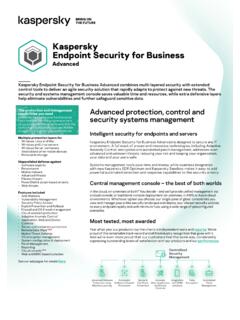
Kaspersky Endpoint Security for Business
media.kaspersky.comKaspersky Endpoint Security for Windows is designed to integrate with Kaspersky Sandbox and Kaspersky EDR Optimum for advanced automated detection and response. Experience it for yourself Why not experience adaptive protection against advanced threats targeting your business for yourself? Visit this page for a free 30-day trial of Kaspersky ...

Endpoint Security Agent Software - FireEye
www.fireeye.comEndpoint Agent supported features. AGENT: V34 Windows Audit Real Time IOC ExploitGuard Malware Protection MalwareGuard IA Modules Windows 7 Windows 8 Windows 10 Windows 11 Server 2008R2 Server 2012R2 Server 2016 Server 2019 Server 2022 macOS Audit Real Time IOC ExploitGuard Malware Protection MalwareGuard IA Modules OS 10.9 – 10.11 X X X