Transcription of INSTALLATION INSTRUCTIONS - Revolution Electronics
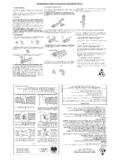
1 Cypress, California 90630 INSTALLATION INSTRUCTIONS Intermittent Wiper Module Part Number 13009 Congratulations on your purchase of this Intermittent Wiper Module. Adding this module to a factory two-speed wiper switch/motor gives you three additional wiper settings: one swipe every eight seconds, once every five seconds, and once every three seconds. This wiper is designed to work with GM vehicles with two-speed, non-hiding wiper motors. Parts Included in this Kit 1-Controller Unit 1-Small crimp ring 1-T-tap 1-1/4 male crimp connector 2-zip ties Figure 1 Cypress, California 90630 Electrical Connections Figure 1 above summarizes the connections necessary. The Intermittent Wiper Module needs connections to switched power and a good ground. It also needs to connect between the dash-mounted switch and its harness. Switches varied from year to year, so you will need to use an ohm meter to determine which connection does what function.
2 You will need to set your meter to the resistance setting and measure resistance between the contacts and the switch housing. Do not assume that the picture above shows the switch connections in the correct order or orientation. You must perform the resistance checks to be sure you get the wiring correct. You can also check the Support page at for pictures of some switches and their wiring. Blue Wires - Turn the switch to the high-speed setting and, using an ohm meter, determine which switch terminal has continuity to the switch housing (shows zero or near-zero ohms resistance. Connect the blue wire to this terminal and the light blue wire to the corresponding wire on the harness side. Orange Wire - If equipped with a washer function, activate the washer portion of the switch. Using your ohm meter again, determine which terminal has continuity with the switch housing.)
3 Connect the orange wire to this terminal and the corresponding wire on the harness side. Green Wires - The only open switch terminal remaining gets connected to the green wire with the light green wire going to the corresponding wire on the harness side. Red Wire - Identify a source for power which switches on and off with the key switch. Very little current will be drawn from this wire. Use the included T-Tap to make a connection to switched power source. Cut the red wire to length, strip insulation from the end, crimp on a male connector and connect to the T-Tap. Black Wire - Connect this wire to a good vehicle ground. The small ring terminal can be used to attach this wire to a mounting bolt or another source of vehicle ground. Mounting the Unit The Intermittent Wiper Module may be mounted in any location where the electrical connections are easily accessible.
4 Mounting in a weatherproof location is recommended. Use two self-tapping screws, rivets, or zip-ties through the mounting tabs to securely mount the unit. Cypress, California 90630 Operation Figure 2: Advancing and delaying the intermittent settings Cycle from: Off--8sec delay--5sec delay--3sec delay--continuous slow--continuous fast The factory switch has three positions: off, slow, and fast. The Intermittent Wiper Module uses the factory switch to select between several modes of operation. The off and fast positions retain their functions while the slow position becomes a neutral point in the operation and can be one of many selections. Moving the switch from the slow position to the fast position and than back to slow (within about a half a second) will advance the operation one selection. Moving the switch from the slow position to the off position and back to the slow position (again within about a half a second) will step back the operation one selection.
5 Within the slow position, you can operate the wipers once every 8 seconds, once every 5 seconds, once every 3 seconds, or continuous stock-slow setting. When you first turn on the wipers by moving the switch from off to slow, the wipers will start off operating once every 8 seconds. Quickly moving the switch to the fast position and back to the slow position will cause the wipers to operate once every 5 seconds. Repeating this operation again will cause them to operate once every 3 seconds. One more time will advance them to the continuous stock slow setting. Just as moving the switch from slow to fast and back will advance one setting, moving the switch from slow to off and back will drop the wipers down one notch. At any time, moving the switch to the fast position and leaving it there will advance the mode directly to the stock fast operation. Likewise, moving the switch to the off position and leaving it there will change the mode immediately to off.
6 If equipped with washer control, pressing the wash button will operate the washer pump as normal. If the wipers are in an intermittent setting when the washer button is pressed, the speed will immediately advance to the stock slow setting. Cypress, California 90630 Troubleshooting There are 8 connections which must be correct for this module to operate properly. Before tearing into the connections at the switch and motor, check these items: 1. Make sure the power and ground connections are secure. This is especially true for the ground connection; make sure the ground point is not rusty or otherwise questionable. 2. Make sure the switch is grounded correctly. The switch must have good contact with ground to operate correctly. 3. Disconnect the orange wires and make sure the switch contact for this wire is grounded only when the washer is activated. Wipers operate continuous in the slow setting but pulse in the fast setting The motor wires are backwards; swap the light blue and light green wires.
7 Wipers pulse in slow setting, but don t increase their rate when switching to fast setting and don t go to the fast mode. Switch wires are backwards; swap the blue and light blue wires. Warranty: All Revolution Electronics products carry a warranty against defects in materials or workmanship for a period of one (1) year from the original retail purchase. Revolution Electronics liability is strictly limited to the prompt repair or replacement of the defective product. Revolution Electronics shall not be responsible for (a) labor, transportation, or other incidental charges; (b) consequential or other damages incurred by use of any product. Revolution Electronics offers no other warranty beyond this limited warranty. This limited warranty does not apply to products which have been (a) modified or altered in any way; (b) subjected to adverse conditions, misuse, neglect, accident, improper INSTALLATION or adjustment, contaminants, corrosion, or faulty repair; or (c) used in applications other than those recommended by Revolution Electronics .
8 To initiate a warranty process, the consumer must first contact technical support to receive a return authorization number. The product must be returned to Revolution Electronics complete with a dated receipt and a return authorization number