Example: quiz answers
LiteAP™ AC Datasheet
Networking Interface (1) 10/100/1000 Ethernet Port Memory DDR2 64 MB Max. Power Consumption 7.1W Max. TX Power 25 dBm Antenna Gain 17 dBi Power Supply 24V, 0.3A PoE Adapter (Included) Power Method Passive PoE (Pairs 4, 5+; 7, 8 Return) Processor Specs Atheros MIPS 74Kc, 533 MHz Shock and Vibration ETSI300-019-1.4 ETSI Specification EN …
Tags:
Information
Domain:
Source:
Link to this page:
Documents from same domain

Advanced Gigabit Ethernet Router - Ubiquiti …
dl.ubnt.comThis Quick Start Guide is designed to guide ... Advanced Gigabit Ethernet Router Model: ER-X EdgeRouter X Power Adapter (12V, 0.5A) Quick Start Guide

U-Installer Quick Start Guide - Ubiquiti Networks
dl.ubnt.comLEDs Wi-Fi Lights blue if the U-Installer has a Wi-Fi connection to your mobile device. Battery Four blue LEDs indicate the internal battery’s charge level: Full charge Low charge* * Recharge the battery by connecting a power source,

Datasheet - Ubiquiti Networks
dl.ubnt.comDatasheet www.ubnt.com/airmax 3 Software airOS is an intuitive, versatile, highly developed Ubiquiti firmware technology. It is exceptionally intuitive and …

802.11ac Dual Radio Access Point
dl.ubnt.comThis Quick Start Guide is designed to guide you through ... 802.11ac Dual Radio Access Point Model: UAP-AC-LITE Gigabit PoE* (24V, 0.5A) with Mounting Bracket

UniFi AC AP Datasheet - dl.ubnt.com
dl.ubnt.com3 D atasheet UniFi Controller Packed with Features Use the UniFi Controller to provision thousands of UniFi APs, map out networks, quickly manage

Wide-Angle 1080p Dome IP Camera with Infrared
dl.ubnt.comIntroduction Thank you for purchasing the Ubiquiti Networks® UniFi® Video Camera G3 Dome. This Quick Start Guide is designed to guide you through installation and includes warranty terms.

TOUGHCable PRO Quick Start Guide - Ubiquiti Networks
dl.ubnt.com2 TOUGHCable™ PRO Quick Start Guide TOUGHCable Box The Tension Knob is set to High by default. If necessary, the tension can be set to to Low or None. Tension Knob TOUGHCable PRO Cross-Section Conductor Insulation ESD Drain Wire

1080p Wireless IP Security Camera with Infrared
dl.ubnt.comIntroduction Thank you for purchasing the Ubiquiti Networks® UniFi® Video Camera G3 Micro. This Quick Start Guide is designed to guide you through installation and also includes warranty terms.

802.11n Wi-Fi Access Point - Ubiquiti Networks
dl.ubnt.comHardware Installation The UniFi AP can be mounted to the wall or ceiling. Perform the steps for the appropriate installation: Wall Mount 1. Position the Mounting Bracket at the desired location on the wall with the cable feed slot pointed towards the floor.

Rocket ac Datasheet - Ubiquiti Networks
dl.ubnt.comD atasheet 4 Technology Unlike standard Wi-Fi protocol, Ubiquiti’s Time Division Multiple Access (TDMA) airMAX ac protocol allows each client to send and receive
Related documents

Linksys EA-Series Router User Guide
downloads.linksys.comNetwork (Ethernet) cable • AC power adapter ... at home or over the Internet. You can also connect a USB printer and share it : across your network. ... speed and range to create an ultra-powerful network designed for home : Linksys EA-Series Product Overview ...

airFiber® AF-11FX Datasheet
dl.ubnt.comPower Supply 50VDC, 1.2A PoE Gigabit Adapter (Included) Power Method Passive Power over Ethernet Pins 1, 2, 4, 5 (+) and Pins 7, 8, 3, 6 (‑) or DC Power Block Max. Power Consumption 36W Supported Voltage Range 38‑56VDC Automatic Transmit Power Control (ATPC) Yes Mounting Integrated Pole Mount Included Oversized Rocket Mount Compatible LEDs

Mighty Quick Start Guide - Fetch TV
www.fetchtv.com.au• Power Line Adapters should be plugged directly into the wall outlet. • Each Power Line Adapter needs at least 5cm below the power outlet to plug in the Ethernet cable so won’t suit very low mounted wall outlets. • Plugging Power Line Adapters into a double adapter or a power board isn’t recommended as these can prevent the
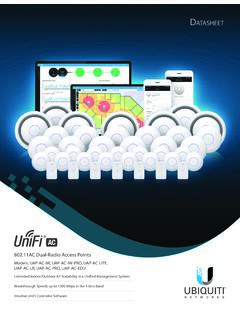
UniFi AC AP Datasheet - Ubiquiti
dl.ui.comNetworking Interface (3) 10/100/1000 Ethernet Ports Buttons Reset Power Method 802.3at PoE+ Supported Power Supply UniFi PoE Switch (Not Included) Power Save Supported PoE Out 48V Pass‑Through (Pins 1, 2+; 3, 6‑) Maximum Power Consumption with PoE Passthrough 10W 22W* Maximum TX Power 2.4 GHz 5 GHz 22 dBm 22 dBm Antennas 2.4 GHz 5 GHz

L480 and L580 User Guide - Lenovo
download.lenovo.comProtect yourself from the heat generated by the ac power adapter. When the ac power adapter is connected to an electrical outlet and your computer, it generates heat. Extended contact with your body, even through clothing, may cause a skin burn. • Do not place the ac power adapter in contact with any part of your body while it is in use.
DELL EMC POWERSWITCH S4048-ON SWITCH
i.dell.comMax. power consumption: 234.35 Watts (AC), 802.3ba 40 Gigabit Ethernet (40GBase-SR4, 40GBase-CR4,40GBase-LR4) on optical ports800 Watts (DC) Typical power consumption: 153 Watts Max. operating specifications: Operating temperature: 32°F to 113°F (0°C to 802.3z Gigabit Ethernet (1000Base-X) with QSA 45°C)

ConnectX Ethernet Adapter Cards for OCP Spec 3
www.mellanox.comMellanox® Ethernet adapter cards in the OCP 3.0 form factor support speeds from 10 to 200 GbE. Combining leading features with best-in-class efficiency, Mellanox OCP cards enable the highest data center performance. World-Class Performance and Scale Mellanox 10, 25, 40, 50, 100 and 200 GbE adapter cards deliver industry-leading