Example: air traffic controller
MX-2600N | MX-3100N Quick Start Guide
Internet Explorer: 6.0 or higher (Windows®) Netscape Navigator: 9 (Windows®) Firefox: 2.0 or higher (Windows®) Safari: 1.5 or higher (Macintosh) The Web page will appear. The machine settings may require that user authentication be performed in order to open the Web page. Please ask the administrator of the machine for
Tags:
Information
Domain:
Source:
Link to this page:
Documents from same domain

MX-3070N MX-3570N MX-4070N ADVANCED SERIES …
business.sharpusa.comand Environments 2008, Windows Server 2008 R2, Windows Server 2012, Windows Server 2012 R2, Mac OS X 10.6-10.13, UNIX, Linux, Citrix® (XenApp 5.0-7.6), Windows Remote Desktop Services, SAP device types1 Printing Protocols LPR, IPP, IPPS, PAP, Raw TCP (port 9100), FTP, POP3, HTTP, and Novell Pserver/Rprinter Network Scanning System

MX-B376W MX-B476W ADVANCED SERIES DESKTOP …
business.sharpusa.comMX-B376W/B476W SPECIFICATIONS 1 Some features require optional equipment. See your local dealer. 2 May vary depending on product configuration, machine settings and operating and/or environmental conditions. 3 Go to www.sharpusa.com for a list of supported devices and operating systems. Design and specifications subject to change without notice.

MODEL: MX-2651 MX-3051 DIGITAL FULL COLOR …
business.sharpusa.comDOWNLOADING THE OPERATION GUIDE The Operation Guide, which is a more detailed manual, can be downloaded from the machine's Web pages. 1 Click [Operation Manual Download] in the menu of the Web page. 2 Select the desired language. 3 Select the manual you want to download, and click the [Download] button. (1) English (2) (3)

MX-5071 MX-6071 ADVANCED SERIES COLOR DOCUMENT …
business.sharpusa.comscanning, auto duplexing, 1 x 550-sheet paper drawer, 100-sheet bypass tray. Black and color developer is included. Type Color multi-function digital document system Display 10.1" (diagonally-measured) color dot matrix high-resolution touch panel tilting display. 1,024 x …

Microwave Drawer : SMD2470AS, SMD3070AS InstallatIon …
business.sharpusa.com8 1. Place the drawer adjacent to the wall or cabinet opening. Plug the power supply cord into the electrical outlet. 2. PCarefully guide the drawer into the prepared opening.
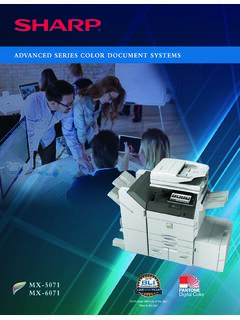
ADVANCED SERIES COLOR DOCUMENT SYSTEMS
business.sharpusa.comThe New Sharp Color Advanced Series document systems deliver cutting-edge integration and powerful productivity. advanced The Sharp MX-5071 and MX-6071 Advanced Series color document systems are built using the latest technology available to deliver the performance, features and reliability needed in today’s busy workplace environments.
Cloud Connect Guide - SharpUSA
business.sharpusa.comUsing this function means that sending of mail is possible simply by connecting to the network, instead of using an SMTP server. By using addresses stored in the address book, this eliminates the step of entering e-mail and of storing information in the machine address book. The search function lets users search for destinations in the address book

MX-M365N | MX-M465N | MX-M565N Brochure - SharpUSA
business.sharpusa.comAn advanced design plus multi-functional capability allow you to meet tomorrow’s document needs today. • 500 + 2,000-sheet tandem paper drawer option expands maximum online paper capacity to 6,600 sheets • Flexible paper handling system feeds up to 80 lb. cover through the paper trays and up to 110 lb. cover through the bypass tray • Scan both sides of a document in …

sharp operation manual
business.sharpusa.comsharp operation manual file:///Y|/11_IM%20GROUP/Oversea%20Group/SHARP%20JAPAN/JC180020_PN-UH601_PN-UH701_HTML/HTML/eng/0-3.html[2/28/2018 7:08:41 PM]

Users Manual, User's Manual MX-B450W, MX-B350W, …
business.sharpusa.comThis is used to connect a USB device such as a USB memory device to the machine. Supports USB 2.0 (Hi-Speed). ... BEFORE USING THE MACHINE BEFORE USING THE MACHINE AUTOMATIC DOCUMENT FEEDER AND DOCUMENT GLASS (1) Document feeding cover ... transmission and direct transmission, and to switch between automatic reception and …
Related documents

HL‑L5000D / HL‑L5100DN / HL‑L5200DW / HL ... - Brother
download.brother.comQuick Setup Guide Product Safety Guide Reference Guide (only for certain models) 1. Press or to select [General Setup], and then press OK. 2. Press OK to select [Local Language]. 3. Press or to select your language, and then press OK. 4. Press Cancel. 3 4 2 1 Adjust the paper guides. Back Front Discard the Remove the orange part. silica gel pack.