Example: stock market
Nest Cam Outdoor Installation Guide
where you’d like the camera to be and move on to the next step. Tip: If the camera wall plate sticks to the mounting magnet, you can use a screwdriver to help pry them apart. Tip: Some outdoor outlets have covers you can lock in place. Use a zip tie or padlock to keep the cover shut. 8. Secure the cable Fasten the cable to the wall using as many
Tags:
Information
Domain:
Source:
Link to this page:
Documents from same domain

Nest Cam IQ Outdoor Security Camera Installation …
nest.com12 13 Nest Labs, Inc Limited Warranty Nest Cam IQ Please recycle Nest’s packaging RECYCLING AND DISPOSAL Visit nest com/recycle For more information, visit nest …

Nest Learning Thermostat Installation Guide
nest.comScrews Welcome Guide, Installation Guide and Warranty Base Heat Link Trim plate N L 1 2 3 T1 T2 Power plug Power cord Clips In the box For installations in a new spot only 4. Before you start → On the next page, you’ll see options for switching out an existing thermostat or installing in …

Nest Protect (Battery) User's Guide - Google Store
nest.comThis guide covers the installation of Nest Protect (Battery) - Model number O5A. REQUIREMENTS Wi-Fi, an iOS or Android smartphone or tablet, and a free Nest Account are required for wireless mobile notifications and software updates. During set up, Wi-Fi and a free Nest Account are required for wireless interconnect and room naming.

Nest Learning Thermostat Installation Guide
nest.comproduct peripherals, computer, mobile device, and all other items and pets in your home, resulting from your use of the product information, services, or product. product information provided by the services is not intended as a substitute for direct means of obtaining the information. for example, a temperature reading in
Thermostat E Installation Guide - Google Nest
nest.comUse the wiring diagram you got from the compatibility checker in step 4 to connect your system wires to the Nest Thermostat. Note: If you have an R, Rc or Rh wire, you can put it into the R connector on the Nest Thermostat. If you have a W2, Y2 or O/B wire, you can put it into the * O/B connector, if needed. The exposed wire should be straight ...

Nest Protect (Wired 120V) User's Guide
nest.comNest Protect is designed to detect smoke and carbon monoxide in a residential environment. ... you disconnect it. 7. Remove the old base Unscrew the base plate from the electrical box. Save the screws for later. 4. Test before you install Once you’re done setting up all of your Nest

3rd Gen Nest Learning Thermostat Install Guide
nest.comto the wall as one piece. When installed on the wall, the Nest Thermostat should be 1.2-1.5 m above the floor. 6. Connect the wires Connect the wires coming through the wall to Nest’s T1 and T2 terminals. It doesn’t matter which wire goes into which connector. → Continue to page 15. Installing it on the wall IMPORTANT: Terminate and insulate

User’s Guide - Google Nest
nest.comyellow and tells you where smoke or carbon monoxide is. An Emergency Alarm occurs when smoke or carbon monoxide reach dangerous levels. Nest Protect pulses red, makes a loud alarm sound and tells you what room the emergency is in. The smoke alarm takes precedence when carbon monoxide is also present. WHICH ALERTS CAN BE SILENCED

Nest Protect (Wired 230V) - Google Store
nest.comNest Protect should be installed at least 3 m (10 ft) away from cooktops or cooking appliances. Nest Protect should NOT be installed in unfinished attics or garages. 5. Figure 1 30 cm ... Disconnect them all. 6. Remove your old smoke alarm Make sure the green power light on the old

Nest Protect (Battery) Detects smoke and carbon …
nest.comand a carbon monoxide detector in at least every room with a fuel burning appliance. The Nest Protect smoke and carbon monoxide alarm should be installed: • On every floor (required by law for smoke alarms). • In every room containing a fuel burning appliance (recommended for CO alarms). • In every sleeping room.
Related documents
Nest Cam IQ outdoor security camera Installation Guide
nest.comoutdoor security camera Installation Guide. 3 Contents In the box 4 What you’ll need 5 Do this first 6 Choose a good spot 8 ...

Arlo Pro 4 Wire-Free Spotlight Camera
www.arlo.com5. Attach the camera to the outdoor mount and swivel to adjust the camera angle. Install a Total Security Mount (sold separately) 1. Place the back plate against the wall, with the arrow pointing up, and secure it with screws. Note: If you are mounting your Total Security Mount on drywall, we recommend using the included wall anchors.
Quick Start Guide - Zmodo
www.zmodo.combracket. Position the camera for an optimal viewing angle, and tighten the bracket. 3 Connect the supplied power adapter to the power port on the camera, and plug the adapter into a nearby power outlet. Repeat steps 1-4 for all cameras in your camera kit. 4 (image may vary for your specific camera model) 8 (image may vary for your specific ...
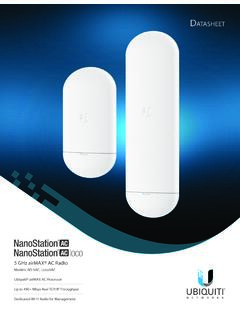
NanoStation AC Datasheet - Ubiquiti
dl.ubnt.comand outdoor installations • Improved Surge Protection The NanoStation AC and NanoStation AC loco utilize the latest ESD Protection to help protect against power surges. • Efficient FootprintThe radio and antenna are combined into a single body that takes up minimal space. • Quick Installation No fasteners are required for