Transcription of New ECDL - ICS Skills
1 New ecdl Frequently Asked Questions New ecdl FAQ 2 So what s this New ecdl all about? New ecdl is actually the 6th version of the ecdl programme ( ecdl Version 6) since its beginning in 1997. To reflect the significance of Version 6, this version of the programme has been called New ecdl . When did it all start? New ecdl has been available since September, 2013. Do centres have to change to New ecdl ? From 1st September 2014, after a 12 month implementation period, all centres must switch to New ecdl . Existing ecdl SV5 candidates will continue under the SV5 rules 3 years, same 7 modules etc. but any new candidate must be registered for New ecdl . ICS Skills administration system ( ) will allow coordinators to manage both existing ecdl SV5 classes and New ecdl classes. After September 1st , 2014, all new candidates will be New ecdl candidates. So what s so new about New ecdl ? Put simply: Choice and Flexibility More Choice: A choice of at least 11 ecdl modules instead of 7 Greater Flexibility: The three year limit on completing ecdl has been removed.
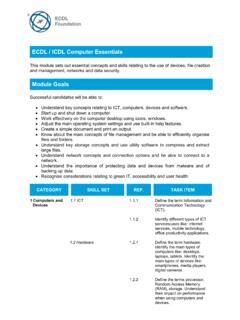
2 Candidates essentially register once and they have a Skills card for life. This means in years to come they can add additional ecdl modules to their Skills card. What hasn t changed? This is equally important as what s new. What remains consistently strong about ecdl is: Quality - Syllabi and tests created by the ecdl Foundation Recognition - ecdl retains worldwide recognition Administration - Minimal changes to mean a smooth transition for centres Support - Our unrivalled level of customer service and support remains Price - Bundle prices remain the same What are the New ecdl modules? NOTE: No more module numbers! Unchanged modules: Word Processing Spreadsheets Using Databases Presentation = New module New ecdl FAQ 3 How does that compare with ecdl Syllabus 5? New ecdl Modules at a glance computer Essentials An amalgamation of ecdl SV5 modules 1 and 2 and updated to take account of new technologies. It covers everything from hardware to software to malware.
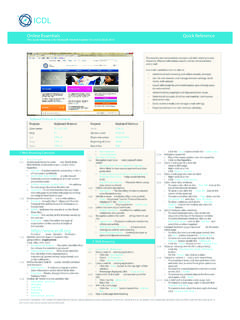
3 It teaches essential concepts and Skills about the use of devices, file creation and management, networks and data security. Online Essentials An update of ecdl SV5 module 7. Online Essentials covers security and safety on the web, the concepts of online communities, communications and email. It covers the essentials you need for going online, including web browsing, effective search engine use, online communication and email. Word Processing Unchanged. As with ecdl SV5, this module enables candidates to demonstrate the ability to use a word processing application to accomplish everyday tasks associated with creating, formatting and finishing small-sized word processing documents such as letters and other everyday documents Spreadsheets Unchanged. As with ecdl SV5, this module enables candidates to understand the concept of spreadsheets and to demonstrate the ability to use a spreadsheet application. Candidates will understand and be able to accomplish tasks associated with developing, formatting, modifying and using a spreadsheet, in addition to using standard formulas and functions, and demonstrate competence in creating and New ecdl FAQ 4 formatting graphs or charts.
4 Using Databases Unchanged. As with ecdl SV5, this module enables candidates to understand some of the main concepts of databases and demonstrate the ability to use a database application. This includes creating and modifying tables, queries, forms and reports, and preparing outputs ready for distribution, as well as learning to relate tables and to retrieve and manipulate information from a database by using query and sort tools. Presentation Unchanged. As with ecdl SV5, this module enables candidates to demonstrate competence in using presentation tools on a computer . Candidates will be able to accomplish tasks such as creating, formatting, modifying and preparing presentations using different slide layouts for display and printed distribution. IT Security New module. This new security-specific module is intended for computer users at home or at work (rather than for IT professionals) and it will enable those who spend a considerable amount of time online or using a computer during the course of their work or at home to protect both themselves and their data from a range of fraudulent/malicious activities.
5 This module is equally useful for individuals, employers, and educationalists. Online Collaboration New module that s essential for our world of cloud-storage, shared online documents and social networking. It covers the tools, theories and technologies behind online collaboration, along with the risks. Project Planning New module which aims to suit a broad range of candidates who are planning projects - for example, university students planning a research project, individuals planning construction projects of various sizes, managers of content development projects relating to training, or individuals planning an event such as a corporate conference or wedding. Image Editing New module which provides the user with an understanding of the main concepts underlying digital images and the fundamental Skills required to use an image editing application to enhance images, apply effects, and prepare an image for printing and publishing. By explaining the basics and the specific terms used, ecdl Image Editing covers the practical Skills needed to get the most out of image editing software applications.
6 Web Editing New module which offers candidates the opportunity to acquire an understanding of key web publishing concepts and the core Skills required to design, create and maintain a static website, without having to commit time and valuable resources to a professional-level web design programme. Candidates learn a range of web design Skills from HTML to cascading style sheets (CSS). New ecdl FAQ 5 What about ecdl 2D CAD? New ecdl modules are tested using automated testing. Due to its specialised nature ecdl 2D CAD is tested manually. We will facilitate any centre who wishes to include ecdl 2D CAD in their New ecdl programme as long as they satisfy the relevant criteria. The first step is to apply for the product through the centre page of Testing for New ecdl Certification and Diagnostic tests will be available as follows: New ecdl Module Test Type Test Versions computer Essentials Multi-choice & Hotspot Windows 7, Windows 8 Online Essentials In-application IE 9/MS Outlook 2010, IE10/Outlook 2013 Word Processing In-application MS Office 2003, 2007, 2010, 2013 Spreadsheets In-application MS Office 2003, 2007, 2010, 2013 Using Databases In-application MS Office 2003, 2007, 2010, 2013 Presentation In-application MS Office 2003, 2007, 2010, 2013 Online Collaboration Multi-choice & Hotspot Google Docs, MS Skydrive IT Security Multi-choice Not applicable Project Planning In-application MS Project Planning 2010 Web Editing Multi-choice & Hotspot Kompozer Image Editing Multi-choice & Hotspot GIMP Courseware for New ecdl Courseware will be available as follows.
7 New ecdl Module Online Courseware Books computer Essentials Elearning Win 7, 8 CIA Training manual @ 14 Online Essentials Elearning IE9/MS Outlook 2010, 2013 CIA Training manual @ 14 Word Processing Elearning MS Office 2003,2007,2010, 2013 CIA Training manual @ 14 Spreadsheets Elearning MS Office 2003,2007,2010, 2013 CIA Training manual @ 14 Using Databases Elearning MS Office 2003,2007,2010, 2013 CIA Training manual @ 14 Presentation Elearning MS Office 2003,2007,2010, 2013 CIA Training manual @ 14 Online Collaboration Elearning Google Docs, MS Skydrive IT Security Elearning, version not applicable Project Planning Elearning MS Project Planning 2010 Web Editing new - Elearning Kompozer Image Editing new - Elearning GIMP new - CIA Training manual coming shortly What about the ecdl SV5 modules? All tests and courseware previously available for ecdl SV5 will continue to be available. Are there any price increases? No increases; bundle, skill cards and test prices remain the same.
8 New ecdl FAQ 6 Centres have the ability to purchase courseware on a module by module basis from our online shop. How do centres get set up for New ecdl ? There s no setup. Centres will see both ecdl and New ecdl as products in .net. This enables centres to manage classes of existing ecdl SV5 candidates and New ecdl candidates. Will it be more complicated to manage candidates? In the main our administration system remains the same. Instead of picking a package of either Office 2003, 2007 or 2010 centres choose their New ecdl modules and also their version of software (where applicable). This means that the package tab will look slightly different than before. However the overall look and feel of our system and the basic process for candidate setup class, package, candidates, enrol for training and enrol for testing will be exactly the same as before. A short user guide downloadable from will assist centres in selecting packages. So how will I pick modules for my candidates?
9 With New ecdl : Coordinators select the ecdl modules they want as well as the version of software applicable by either a. Using one of the predefined package templates or b. Create a custom package template once and re-use it over and over. The predefined templates will consist of the most popular module combinations BASE TEMPLATE COLLABORATE WEB & GRAPHICS computer Essentials OR computer Essentials OR computer Essentials Online Essentials Online Essentials Online Essentials Word Processing Word Processing Word Processing Spreadsheets Spreadsheets Spreadsheets Using Databases Presentation Presentation Image Editing Online Collaboration Web Editing If coordinators don t find what they need in the predefined package templates they can create their own package templates and save them for future use. Each template only has to be set up once. computer Essentials Online Essentials Word Processing Image Editing IT Security Online Collaboration Coordinators can view the full list of pre-defined packages and the modules they cover by selecting the New ecdl product and then clicking the Packages tile in the blue banner.
10 How many and what modules should I select? With New ecdl candidates have the flexibility to choose personalised profiles and continue studying ecdl as part of their lifelong learning path. New ecdl FAQ 7 OUR ADVICE: For a solid foundation in digital Skills we strongly recommend the combination below: For a proven proficiency in using a computer we strongly recommend the combination below: When considering module combinations we suggest starting with: computer Essentials Online Essentials Word Processing Spreadsheets computer Essentials Online Essentials Word Processing Spreadsheets Using Databases Presentation + 1 other computer Essentials Online Essentials Word Processing Spreadsheets + 3 others What certification is available? ecdl Award An ecdl Award is available to candidates who pass a minimum of 7 New ecdl modules that must include: ecdl AWARD computer Essentials Online Essentials Word Processing Spreadsheets + min 3 others ecdl Essentials An ecdl Essentials Certificate is available to candidates who pass at a minimum the following 4 New ecdl modules: ecdl ESSENTIALS computer Essentials Online Essentials Word Processing Spreadsheets ecdl Profile Candidates are eligible to receive an ecdl Profile record of the modules they have attained once they have passed one or more New ecdl modules.