Example: barber
Quick Start Guide button
Configuration Block your device from connecting to unwanted websites while connected to your mobile hotspot. 1. Log in to online WebUI Manager. 2. Select Security > Website filter. 3. Select blacklist or whitelist mode. 4. Click “Add New Rule” then input a Website Filter to add a new whitelist or blacklist rule. 5. Click Save. Set Up Your ...
Tags:
Information
Domain:
Source:
Link to this page:
Documents from same domain
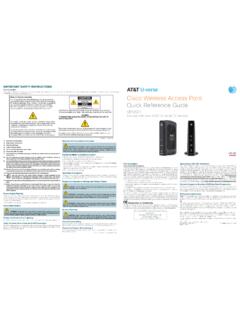
Note to System Installer Cisco Wireless Access …
www.att.comCisco Wireless Access Point Quick Reference Guide ... For use with your AT&T U-verse TV service. 1 Power Green = Power is on Off = Power is disconnected from its ...

FAMILY GUIDE TO Mobile Safety - AT&T® Official
www.att.comFAMILY GUIDE TO . Mobile Safety. SPONSORED BY: 2 | ... to mobile phone safety. Educating your child is the most important thing you can do. You can

User Guide - AT&T® Official - Entertainment, TV, …
www.att.comUser Guide AT&T Wireless Home Phone. i Wireless Home Phone (“WHP”) ... Quick Start User Guide Specifications ...

PadFone X - AT&T® Official
www.att.comPadFone X. 2 May 2014 First Edition ... Quick Settings ... ASUS is not responsible for any loss or damage incurred to your micro-SIM card.
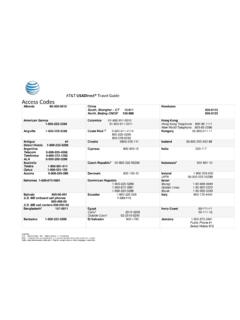
AT&T USADirect® Travel Guide Access Codes
www.att.comCalls using these access codes are in English, ... Cypress 800-900-10 India 000-117 Australia Telstra ... Axtel 01-800-112-2020

AT&T Compensation in a Competitive Marketplace
www.att.comAT&T Compensation in a Competitive Marketplace ... Continuing to lose access lines to cable and non- ... (Short & Long-Term Disability,
USER GUIDE LG-B471 - AT&T® Official
www.att.comMFL69393501 (1.0) www.lg.com ENGLISH USER GUIDE LG-B471. ... purchaser/end user. (3) ... numbers from anywhere in the continental United States:
USEr GUIdE - AT&T® Official
www.att.comWelcome! Thank you for choosing LG. Please carefully read this user guide before using the device for the first time to ensure safe and proper use.
Nokia Lumia 635 User Guide - AT&T® Official
www.att.comThere's a user guide in your phone – it's always with you, available when needed. ... These instructions may not apply to all phone models and manufacturers.
4G LTE SMARTPHONE User Manual - AT&T
www.att.comPlease read this manual before operating your phone, ... Choice of an e-mail, master data management, and virtual private network solution is at the sole
Related documents

Application Note - Power Control Options
www.solaredge.comEnergy Manager RRCR Configuration Reactive Power Configuration Active Power Configuration Phase Balancing Wakeup Configuration Advanced Load Defaults NOTE CosPhi Value notations: • Setting positive CosPhi will lead to …

Isilon OneFS 8.2.x Security Configuration Guide Security ...
www.delltechnologies.coml EMC Secure Remote Services Policy Manager Operations Guide l EMC Secure Remote Services Site Planning Guide ... 8 Isilon OneFS 8.2.x Security Configuration Guide Security Configuration Guide. Lightweight Directory Access Protocol (LDAP) An information-access protocol that runs directly over TCP/IP. LDAP is the primary access

Catalyst 2960-S Switch Getting Started Guide (English)
www.cisco.comFor additional installation and configuration information for the switch, see the Catalyst 2960 documentation on Cisco.com. For system requirements, important ... Device Manager, or both. See the “Managing the Switch” section on page 11 for information about configuring and
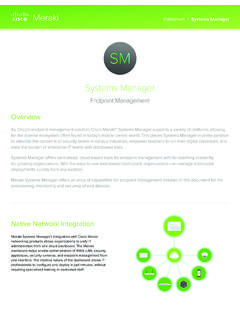
Systems Manager - Cisco Meraki
meraki.cisco.comManager, visibility of devices, users, software, and applications on the network provide end-to-end security and management right from the dashboard. Asset Management Systems Manager gathers available information from the device’s GPS, Wi-Fi connection, and IP address to provide a device’s physical location, down to street-level accuracy.

FactoryTalk Security System Configuration Guide
literature.rockwellautomation.comRead this document and the documents listed in the additional resources section about installation, configuration, and operation of this equipment before you install, configure, operate, or maintain this product.