Example: confidence

Request Your Social Security Card Online

1. After signing in to your personal my Social Security account at , select the Replace Documents link on the upper right-hand side of the screen, and then select Request a Replacement card . 2. Next, verify your email address, select the location where your driver s license or identification card was issued, and answer Yes or No to the background questions; then, select Enter the information under Identity Verification including your name, Social Security number, date of birth, driver s license or state-issued identification information, address, and phone number. 4. Once your identity is verified, your Request for a replacement Social Security card is complete!You can Request a replacement Social Security card Online if you: Are a citizen age 18 or older; Have a driver s license or state-issued identification card from one of the participating states or the District of Columbia (to see if your state participates, go to ); Have a mailing address (this includes APO, FPO, and DPO addresses); Have a my Social Security account; and Don t require ch

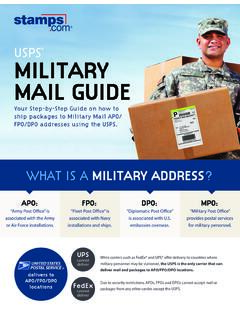
• Have a U.S. mailing address (this includes APO, FPO, and DPO addresses). • Have a . my. Social Security account. • Don’t require changes to your name, date of birth, place of birth, or gender. SSA.gov. Social Security Administration | Publication No. 05-10288 | October 2021 (Recycle prior editions)

Tags:

  Administration, Social, Security, Social security, Card, Social security administration, Social security card

Information

Domain:

Source:

Link to this page:

Please notify us if you found a problem with this document:

Other abuse

Advertisement

Transcription of Request Your Social Security Card Online

1 1. After signing in to your personal my Social Security account at , select the Replace Documents link on the upper right-hand side of the screen, and then select Request a Replacement card . 2. Next, verify your email address, select the location where your driver s license or identification card was issued, and answer Yes or No to the background questions; then, select Enter the information under Identity Verification including your name, Social Security number, date of birth, driver s license or state-issued identification information, address, and phone number. 4. Once your identity is verified, your Request for a replacement Social Security card is complete!You can Request a replacement Social Security card Online if you: Are a citizen age 18 or older; Have a driver s license or state-issued identification card from one of the participating states or the District of Columbia (to see if your state participates, go to ); Have a mailing address (this includes APO, FPO, and DPO addresses); Have a my Social Security account; and Don t require changes to your name, date of birth, place of birth, and/or Security administration | Publication No.

2 05-10288 | October 2018 Request Your Social Security card Online Produced and published at taxpayer expenseRequest Your Social Security card Onli
Related search queries