Example: biology
RT-AC1200 - Asus
• Keep the device away from 802.11b/g or 20MHz only Wi-Fi devices, 2.4GHz computer peripherals, Bluetooth devices, cordless phones, transformers, heavy-duty motors, fluorescent lights, microwave ovens, refrigerators, and other industrial equipment to prevent signal interference or loss. • Always update to the latest firmware.
Tags:
Information
Domain:
Source:
Link to this page:
Documents from same domain

MB168B/MB168B+ USB Monitor User Guide
dlcdnets.asus.commonitor cabinet. • If you encounter technical problems with this USB monitor, contact a qualified service technician or your retailer. • This USB monitor is powered by USB port which complies with LPS and SELV circuit according to IEC60950-1:2005.

User Guide - Asus
dlcdnets.asus.comcrystal-clear display, plus a host of features that enhance your viewing experience. With these features, you can enjoy the convenience and delightful visual experience that the monitor brings to you! 1.2 Package contents Check your package for the following items: LCD monitor Monitor base Quick start guide Warranty card Power adapter Power cord
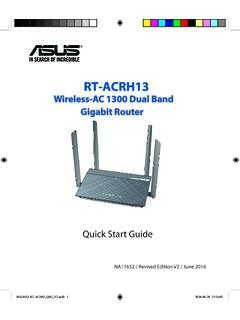
Wireless-AC 1300 Dual Band Gigabit Router - Asus
dlcdnets.asus.com1. Position your wireless router. For the optimal wireless transmission between the wireless router and connect-ed wireless devices, ensure that you: • Place the wireless router in a centralized area for a maximum wireless coverage for the network devices. • Keep the wireless router away from metal obstructions and away from direct sunlight.
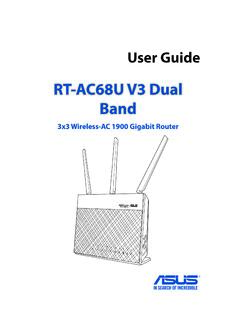
RT-AC68U V3 Dual Band - Asus
dlcdnets.asus.come-mail messages using the 2.4GHz band while simultaneously streaming high-definition audio/video files such as movies or music using the 5GHz band. • Some IEEE 802.11n devices that you want to connect to your network may or may not support 5GHz band. Refer to the device's manual for specifications.
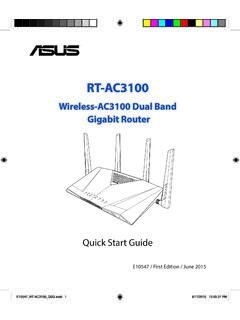
Wireless-AC3100 Dual Band Gigabit Router
dlcdnets.asus.comGUI, refer to the user manual. • Alway check and upgrade firmware to the latest version for better experience. • Visit ASUS Networking video channel for tutorial videos on featured functions. E10547_RT-AC3100_QSG.indd 11 6/17/2015 12:55:33 PM

B250 MINING EXPERT - Asus
dlcdnets.asus.comB250 MINING EXPERT specifications summary (continued on the next page) Package contents Check your motherboard package for the following items. Motherboard ASUS B250 MINING EXPERT motherboard Cables 2 x Serial ATA 6.0 Gb/s cables Accessories 1 x I/O Shield Application DVD 1 x Support DVD Documentation User Guide

ASUS HYPER M.2 X16 Card V2
dlcdnets.asus.comDeutsch ASUSTeK Computer Inc. erklärt hiermit, dass dieses Gerät mit den wesentlichen Anforderungen und anderen relevanten Bestimmungen der zugehörigen Richtlinien übereinstimmt. Der gesamte Text der EU-Konformitätserklärung ist verfügbar unter: Italiano ASUSTeK Computer Inc. con la presente dichiara che questo

Motherboard Pin - Asus
dlcdnets.asus.comMotherboard Pin Definition 1-5 3. USB device wake-up (3-pin USBPWF) Set these jumpers to +5V to wake up the computer from S1 sleep mode (CPU stopped, DRAM refreshed, system running in low power mode) using the connected USB devices. Set to +5VSB to wake up from S3 and S4 sleep modes (no power to CPU, DRAM in slow

ASUS HYPER M.2 X16 Gen 4 Card
dlcdnets.asus.comDeclaration of compliance for product environmental ... EU RoHS This product complies with the EU RoHS Directive. For more details, see ... Full text of EU declaration of conformity is available at: Français AsusTek Computer Inc. déclare par la présente que cet appareil est

Supported Speed DIMM socket support (Optional) Vendors ...
dlcdnets.asus.comJun 25, 2021 · PATRIOT PVR416G413C9K 2x 8GB SS Samsung 19-21-21-41 1.4 4133 4133 ... 5000 G-Series Processors. V-color TL8G41819D-I2PRAAK 8GB …
Related documents

User Guide AC1200 Max Wi-Fi Range Extender
downloads.linksys.comSep 01, 2016 · AC1200 Max Wi-Fi Range Extender. Model # RE6500 . 2 Table of Contents ... Wi-Fi Protected Setup light on the extender will be solid for 10 seconds. c) If using the extender’s Wi-Fi Protected Setup screen, be sure to click . OK. within two minutes or you will have to start over.
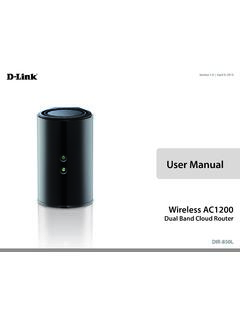
User Manual - D-Link
www.dlink.com.myWi-Fi Configuration Card Quick Install Guide. D-Link DIR-850L User Manual 2 Section 1 - Product Overview ... The D-Link® DIR-850L Wireless AC1200 Dual Band Cloud Router provides revolutionary Gigabit 802.11ac wireless speed - up to 1200Mbps – for flawless HD video streaming to multiple devices.

AC1200 WiF Range Extender
www.downloads.netgear.com350 East Plumeria Drive San Jose, CA 95134 USA June 2016 202-11631-01 AC1200 . WiF Range Extender. Model EX6150v2. User Manual

AC1200 WiFi Range Extender Model EX6150 Quick Start Guide
www.downloads.netgear.comWi-Fi Protected Setup (WPS) lets you join a secure WiFi network without typing the network name and password. Note: WPS does not support WEP network security. If you are using WEP security, follow the instructions in Connect with Web Browser Setup on page 9. 1. Press the WPS button on the extender. The WPS LED blinks. 2.
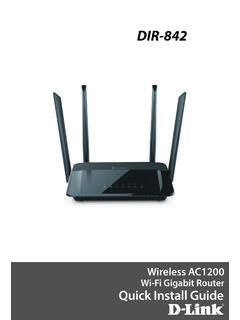
DIR-842 - D-Link
support.dlink.com2. Select the Wi-Fi Network name you assigned in the wizard and connect. Note: If you did not run the setup wizard or you reset the router to its default settings, refer to the Wi-Fi Configuration Card included for the default Wi-Fi Network Name and Wi-Fi Password. You can also connect wireless devices to the DIR-842 router using WPS: 1.
Configuring a TPLINK Router - actcorp
www.actcorp.in• Go to setting in the Mobile, turn on Wi-Fi and wait until the mobile detects router name press the router name to connect. • If the router is already configured and the Wi-Fi password is known then go to settings in the Mobile • Under “Wireless and Networks”, press Wi …