Example: tourism industry
Samsung Portable SSD T7 Touch
* Samsung Portable SSD Software 1.0 is only for T7 Touch, so installation of Samsung Portable SSD Software 1.0 will not automatically remove Samsung Portable SSD Software (previous version), if remaining in your computer, which was designed for T3, T5, X5. onnect to Power Idle Data transfer Standby for security unlock
Tags:
Information
Domain:
Source:
Link to this page:
Documents from same domain
Samsung SSD 840 PRO Series. datasheet
www.samsung.com- 5 - MZ-7PD128 datasheet MZ-7PD512 840 PRO Series Rev. 1.0 MZ-7PD256 1.0 General Description The Samsung SSD 840 PRO is a high-performance SSD (Solid State Drive) designed for power users.

White Paper Samsung V-NAND technology
www.samsung.comSamsung V-NAND technology Yield more capacity, performance, endurance and power efficiency White Paper

imagine a versatile laser MFP ready for any …
www.samsung.comimagine smart scanner Samsung’s Scan to E-mail solution is a powerful productivity tool for any small to medium sized enterprise or workgroup within a larger

Global Network - samsung.com
www.samsung.comCzech Samsung Electronics Czech (SECZ), Praha Tel: 420-225-020-710 Latvia Samsung Electronics Baltics (SEB), Riga Tel: 371-6750-8500 MIDDLE EAST & AFRICA
PRODUCT SELECTION GUIDE - samsung.com
www.samsung.comDDR4 4Gb (D die) based 0 = IDT 2 = Montage PB = DDR4-2133(15-15-15) 5 = IDT 4 = Montage RC = DDR4-2400(17-17-17)

Windows 8.1 Update Step-by-Step Guide - Samsung
www.samsung.com– Your current Windows settings, personal files, and some applications will be kept. – Make sure to back up important data to an external hard drive prior to the update.
Samsung Multifunction Printer's Practical Use Guide
www.samsung.com3 P rint Watermark printing • Add a watermark to your document. Samsung Anyweb Print • Print only the areas that you have selected on your web
SAMSUNG'S GUIDE TO DLNA
www.samsung.comHere’s how to set up your Samsung 7-series plasma or 7-, 8-, or 9-series LCD HDTV to operate on a home media network or connect to a networked PC.

Electric Range - samsung.com
www.samsung.comfeatures of your new range Enhanced convenience. Better cooking. Easy maintenance. Your new electric range has been designed to bring you these benefits and more.
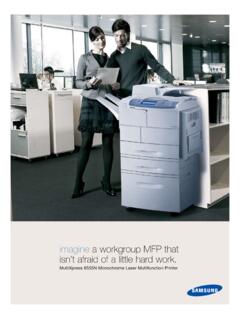
imagine a workgroup MFP that isn’t afraid of a little …
www.samsung.comMultiXpress 6555N Monochrome Laser Multifunction Printer imagine a workgroup MFP that isn’t afraid of a little hard work.
Related documents
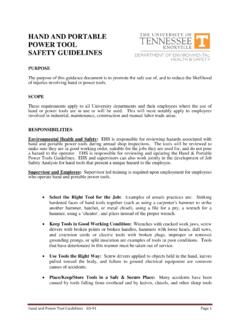
HAND AND POWER TOOL SAFETY - University of Tennessee
ehs.utk.eduhand and portable power tools during annual shop inspections. The tools will be reviewed to make sure they are in good working order, suitable for the jobs they are used for, and do not pose a hazard to the operator. EHS is responsible for reviewing and updating the Hand & Portable Power Tools Guidelines.

Grounding Requirements for Portable Generators
www.osha.gov• Use double-insulated tools and equipment distinctively marked as such, where possi-ble. • Use battery-operated tools, where possible. Verification by Testing The integrity of the connection between the generator’s frame and the equipment grounding terminals of power receptacles is important to the safe use of the equipment.
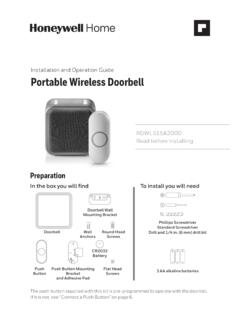
Installation and Operation Guide Portable Wireless Doorbell
www.honeywellstore.com• Always follow the manufacturer’s advice when using power tools and wear suitable protective equipment (e.g. safety goggles) when drilling holes, etc. • Before drilling holes in walls, check for hidden electricity cables and water pipes. The use of a cable/pipe locator is advisable if in doubt. Install Batteries + 1. Open the doorbell ...

Installation and Operation Guide Portable Wireless Doorbell
www.honeywellstore.com• Always follow the manufacturer’s advice when using power tools and wear suitable protective equipment (e.g. safety goggles) when drilling holes, etc. • Before drilling holes in walls, check for hidden electricity cables and water pipes. The use of a cable/pipe locator is advisable if in doubt. Install Batteries 1. Open the battery cover and
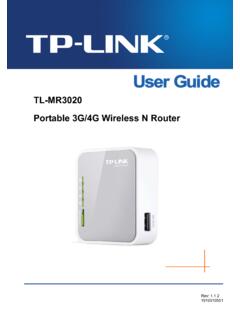
TL-MR3020 Portable 3G/4G Wireless N Router
static.tp-link.comWhen product has power button, the power button is one of the way to shut off the product; when there is no power button, the only way to completely shut off power is to disconnect the product or the power adapter from the power source. z. Don’t disassemble the product, or make repairs yourself. You run the risk of electric shock
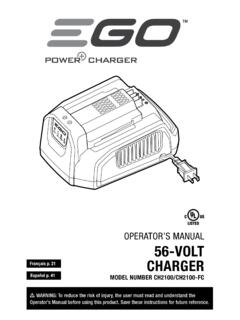
OPERATOR’S MANUAL 56-VOLT - Power Beyond Belief, #1 ...
egopowerplus.comDo not expose power tools to rain or wet conditions. Water entering a power tool will increase the risk of electric shock. Do not abuse the cord. Never use the cord for carrying, pulling, or unplugging the power tool. Keep the cord away from heat, oil, sharp edges, or moving parts. Damaged or entangled cords increase the risk of electric shock.

OSHA PORTABLE LADDER SAFETY QUICKCARD™
www.osha.govPortable Ladder Safety Falls from portable ladders (step, straight, combination and extension) are one of the leading causes of occupational fatalities and injuries. • Read and follow all labels/markings on the ladder. • Avoid electrical hazards! – Look for overhead power lines before handling a ladder. Avoid