Example: confidence
sharp operation manual
sharp operation manual file:///Y|/11_IM%20GROUP/Oversea%20Group/SHARP%20JAPAN/JC180020_PN-UH601_PN-UH701_HTML/HTML/eng/0-3.html[2/28/2018 7:08:41 PM]
Tags:
Information
Domain:
Source:
Link to this page:
Documents from same domain
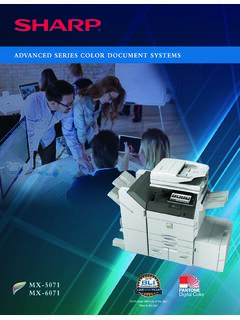
ADVANCED SERIES COLOR DOCUMENT SYSTEMS
business.sharpusa.comThe New Sharp Color Advanced Series document systems deliver cutting-edge integration and powerful productivity. advanced The Sharp MX-5071 and MX-6071 Advanced Series color document systems are built using the latest technology available to deliver the performance, features and reliability needed in today’s busy workplace environments.

MX-B376W MX-B476W ADVANCED SERIES DESKTOP …
business.sharpusa.comMX-B376W/B476W SPECIFICATIONS 1 Some features require optional equipment. See your local dealer. 2 May vary depending on product configuration, machine settings and operating and/or environmental conditions. 3 Go to www.sharpusa.com for a list of supported devices and operating systems. Design and specifications subject to change without notice.

MX-2600N | MX-3100N Quick Start Guide - SharpUSA
business.sharpusa.comDownloading the Operation Guide. (1) Click [Operation Manual Download] in the menu of the Web page. (2) Select the desired language. (3) Click the [Download] button. The Operation Guide is downloaded. (1) (2) (3) 00-1_Quick(Manual).fm 3 ページ 2008年5月29日 木曜日 午 …

Microwave Drawer : SMD2470AS, SMD3070AS InstallatIon …
business.sharpusa.com8 1. Place the drawer adjacent to the wall or cabinet opening. Plug the power supply cord into the electrical outlet. 2. PCarefully guide the drawer into the prepared opening.

Cloud Connect Guide - SharpUSA
business.sharpusa.comUsing this function means that sending of mail is possible simply by connecting to the network, instead of using an SMTP server. By using addresses stored in the address book, this eliminates the step of entering e-mail and of storing information in the machine address book. The search function lets users search for destinations in the address book

MX-M365N | MX-M465N | MX-M565N Brochure - SharpUSA
business.sharpusa.comAn advanced design plus multi-functional capability allow you to meet tomorrow’s document needs today. • 500 + 2,000-sheet tandem paper drawer option expands maximum online paper capacity to 6,600 sheets • Flexible paper handling system feeds up to 80 lb. cover through the paper trays and up to 110 lb. cover through the bypass tray • Scan both sides of a document in …

MODEL: MX-2651 MX-3051 DIGITAL FULL COLOR …
business.sharpusa.comDOWNLOADING THE OPERATION GUIDE The Operation Guide, which is a more detailed manual, can be downloaded from the machine's Web pages. 1 Click [Operation Manual Download] in the menu of the Web page. 2 Select the desired language. 3 Select the manual you want to download, and click the [Download] button. (1) English (2) (3)

MX-5071 MX-6071 ADVANCED SERIES COLOR DOCUMENT …
business.sharpusa.comscanning, auto duplexing, 1 x 550-sheet paper drawer, 100-sheet bypass tray. Black and color developer is included. Type Color multi-function digital document system Display 10.1" (diagonally-measured) color dot matrix high-resolution touch panel tilting display. 1,024 x …

MX-3070N MX-3570N MX-4070N ADVANCED SERIES …
business.sharpusa.comand Environments 2008, Windows Server 2008 R2, Windows Server 2012, Windows Server 2012 R2, Mac OS X 10.6-10.13, UNIX, Linux, Citrix® (XenApp 5.0-7.6), Windows Remote Desktop Services, SAP device types1 Printing Protocols LPR, IPP, IPPS, PAP, Raw TCP (port 9100), FTP, POP3, HTTP, and Novell Pserver/Rprinter Network Scanning System

Users Manual, User's Manual MX-B450W, MX-B350W, …
business.sharpusa.comThis is used to connect a USB device such as a USB memory device to the machine. Supports USB 2.0 (Hi-Speed). ... BEFORE USING THE MACHINE BEFORE USING THE MACHINE AUTOMATIC DOCUMENT FEEDER AND DOCUMENT GLASS (1) Document feeding cover ... transmission and direct transmission, and to switch between automatic reception and …
Related documents
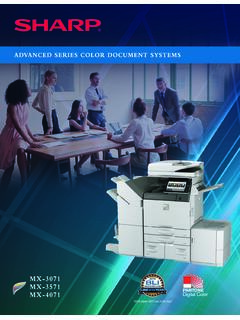
ADVANCED SERIES COLOR DOCUMENT SYSTEMS - Sharp for …
business.sharpusa.comSharp has done it again with the new MFP Voice feature available for the new Color Advanced Series document systems. With Sharp’s MFP Voice feature, you can interact with the machine just by using the power of natural language. With simple voice commands, you can ask the Sharp document system to make copies or scan a document.

Getting Started with RTL-SDR and SDR- Sharp and CubicSDR
cdn-learn.adafruit.comNov 15, 2021 · R-Sharp for Windows (https://adafru.it/Cd6). On mac os, jump to the page CubicSDR for mac os (https://adafru.it/Cd7). To see some SDR action live, check out this episode of John Park's Workshop: SDR-Sharp for Windows Download & Install Software We'll be using the awesome SDR# software for windows, which is really easy to use and very powerful ...
HAND AND POWER TOOL SAFETY - University of Tennessee
ehs.utk.educaused by tools falling from overhead and by knives, chisels, and other sharp tools Hand and Power Tool Guidelines GS-91 Page 2 carried in pockets or …

Accu-Chek Inform II: Point of Care Glucose Testing
www.sharp.comFeb 07, 2014 · Sharp Healthcare 2014. OBJECTIVES • Demonstrate abilities for performing quality control and patient testing • Understand that results are entered into ... up when power is connected): 14 15 16. Base Unit Underside 17. Jack for the power supply unit provided 18. USB connection 19. Network connection 20. Removable mount for wall installation ...

OPERATION MANUAL ENGLISH - Sharp
www.sharp.co.ukIntroduction Remote control unit 1 B Standby/On iEnter standby mode or turn on the power. 2 p Channel information / EPG TV/DTV: Select the program or move (See pages 11 and 20.) 3 DTV MENU Display the MEDIA PLAYER screen. 4 0–9

MICROWAE DRAWER TM SMD2470AS
files.sharpusa.comThe Sharp Microwave DrawerTM Oven boasts an easy-to-read display that disappears until you need it. The concealed control panel opens at a 45-degree angle, so it’s easy to read and operate. Sharp’s exclusive Easy Touch Automatic Drawer system eases open with the touch of a button. Give the drawer a small nudge and it smoothly shuts for you.