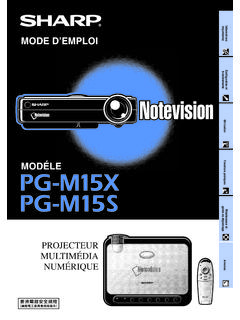
Transcription of Sharp’s 55-Inch Full-HD Monitors
1 LAN port PC analogue input RGB (D-sub)Optional portAudio outputRS-232C outputPC/AV input (HDMI)RS-232C inputPC input (DisplayPort)PC/AV input digital RGB (DVI-I)PC/AV output digital RGB (DVI-D)Audio inputControl kitPC output (DisplayPort)DimensionsSharp s 55-Inch Full-HD Monitors Expand Choices for Video Wall InstallationsUnits: mm ( inch ) * Screen dimensions * To use the VESA-standard mounting bracket, use M6 screws that are 8 to 10 mm plus the thickness of the bracket. *1 Brightness and contrast ratio depend on input mode and other picture settings. Brightness level will decrease slightly over the lifetime of the product. Due to the physical limitations of the equipment, it is not possible to maintain a precisely constant level of brightness.
2 *2 D-sub input terminal only. *3 Use a commercially available connection cable for PC and other video connections. *4 For both PC and AV components. *5 Analogue PC, video, and component video are switchable (via the bottom interface); use the menu to select. Note that video and component video inputs require a conversion cable connected via the mini D-sub 15-pin jack. *6 For video signals only. *7 Display only, not including LCD Panel Max. Resolution Max. Display Colours (approx.) Pixel Pitch (H x V) Brightness*1 Contrast Ratio*1 Viewing Angle (H/V) Active Screen Area (W x H) Response Time BacklightComputer Input Video Synchronisation Plug & Play Power ManagementVideo Colour SystemInput Terminals*3 Output Terminals*3 Input/Output Terminals*3 MountingPower SupplyPower ConsumptionEnvironmental Operating TemperatureConditions Operating HumidityDimensions*7 (W x D x H) (approx.)
3 Weight (approx.)Main AccessoriesModel NameSpecificationsPN-V551PN-V550 Landscape / Portrait55- inch widescreen ( cm diagonal) TFT LCD1,920 x 1,080 million x mm700 cd/m2 (default: 550 cd/m2) 500 cd/m2 (default: 400 cd/m2)3,500 : 1 4,000 : 1 178 /178 (CR 10)1, x mm (47 5/8" x 26 13/16") 8 ms (grey to grey, avg.)LED, full arrayAnalogue RGB ( Vp-p) [75 ], Digital (conforms to DVI standards), DisplayPort Horizontal/vertical separation (TTL: positive/negative), Sync-on-green*2, Composite sync*2 (TTL: positive/negative) VESA DDC2 BVESA DPMS, DVI DMPMNTSC ( MHz, MHz), PAL, PAL60, SECAMHDMI *4 x 1, Mini D-sub 15-pin x 1*5, video x 1*5, Component video x 1*5, DisplayPort x 1, DVI-I-29 pin (HDCP compatible) x 1, mm-diameter mini stereo jack x 1, RS-232C x 1, D-sub 9-pin x 1, Control kit terminal x 1 DisplayPort*6 x 1, DVI-D 24-pin (HDCP compatible) x 1, mm-diameter mini stereo jack x 1, RS-232C x 1, D-sub 9-pin x 1 LAN portVESA (4 points), 400 mm (15 3/4") pitch100V 240V AC, 50/60 Hz210 W 185 W0 C to 40 C20% to 80% RH (no condensation)1, x x mm (47 3/4" x 4 1/2" x 26 15/16") kg ( lbs) kg ( lbs)Cable clamp x 4, cable clamp (insertion type)
4 X 2, power cord x 1, CD-ROM x 1, set-up manual x 1, remote control sensor box mounting hole concealing sticker x 2 Distributed by:DisplayPort and the DisplayPort Compliance Logo are trademarks owned by the Video Electronics Standards Association in the US and other countries. The terms HDMI and HDMI High-Definition Multimedia Interface, and the HDMI Logo are trademarks or registered trademarks of HDMI Licensing Administrator, Inc. in the United States and other countries. All other brand names and product names may be trademarks or registered trademarks of their respective owners. DESIGN AND SPECIFICATIONS ARE SUBJECT TO CHANGE WITHOUT PRIOR NOTICE. SHARP CORPORATION (APR. 2017)OptionsInput/Output Terminals (Side)(Bottom)PN-ZR42 : Long Mirror FramePN-ZR43 : Short Mirror FramePN-ZR01A : Control Kit (remote controller and remote control sensor box)1, (47 3/4)VESA holes* (26 15/16) * (26 13/16) (13 1/2) (23 7/8)1, * (47 5/8) (1 9/16) (2 1/2) (4 1/2)200 (7 7/8)200 (7 7/8)200 (7 7/8)200 (7 7/8)A Multi- monitor Configuration with Mirror FramesWithout Mirror FramesWith Mirror Frames(Simulated images) mmRemote controlsensor boxRemote controller5 x 5 video wall (Simulated image)2 x 2 video wall (Simulated image)Close-up image of LCDB efore CalibrationAfter Calibration0nnInputOutputR: After correction0nnInputOutputG: After correction0nnInputOutputB.
5 After correctionGamma correction for RGB elements (part of the correction processing method)Dynamic Video Wall Setup Delivers High Visual Impact Control Kit (PN-ZR01A)Mirror Frames (PN-ZR42/ZR43*1)24/7 OperationExcellent Image QualityUltra-Slim BezelWhether in a commercial or business setting, multiple Full-HD PN-V551/V550 Monitors can be joined together to create an eye-catching video wall that expands the reach of your message. Multi- monitor con gurations are easy to assemble and easy to control via the RS-232C interface or via a Carrying Handles for Safe SetupTo ensure safe handling of the PN-V551/V550, all four of its corners are tted with robust carrying handles. Together with the monitor s light weight of kg, these handles enable safe transport and easy, time-saving installation whether vertically or s 55-Inch full high-de nition PN-V551/V550 professional LCD Monitors feature a mm* ultra-slim bezel that gives you the exibility to build video walls with the dimensions to grace virtually any commercial or public space.
6 Whether installed in a shopping mall, hotel, control room, transport hub, or conference hall, a bank of these Monitors will convey your message with overwhelming style and precision. Four Monitors set up in a 2 x 2 con guration, for example, will let you display every last pixel of native 4K Ultra HD (3,840 x 2,160-pixel) content on the equivalent of a 110- inch screen. Thanks to Sharp UCCT (Uniform Colour Calibration Technology), colour reproduction and brightness are beautifully consistent on each individual LCD monitor and thus across the entire video wall.* mm is the minimum combined frame width for neighbouring Monitors , excluding the gap between the Monitors . In multi- monitor con gurations, optional Mirror Frames minimise*2 the visible lines between slim-bezel PN-V551/V550 Monitors by re ecting mirror images of the display content.
7 This creates more dynamic video walls and an even smoother big-picture effect.*1 PN-ZR42: long mirror frame; PN-ZR43: short mirror frame*2 The visibility of the seams between Monitors varies depending on such factors as the on-screen image and the viewing PN-V551 and PN-V550 combine Full-HD (1,920 x 1,080-pixel) resolution with a display brightness of 700 cd/m2 and 500 cd/m2 respectively, to deliver stunningly bright and detailed images. Full-HD resolution ensures that everything from ne text to intricate graphics is displayed crisply and clearly. Four PN-V551/V550 Monitors set up in a 2 x 2 con guration, for example, can beautifully render every single pixel of 4K Ultra HD (3,840 x 2,160-pixel) content in a form equivalent to a 110- inch LCD monitor .
8 What s more, Sharp UCCT (Uniform Colour Calibration Technology) realises brilliant uniformity of colour and UCCT (Uniform Colour Calibration Technology) Significantly Increases Uniformity of Colour*To varying degrees, unevenness of colour and brightness may occur in LCDs. To compensate for this, Sharp UCCT ensures uniformity of colour and brightness across the entire LCD monitor by properly adjusting colour levels with high precision and high de nition (at the pixel level). The ultra-slim bezel on a PN-V551/V550 enables you to combine multiple units to create a virtually seamless digital canvas. The bezels of adjacent Monitors in a video wall combine for a total bezel width of just mm*1 mm on the right and bottom sides, and mm on the left and top sides*2.
9 This enables the display of large, crisp images with minimal distraction and maximal impact.*1: Minimum combined frame width for neighbouring Monitors , excluding the gap between them. *2: Non-display area for neighbouring Monitors is Digital Signage Solutions O er Style and Precision Built solid, the PN-V551/V550 is ideal for use in 24-hour stores and in other demanding professional applications that require round-the-clock operation seven days a of Installation ModeThe PN-V551/V550 offers a choice of landscape or portrait installation, allowing customers to select the mode that best suits their display content and one of the Monitors in a video wall is tted with a remote control sensor box, all of the Monitors can be conveniently operated through one remote control Correction of RGB Colour and BrightnessSimulated image of colour uniformity calibration by Sharp UCCTThe display characteristics of each small area in the LCD are measured in terms of various RGB input signals.
10 Uniformity of colour and brightness is then calibrated and corrected for each RGB signal element in a given area, as shown in the graphs below.* Brightness level may decrease when activating Multi- monitor Configuration with Mirror FramesWithout Mirror FramesWith Mirror Frames(Simulated images) mmRemote controlsensor boxRemote controller5 x 5 video wall (Simulated image)2 x 2 video wall (Simulated image)Close-up image of LCDB efore CalibrationAfter Calibration0nnInputOutputR: After correction0nnInputOutputG: After correction0nnInputOutputB: After correctionGamma correction for RGB elements (part of the correction processing method)Dynamic Video Wall Setup Delivers High Visual Impact Control Kit (PN-ZR01A)Mirror Frames (PN-ZR42/ZR43*1)24/7 OperationExcellent Image QualityUltra-Slim BezelWhether in a commercial or business setting, multiple Full-HD PN-V551/V550 Monitors can be joined together to create an eye-catching video wall that expands the reach of your message.