Transcription of SMART Board® 6000 series
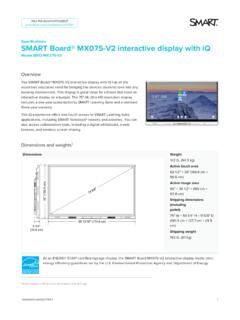
1 Our most popular interactive display with iQ embedded computing and collaboration features for walk up and use in and it turns onA proximity sensor automatically powers up the SMART board 6000 when you walk in the room saving time and energy up a pen and start writingThe intelligent pen tray automatically selects the black or red pen tool, so you don t have to choose it from a menu before easy as writing on paperSMART invented DViT (Digital Vision Touch) technology to ensures a smooth writing experience that looks and feels SMART Learning Suitesubscription includedULTRA HDRESOLUTION4 KSMART board 6000 series65" | 75" SMART board 6000 seriesMultiple students, tools and colors at the same timeSimultaneous Tool Differentiation frees multiple students to write, erase and move notes at the same time.
2 Pen ID recognition and Object awareness detection automatically make pens write in different colors, fingers move and palms and save notes directly into applicationsSMART Ink software lets teachers write over videos and into PDFs, Microsoft Office files and websites, then save notes in almost any file type. Automatically convert notes to text and access tools, such as spotlight, magnifier and screen Collaborative Experience With 30 years of experience in education technology, SMART interactive displays are designed to support teaching approaches that affect learning to use.
3 Built to last. SMART Remote Management lets you efficiently maintain, secure and support all your devices including SMART board displays with iQ. 4K Ultra HD resolution Accelerated Life Testing LED rated for 50,000 hours Fully heat-tempered, anti-glare glass Silktouch frictionless surface ENERGY STAR certification Conflict-free materials and sourcing Regulatory and environmental certifications* 3-year standard warranty** (1-year on pens)Durable and commercial-grade, SMART board displays have received many safety, regulatory and environmental certifications, giving you peace of mind that they adhere to government or other regulatory requirements.
4 *See specification chart for detailed certifications.**1- or 2-year extended options available. 5-year standard in board 6000 series 2019 SMART Technologies. All rights reserved. SMART board , SMART Notebook, SMART Ink, DViT, Object Awareness, Pen ID, Silktouch, the SMART logo and all SMART taglines and product logos are trademarks or registered trademarks of SMART Technologies in the and/or other countries. All third-party product and company names are for identification purposes only and may be trademarks of their respective owners.
5 010719 Get the most out of your SMART solution Your purchase is just the beginning. Our implementation services, professional development and technical support resources help educators learn to use their SMART solutions, hone their technology skills and improve student learning outcomes. Professional DevelopmentSMART provides complimentary professional development plans, and online courses and webinars that cover both functional and pedagogical can connect their Windows or Mac computer and deliver interactive SMART Notebook lessons at the display.
6 Time-saving activity and assessment templates are easy to customize for all grades and ConsultingSMART has a team of former educators dedicated to supporting implementation, as well as publications and research demonstrating improved SupportSo much more than downloads and guides, SMART support has tons of training resources to get you started and a thriving community of educators to tap into. Teachers can add game-based and collaborative activities to SMART Notebook, PDF and PowerPoint files, and send lessons to student devices to complete individual handouts or work together in collaborative workspaces.
7 Engage students. Empower teachers. Together with SMART Learning Suite software and iQ embedded computing options, SMART board displays give teachers endless ways to quickly and easily create and deliver dynamic lessons. Desktop experienceGive teachers access to Microsoft Office files and applications on a full Windows 10 Pro computer right at the display by adding an Intel Compute Card to experienceWindows experienceiQ provides teachers one-touch access to SMART Notebook lessons and collaboration tools including a whiteboard, web browser, apps library and native, wireless screen sharing.
8 Online experienceSMART Learning Suite transforms static content into interactive lessons including collaborative workspaces, game-based activities and formative assessments all in one ultimate education embedded computing puts everything teachers need to seamlessly transition lessons in one place at the touch of a finger without extra hardware or reseller: SMART board 6000 series6265636562756375 SMART Learning Suite1-year subscription1-year subscription1-year subscription1-year subscriptioniQ apps and featuresSMART Notebook Player Customizable home screen Digital whiteboard Web browser Native screen sharing File and app librariesSMART Notebook Player Customizable home screen Digital whiteboard Web browser Native screen sharing File and app librariesSMART Notebook Player Customizable home screen Digital whiteboard Web browser Native screen sharing File and app librariesSMART Notebook
9 Player Customizable home screen Digital whiteboard Web browser Native screen sharing File and app librariesIntel Compute Card with Windows 10 ProUpgrade option availableIncluded. Options available. See for option availableIncluded. Options available. See for Remote ManagementOptionalOptionalOptionalOption alDISPL AYScreen size (diagonal)65 65 75 75 Resolution4K Ultra HD (3840 2160)4K Ultra HD (3840 2160)4K Ultra HD (3840 2160)4K Ultra HD (3840 2160)Refresh rate60 Hz60 Hz60 Hz60 HzAspect ratio16:916:916:916:9 Back lightinge-LEDe-LEDe-LEDe-LEDLED lifespanCommercial-grade 50,000 hoursCommercial-grade 50,000 hoursCommercial-grade 50,000 hoursCommercial-grade 50,000 hoursLCD qualityGrade AGrade AGrade AGrade AContrast ratio4000:14000:15000:15000.
10 1 Brightness360 cd/m 360 cd/m 360 cd/m 360 cd/m Response time8 ms8 ms8 ms8 msGlassFully heat-tempered, anti-glareFully heat-tempered, anti-glareFully heat-tempered, anti-glareFully heat-tempered, anti-glareTOUCH AND DIGITAL INKT ouch technologyDViTDViTDViTDViTSimultaneous tool differentiation Object awareness Pen ID SMART Ink Silktouch Simultaneous touch points8 (Windows and Mac)8 (Windows and Mac)8 (Windows and Mac)8 (Windows and Mac)Tools included2 pens (black, red)2 pens (black, red)2 pens (black, red)2 pens (black, red)IQ APPLIANCEM odelAM40AM50AM40AM50 Operating systemAndroid NougatAndroid NougatAndroid NougatAndroid NougatProcessorRK3399, Dual-core A72 + Quad-core A53, 64 bits, 2 GHzRK3399, Dual-core A72 + Quad-core A53, 64 bits, 2 GHzRK3399, Dual-core A72 + Quad-core A53, 64 bits, 2 GHzRK3399, Dual-core A72 + Quad-core A53, 64 bits, 2 GHzMemory4 GB4 GB4 GB4 GBStorage32 GB32 GB32 GB32 GBWireless technologyBluetooth out USB Type-A ( 2) RJ45 Gigabit EthernetHDMI out USB Type-A ( 2)