Example: biology
Super Charger - storage-asset.msi.com
User Guide. 2 Super Charger er uie Super Charger Super Charger provides i-Pad, i-Phone and iPod charging function. ... The MSI Super Charger is a Windows resident program capable of revising power supply mode of your USB port. Once an iPad is connected to your USB port the Super Charger sends a signal to initiate its charging circuit. Enabling ...
Tags:
Information
Domain:
Source:
Link to this page:
Documents from same domain

MSI SMART TOOL
storage-asset.msi.com2 MSI SMART TOOL User Guide MSI SMART TOOL MSI SMART TOOL is a convenient tool that can help you to create your Windows installation USB flash drive with USB 3.0 drivers, and it can also create a software RAID. Main menu After installing and activating MSI SMART TOOL, it will display a main menu for you to choose Win7 Smart Tool or Software ...

DRAGON CENTER User Guide - storage-asset.msi.com
storage-asset.msi.comfrom the root path of the MSI Driver Disc. 4. Click the Utilities tab. 5. Select the DRAGON CENTER. 6. Click the Install button in the lower-right corner of the window. 7. The installation will then be in progress, after it has finished it will prompt you to restart. 8. Click OK button to finish. 9. Restart your computer. Launching DRAGON CENTER
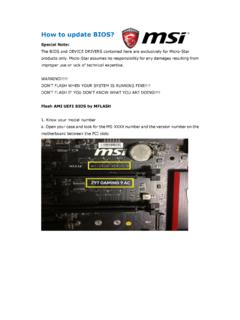
How to update BIOS? - storage-asset.msi.com
storage-asset.msi.com8. A warning message comes out “ Don`t remove USB drive or shutdown system” and then System will be reset to update BIOS after 5 seconds. 9.If your motherboard is equipped with …

BIOS Update Instruction By DOS Tool
storage-asset.msi.comAug 02, 2016 · Wait for a couple of seconds to complete the BIOS update procedure. * DO NOT power off the notebook while this BIOS is updating 9. Power off the notebook after the BIOS update procedure is completed. 8 MSI NB FAE Team Flash BIOS by DOS Tool 10. Then power on again and press “DEL” key to enter the BIOS screen.

EC Firmware Update Instruction Windows mode
storage-asset.msi.comMay 11, 2017 · B1. If there is a batch file “ECWIN.BAT” among the extracted file, please right click on the batch file to open the context window and select “Run as Administrator” and select “Yes” to accept the UAC window. B2. Please read the descriptions among DOS screen carefully. Making sure that

How to enable crosshair - storage-asset.msi.com
storage-asset.msi.comNov 02, 2017 · 1. Press “ < “ button front of monitor can enable crosshair function. 2. By press the button to switch different color and type of crosshair. How to enable crosshair G27C / …

BIOS Update Instruction UEFI BIOS Setup Utility
storage-asset.msi.comFlash BIOS by UEFI BIOS Setup Utility 1-13. After reboot, system will enter BIOS setup utility. Press “Enter” key on “Proceed with flash update”. 1-14. When you see the message as the screenshot below, please do reset EC firmware by following the instructions. (Please choose one of methods to operate the process.)

How to make a bootable flash disk and to flash BIOS
storage-asset.msi.com1. Extract the zip file containing the BIOS files and flash utility to a bootable USB flash drive (Pen drive). 2. Insert the USB flash drive (Pen drive) in the USB port. 3. Boot up the notebook and press F11 key to run Boot menu and then to select USB flash disk drive. Note1: For some models, you need to go into the bios and change boot priority.

How to redeem Game Pass free trial - storage-asset.msi.com
storage-asset.msi.comTo keep your account in good standing, we require your date of birth. Birthdate January Year Cancel Next msi . Store Pick a payment method Credit card or debit card PayPal Mobile phone A gift Cancel x Microsoft St PC 1 Month plus applicable month after that

FAQ No. 02155 How to use MSI Dragon center to adjust FAN …
storage-asset.msi.comYou can use the same way to setup GPU FAN RPM. Please click “Save” when you finish the setup. Note: 1. Not every model has individual CPU and GPU fans. Some models only has single FAN for CPU/GPU cooling, and Dragon Center will recognize it as CPU FAN. It is normal if you can’t adjust GPU RPM and see 0 FAN RPM of GPU on single FAN system. 2.
Related documents

MiCollab Client Quick Reference Guide Q
www.una.eduMiCollab Client Quick Reference GuideQ About MiCollab Client MiCollab Client is a software comm unications product integrated with the advanced call management features of MiVoice Business, MiVoice MX-One, MiVoice 5000, and MiVoice Office. MiCollab Client converges the call control capabilities of Mitel

CREATOR CENTER User Guide - download.msi.com
download.msi.comThe screenshots for the UI in this user guide are for reference only and the actual UI design may vary. Operation Panel Information Bar Display System Profile Picture/ Login/ Logout Display Creator Mode Status. Main Menu Sub Menu Information Bar Display MSI product currently in use. Click to enter the control page. Display mode currently applied.

Contents
download.msi.comThank you for purchasing the MSI® H510M PRO/ H510M-A PRO/H510M BOMBER/ B560M PRO-E/ B560M PLUS/ B560M-X motherboard. This User Guide gives information about board layout, component overview, BIOS setup and software installation.

ADSelfService Plus Login Agent Installation Guide
info.manageengine.com1. Using MSI package: To install the login agent manually, you must run the MSI package of the login agent provided with ADSelfService Plus on each user’s machine. The MSI package can be found in the installation directory (by default: C:\Program Files\ManageEngine\ADSelfService Plus\bin). To install the login agent manually, follow the below ...

Last Modified: 2021-03-10
www.cisco.comIT Administrator Guide for Mass Deployment of the Cisco Webex Meetings Desktop and Productivity Tools (39.10 and Later) First Published: 2019-11-01 Last Modified: 2021-03-10 Americas Headquarters

UNDERSTANDING MSI-H/dMMR - Merck.com
www.merck.comMSI-H/dMMR A GUIDE FOR PATIENTS, CAREGIVERS AND ADVOCATES Our understanding of cancer is always growing. Recently, scientists uncovered new uses for biomarkers called MicroSatellite Instability High (MSI-H) or MisMatch Repair deficiency (dMMR).

Selecting a SSD
ssd.borecraft.comMSI Spatium M390 Mushkin Helix-L Patriot Scorch Plextor P300 Samsung 980 Non-PRO SP P32A80 SP P34A60 Team MP32/MP33/Z330 WD SN500/SN550 WD SN570 WD SN750 SE ADATA S40G ADATA SX8100/S7 ADATA SX8800 Kingston A2000 Intel 670p Sabrent Rocket Q 8200/S11 ADATA SX8200/S11 Pro ADATA S50 Lite (Gen4) Addlink S70 Corsair MP510 …