Transcription of TMHP Portal Request Change Form
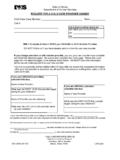
1 tmhp Portal Request Change Form F00154 Page 1 of 2 Effective Date: 09/01/2021 Instructions: Complete the following information, as applicable. This form is required and must only be used to Request changes to the provider s email address or to remove a current administrator for the provider s secure Texas Medicaid & Healthcare Partnership ( tmhp ) Portal account accessed through tmhp website at For assistance, contact the tmhp Electronic Data Interchange (EDI) Helpdesk at 1-888-863-3638. This form should only be used when prompted by the EDI Helpdesk agent. To submit your Request , fax or mail the form to: Fax: (512)-514-4228 or (512)-514-4230 Mail: Texas Medicaid & Healthcare Partnership Attention: EDI Help Desk MC-B14 PO Box 204270 Austin, TX 78720-4270 Field Description Section A: Provider Information (All applicable fields must be completed for the Request to be processed.)
2 Ticket Number Enter the ticket number that the EDI representative provided when you contacted the EDI helpdesk. Provider Name Enter your provider name as it appears on your secure tmhp Portal account. This information can be verified with the EDI agent over the phone. National Provider Identifier (NPI) Enter your NPI. Taxonomy For acute care providers, enter your taxonomy. If you are not an acute care provider, enter N/A. Benefit Code (if applicable) Enter your Benefit Code (if applicable). Address, City, State, and ZIP + 4 Enter your street address, City, State, and ZIP + 4. LTC Contract Number (Long Term Care providers only) For LTC providers, enter your contract number. If you are not an LTC provider, enter N/A. Portal Username/User ID Enter your Portal username. This is the name you use to sign in to your secure tmhp Portal account.
3 Email address for this username Enter your current email address as it appears on your secure tmhp Portal account. Contact Name Enter the name of the designated contact person for this Request . Contact Title Enter the title of the person who is the designated contact for this Request . Fax Number Enter the provider s fax number. Section B: Change Request (At least one of these fields must be completed for the Request to be processed.) Action: Change Email Address If this Request is to Change the email address on your secure tmhp Portal account, enter the new email address. If this Request is not related to changing your email address, enter N/A. Action: Remove Account Administrator(s) If this Request is to remove the account administrator(s) from your secure tmhp Portal account, enter the administrators to be removed. If this Request is not related to removing the account administrator(s), enter N/A.
4 Section C: Agreement and Signature (All of these fields must be completed for the Request to be processed.) Agreement Check the box that indicates which action you are agreeing for EDI to take in your behalf concerning your secure tmhp Portal account. Please select only one option. Signature An original, wet signature is required. An electronic or stamped signature will not be accepted. tmhp Portal Request Change Form F00154 Page 2 of 2 Effective Date: 09/01/2021 Section A: Provider Information (Complete all applicable fields in Section A.) Required information Enter the following information as indicated: Ticket Number Provider Name National Provider Identifier (NPI) Taxonomy Benefit Code (if applicable) Street Address City State ZIP + 4 LTC Contract Number (Long Term Care providers only) Portal Username/User ID Current email address for this username Contact Name Contact Title Fax Number Action: Change Email Address Action: Remove Account Administrator(s) Agreement and Signature Section B: Change Request (Provide the information identified adjacent to the action you are requesting the tmhp EDI Helpdesk to process.)
5 Change Email Address Action New Email Address I Request to Change the current email address that is on my tmhp Portal account for this username. Remove Account Administrator(s) Action Administrators to be Removed I Request to remove the current administrator(s) from this TPI on the Portal . Section C: Agreement and Signature By submitting a signed copy of the Administrator Removal form I agree to the following (please select only one option): Changing my current email address on my secure tmhp Portal account to the new email address indicated above. Removing one or more account administrator(s) from my secure tmhp Portal account as indicated above. Signature: Date: The requested changes will be updated in the system by the EDI clerk within 30 days of receipt of information by tmhp .