Example: barber
User Manual - GPS
The Global Positioning System (GPS), a network of 32 satellites orbiting Earth, is operated and maintained by the U.S. government. This GPS device requires at least 3 satellites to be acquired to accurately determine your position. Any change made to the system by the government could affect the accuracy and performance of this product.
Tags:
Information
Domain:
Source:
Link to this page:
Documents from same domain
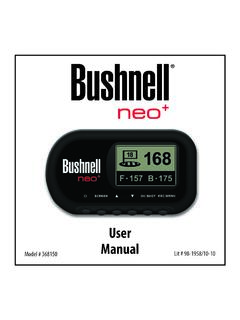
Neo+ Plus Golf GPS UserManual 1LIM rev101210
www.bushnellgolf.comThe Bushnell neo+ is preloaded with over 16,000 golf courses and ready to use out of the box without downloading any additional software. After you’ve had a chance to begin to get familiar with the capabilities of the neo+, please be sure go to iGolf.com to set up

GOLF GPS
www.bushnellgolf.comBushnell is committed to the safe and responsible enjoyment of the outdoors. Warning: Do not use this device with any batteries that have broken or cracked casings. Always use fresh, high quality batteries. Check the battery compartment after the unit has had any prolonged exposure to

201660+201661 Tour V4 5LIM rev071117 - bushnellgolf.com
www.bushnellgolf.com9 About TOUR V4 - Slope Edition (LCD Indicator “ - - - “ ) This advanced and patented technology found on SLOPE EDITION models features a built-in accelerometer-based inclinometer that digitally displays the exact slope angle from -20 to +20 degrees of elevation and is +/- 1.0 degree accurate.
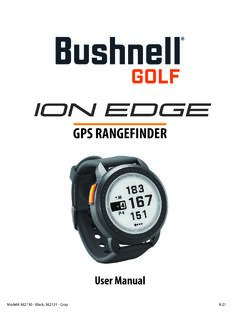
User Manual iON Edge GPS Watch Models 362130 362131
www.bushnellgolf.com– if you are a returning user to the app, select “See All” from the “My Devices Section”, click “Add Device”, and select Ion Edge. • Follow the on screen instructions in the app to pair and connect your Ion Edge . Note: After paired, once powered up the Bluetooth on/off state will be the last set state. Scan the code to
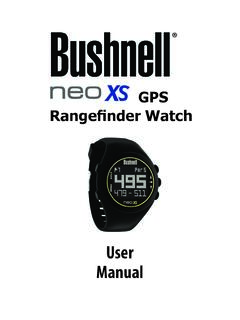
User Manual - Bushnell Golf
www.bushnellgolf.comUser. Manual. Rangefinder Watch. GPS ... By using this product, you agree that Bushnell Outdoor Products will not be held legally responsible . for any injury or damage to you or any person or property caused by the user’s improper operation and/or …
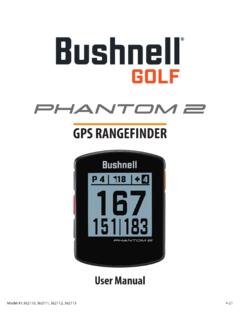
User Manual Phantom 2 Handheld GPS Models 362110 …
www.bushnellgolf.comBy using this product, you agree that Bushnell Outdoor Products will not be held legally responsible for any injury or damage to you or any person or property caused by the user’s improper operation and/or poor judgment while using this product. Note: See Limited Warranty for other limitations to our liability. Additional Information

LASER RANGEFINDER OWNER’S GUIDE
www.bushnellgolf.comACTIVE LASER Crosshairs surrounding the aiming circle indicate that the laser is being transmitted. Once a range has been acquired, you can release the Power/Fire button. The crosshairs surrounding the circle will disappear once the Power/Fire button has been released (i.e. the laser is no longer being transmitted). 6 5 4 3 2 7 1
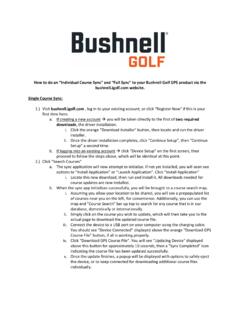
How to do an Individual Course Sync and to your Bushnell ...
www.bushnellgolf.comSerial Number of your device. 3. Once signed-in, the Main Menu will be displayed. Select ‘MY DEVIE’ in the upper-left of the display and begin Device Setup/Bluetooth Pairing process. 4. Follow the instructions on the Device Setup page to Enable Bluetooth Discovery Mode on your device: i. Go to MENU ii. Select BLUETOOTH iii. Select TURN ON ...
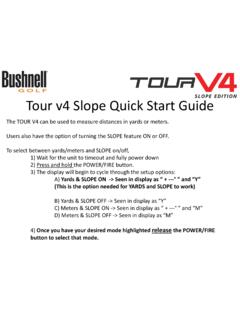
Tour v4 Quick Start Guide - Bushnell Golf
www.bushnellgolf.comTour v4 Slope Quick Start Guide The TOUR V4 can be used to measure distances in yards or meters. Users also have the option of turning the SLOPE feature ON or OFF. To select between yards/meters and SLOPE on/off, 1) Wait for the unit to timeout and fully power down 2) Press and hold the POWER/FIRE button.
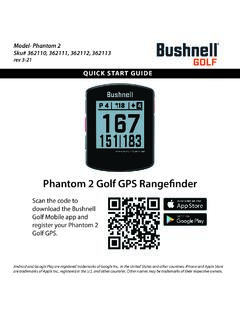
Quick Start Guide Phantom 2 GPS Models 362110 362111 ...
www.bushnellgolf.com11 - PORT USB (Type C) : pour connecter l’appareil au bloc d’alimentation. Guide de démarrage rapide. 1. Rechargez la batterie interne du Phantom 2 en branchant le câble USB d’un bloc d’alimentation sur le port USB (11) de l’appareil. 2. Maintenez le bouton de mise en marche enfoncé (1) pour allumer l’appareil.
Related documents

User manual for TK102 and TK103 GPS trackers
corvusgps.com2 Cell Phone Tracking GPS Tracker app for Android 3 Features of CorvusGPS Fleet Tracking System 3.1 RealTime GPS Tracking 3.2 Track Cell Phones and Traditional GPS trackers 3.3 Group Tracking Track your Workforces 3.4 Tracking Software for Web, Desktop and Mobile Phones

GPS Tracking Laws (All 50 States) State Statute Caption ...
repo.buzzGPS Tracking Laws (All 50 States) State Statute Caption Summary Alabama Code of Ala. § 13A-11-32(a) Criminal surveillance. A person commits the crime of criminal surveillance if he intentionally engages in surveillance while trespassing in a private place.
ACCIDENT DETECTION AND ALERTING SYSTEM USING GPS …
www.acadpubl.euGPS - Global Positioning System GPS helps in both tracking and navigation purpose. Tracking systems is used to keep track of the vehicle without the intervention of the driver. But a navigation system guides the driver to reach the destination without any disruptions. Both tracking and navigation uses the same archite cture.

r+ Owner s Manual - Garmin
www8.garmin.comActivity Tracking and Features. Some features require a paired smartphone. Time and date: Displays the current time and date. The time and date are set automatically when the device acquires satellite signals ( vívosmart HR+ device only) and when you sync your device with a smartphone. Activity tracking : Tracks your daily step count, floors ...

TM - findmespot.com
www.findmespot.comtracking conserves battery life. With the new SPOT Mapping you can view and share your SPOT locations for a minimum of three years. ... The GPS LED will blink green when SPOT Gen4 sees the GPS satellites and while obtaining your GPS location. Once your GPS location is obtained, SPOT sends your S.O.S. message with GPS location. ...

GPS 175/GNX 375/GNC 355 Part 23 AML STC ... - Garmin
static.garmin.comGPS 175/GNX 375/GNC 355 Part 23 AML STC Maintenance Manual with Instructions for Continued Airworthiness ... The term squitter refers to a burst or broadcast of aircraft-tracking data that is transmitted periodically by a Mode S transponder without interrogation from a controller’s radar. 1.6.2 Acronyms
AN/PSN-13 DEFENSE ADVANCED GPS RECEIVER QUICK …
asktop.netAN/PSN-13 DEFENSE ADVANCED GPS RECEIVER (DAGR) GTA 07-06-003 15 MARCH 2011 QUICK REFERENCE GUIDE Maneuver Center of Excellence US Army Infantry School Fort Benning, GA Reference: FM 3-25.26, Map Reading and Land Navigation,

TomTom GPS Watch User Manual
download.tomtom.com5. GPS receiver. While wearing the watch, the GPS receiver should face upwards. 6. Cover the screen with your palm briefly to turn on the back light. The clock screen shows the time and date. You can choose to show the time in 12 hour or 24 hour format by pressing down to open the SETTINGS menu, then selecting CLOCK. Using your watch
GPSMAP 700 series owner’s manual - Garmin
static.garmin.comGPS Satellite Signal Acquisition When you turn on the chartplotter, the GPS receiver must collect satellite data and establish the current location. When the chartplotter acquires satellite signals, the signal strength bars at the top of the Home screen are green .

VÍVOACTIVE Owner’s Manual 3 - Garmin
www8.garmin.com3 ™ 3 ™ ® ® device.