Example: dental hygienist
USER MANUAL NI roboRIO
USER MANUAL NI roboRIO RIO Device for Robotics The NI roboRIO is a portable reconfigurable I/O (RIO) device that students can use to design control, robotics, and mechatronics systems used in the FIRST Robotics Competition (FRC).
Tags:
Information
Domain:
Source:
Link to this page:
Documents from same domain

Using Acoustic Beamforming for Pass-By Noise …
www.ni.comUsing Acoustic Beamforming . for Pass-By Noise Source Detection . NATIONAL INSTRUMENTS. APPLICATION NOTES. Abstract. This application note discusses a technique known as beamforming for determining noise location of passing
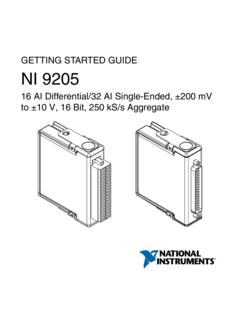
GETTING STARTED GUIDE to ±10 V, 16 Bit, 250 …
www.ni.comMeasurement Category I is for measurements performed on circuits not directly connected to the electrical distribution system referred to as MAINS voltage.
NI 6509 User Guide and Specifications - National …
www.ni.comUSER GUIDE AND SPECIFICATIONS NI 6509 This document contains information about using the NI PCI-6509, NI PXI-6509, and NI PCIe-6509 data acquisition devices with the
NI 6528/6529 User Guide and Specifications - …
www.ni.comNI 6528/6529 User Guide and Specifications 6 ni.com Operate the DIO device only at or below Pollution Degree 2. Pollution is foreign matter in a solid, liquid, or gaseous state that can reduce dielectric
PXIe-5820 Getting Started Guide - National …
www.ni.comElectromagnetic Compatibility Guidelines This product was tested and complies with the regulatory requirements and limits for electromagnetic compatibility (EMC) stated in the product specifications.
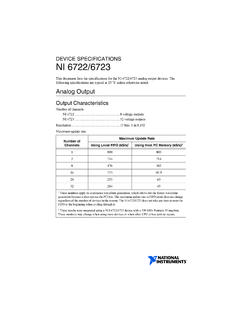
DEVICE SPECIFICATIONS NI 6722/6723
www.ni.comDEVICE SPECIFICATIONS NI 6722/6723 This document lists the specifications for the NI 6722/6723 analog output devices. The following specifications are typical at 25°C unless otherwise noted.
NI cRIO-9030 Specifications - National Instruments
www.ni.comSPECIFICATIONS NI cRIO-9030 Embedded CompactRIO Controller with Real-Time Processor and Reconfigurable FPGA This document lists the specifications for the National Instruments cRIO-9030.

NI PS-15 Power Supply User Manual and …
www.ni.com©National Instruments Corporation viii NI PS-15 Power Supply User Manual About This Manual The NI PS-15 Power Supply User Manual describes the features and specifications of the NI PS-15 power supply and contains information
NI cDAQ -9191
www.ni.comDigital output sample clock frequency Streaming from application memory System-dependent Regeneration from FIFO 0 MHz to 10 MHz Finite 0 MHz to 10 MHz
NI PXIe-1435 User Guide and Specifications - …
www.ni.comNI PXIe-1435 User Guide and Specifications The NI PXIe-1435 (NI 1435) is a PXI Express (PXIe) image acquisition device that supports Base, Medium, Full, and Extended Full configuration Camera Link cameras and supports Power over Camera
Related documents

CAPÍTULO 3 LA COMUNICACIÓN SERIAL
catarina.udlap.mxLA COMUNICACIÓN SERIAL 3.1 Introducción. ... ni recibe datos. Tierra de señal.-Se ha dicho que los datos se envían como voltajes + o -. ... Esta parte del hardware se usa para “estrecharse la mano” entre los dispositivos que se están comunicando. Si el dispositivo externo está de acuerdo, pone un 0 en la patita que se llama Pista ...
Manual v1
d9w4fhj63j193.cloudfront.netSafety nI ormationf Declaration of Conformities Mac nstI allation Windows nstI allation ... PC Settings > Control Panel > Hardware and Sound > Sound (On Windows 10 - search for Sound) ... your iD4 by entering the serial number and the unique 4 digit PIN found on the underside of the iD4. Once you have registered the

Measuring Temperature with RTDs – A Tutorial
newton.ex.ac.ukRS-232 or RS-485 serial network to a PC for remote data acquisition. The SCXI product line has a variety of analog and digital signal conditioning modules for various types of signals. The SCXI-1121 and SCXI-1122 are well suited for RTDs. The SCXI-1121 is an isolated amplifier and multiplexer module with four isolated input channels.

Cisco RV340 Quick Start Guide
www.cisco.comConsole Port—The router console port is designed for a serial cable connection to a terminal or a computer that is running a terminal emulation program. Side Panel USB 2—Type A USB port that supports flash drives and 3G/4G/LTE USB dongles. Caution: Use only the power supply provided with the device;