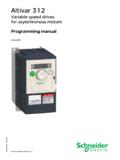
Transcription of Variable speed drives for asynchronous motors - …
1 212 Variable speed drives for asynchronous motorsProgramming Manual09/2011S1A53838 2 S1A53838 09/2011 The information provided in this documentation contains general descriptions and/or technical characteristics of the performance of the products contained herein. This documentation is not intended as a substitute for and is not to be used for determining suitability or reliability of these products for specific user applications. It is the duty of any such user or integrator to perform the appropriate and complete risk analysis, evaluation and testing of the products with respect to the relevant specific application or use thereof. Neither schneider electric nor any of its affiliates or subsidiaries shall be responsible or liable for misuse of the information contained herein. If you have any suggestions for improvements or amendments or have found errors in this publication, please notify part of this document may be reproduced in any form or by any means, electronic or mechanical, including photocopying, without express written permission of schneider pertinent state, regional, and local safety regulations must be observed when installing and using this product.
2 For reasons of safety and to help ensure compliance with documented system data, only the manufacturer should perform repairs to devices are used for applications with technical safety requirements, the relevant instructions must be to use schneider electric software or approved software with our hardware products may result in injury, harm, or improper operating to observe this information can result in injury or equipment damage. 2011 schneider electric . All rights 09/20113 Table of ContentsSafety Information .. 7 About the Book .. 8 General Overview .. 11 Chapter 1 Setup .. 13 Steps for setting-up the drive .. 14 Chapter 2 Overview .. 15 Factory configuration .. 16 Preliminary recommendations .. 17 Embedded display terminal .. 18 Monitoring Mode .. 20 Run Mode .. 23 Programming Mode .. 23 Menu Navigation.. 24 Submenus .. 30 Graphic display option .. 31 Finding a parameter in this document.
3 33 Detected fault screens .. 33 Pre-alarms screens .. 34 Modbus communication status .. 34 PCSoft software workshop .. 35 Structure of the parameter tables .. 36 Parameters that cannot be changed while the drive is running .. 37 Common control schemes .. 38 drive Operation .. 45 Programming .. 53 Chapter 3 Quick Menu .. 55 Quick menu .. 56 Chapter 4 Programming Parameters .. 61 Parameter Reset .. 62 Macro Programming (AU4).. 63 Parameter Lock .. 64 Display of Submenu AUF (F738) .. 64 Chapter 5 motor Control Parameters .. 65 motor Control Mode .. 66 Other motor Control Mode Parameters .. 68 motor Tuning .. 70 Auto-tuning .. 71 Expert parameters .. 72 Supply Voltage Correction and motor Voltage Limitation .. 73 Table of ContentsTable of Contents4S1A53838 09/2011 motor 2 Control Parameters .. 74 Chapter 6 drive Control Parameters .. 77 Chapter 7 Application Parameters .. 81 Application parameters.
4 82 Skip Frequencies .. 87DC Injection Braking Parameters .. 88 Chapter 8I/O Control Parameters ..89 Logic Inputs Functions .. 90 Logic Input Function Compatibility .. 97 Relay Output Functions .. 98 Analog Input Functions .. 104 Analog Output Functions .. 105 Analog Input Adjustments.. 106 Active Logic Function .. 112 Preset Speeds .. 112+/- speed Control Parameters .. 113 Damper control .. 116 Chapter 9 Display Parameters ..119 Display parameters.. 120 Chapter 10 Detected Fault Management Parameters .. 123 Time delay .. 125 Catch On The Fly (F301) .. 126 Overtorque Detection .. 132 Nuisance Overvoltage And Input Phase Detected Fault Avoidance .. 133 motor Overload Characteristics .. 134 Chapter 11 Serial Communication Parameters .. 137 Network communication between the ATV212 drive and a master controller .. 138 Data structure parameters .. 140 Chapter 12 Start/Stop Control By speed Reference Level.
5 143 Overview.. 144 Chapter 13 Droop Control .. 145 Droop control principle .. 146 Diagnostics and troubleshooting .. 147 Chapter 14 Diagnostics and troubleshooting .. 149 Detected fault conditions .. 150 Alarm Conditions .. 153 Pre-alarm Conditions .. 154 Clearing the detected fault .. 155 Annex .. 157 Chapter 15 Migration .. 159 Migration ATV21 - ATV212.. 160 Chapter 16 Parameters Reset Tables .. 161 Parameter values that do not vary by reset type .. 162 Parameter values that vary according to reset type .. 166 Table of ContentsS1A53838 09/20115 Parameter values that vary According to drive rating, but not reset type .. 167 Parameter values that vary According to drive rating and reset type .. 168 Parameter values that do not change if reset .. 169 Chapter 17 User Settings Tables ..171 Table of Contents6S1A53838 09/2011S1A53838 09/20117 Safety InformationSafety InformationImportant InformationNOTICEP lease read these instructions carefully and examine the equipment in order to familiarize yourself with the device before installing, operating or carrying out any maintenance work on following special messages that you will come across in this document or on the device are designed to warn you about potential risks or draw your attention to information that will clarify or simplify a NOTEThe word " drive " as used in this manual refers to the controller portion of the adjustable speed drive as definedby equipment should be installed, operated, serviced, and maintained only by qualified personnel.
6 Noresponsibility is assumed by schneider electric for any consequences arising out of the use of this product. 2010 schneider electric . All Rights addition of this symbol to a Danger or Warning safety label indicates that an electrical hazard exists, which will result in personal injury if the instructions are not is the safety alert symbol. It is used to alert you to potential personal injury hazards. Obey all safety messages that follow this symbol to avoid possible injury or indicates an imminently hazardous situation, which, if not avoided, will result in death or serious indicates a potentially hazardous situation, which, if not avoided, can result in death, serious injury, or equipment indicates a potentially hazardous situation, which, if not avoided, can result in injury or equipment , used without the safety alert symbol, indicates a potentially hazardous situation which, if not avoided, can result in equipment 09/2011 About the BookAbout the BookAt a GlanceDocument scopeThe purpose of this document is to.
7 Help you to set-up the drive , show you how to program the drive , show you the different menus, modes and parameters, help you in maintenance and noteThis documentation is valid for the Altivar 212 documentsYou can download the latest versions of these technical publications and other technical information from our website at of DocumentationReference NumberATV212 Quick StartS1A53825 ATV212 Installation manualS1A53832 ATV212 Modbus manualS1A53844 ATV212 BACnet manualS1A53845 ATV212 Metasys N2 manualS1A53846 ATV212 Apog e FLN P1 manualS1A53847 ATV212 LonWorks manualS1A53848 Multiloader manualBBV48778 SoMove Mobile manualS1A51444 ATV212 other option manuals: see About the BookS1A53838 09/20119 Product related information(1) For additional information, refer to NEMA ICS (latest edition), Safety Guidelines for the Application, Installation, and Maintenance of Solid State Control and to NEMA ICS (latest edition), Safety Standards for Construction and Guide for Selection, Installation and Operation of Adjustable- speed drive Systems.
8 DANGERHAZARD OF electric SHOCK, EXPLOSION OR ARC FLASH Read and understand this manual before installing or operating the drive . Installation, adjustment, repair, and maintenance must be performed by qualified personnel. The user is responsible for compliance with all international and national electrical code requirements with respect to grounding of all equipment. Many parts of this drive , including the printed circuit boards, operate at the line voltage. DO NOT TOUCH. Use only electrically insulated tools. DO NOT touch unshielded components or terminal strip screw connections with voltage present. DO NOT short across terminals PA/+ and PC/ or across the DC bus capacitors. Before servicing the drive :- Disconnect all power, including external control power that may be Place a DO NOT TURN ON label on all power Lock all power disconnects in the open WAIT 15 MINUTES to allow the DC bus capacitors to Measure the voltage of the DC bus between the PA/+ and PC/ terminals to ensure that the voltage is less than 42 If the DC bus capacitors do not discharge completely, contact your local schneider electric representative.
9 Do not repair or operate the drive . Install and close all covers before applying power or starting and stopping the to follow these instructions will result in death or serious EQUIPMENT OPERATION Prevent accidental grounding of logic inputs configured for sink logic. Accidental grounding can result in unintended activation of drive functions. Protect the signal conductors against damage that could result in unintentional conductor to follow these instructions will result in death or serious OF CONTROL The designer of any control scheme must consider the potential failure modes of control paths and, for certain critical control functions, provide a means to achieve a safe state during and after a path of critical control functions are emergency stop and overtravel stop. Separate or redundant control paths must be provided for critical control functions. System control paths may include communication links. Consideration must be given to the implications of unanticipated transmission delays or failures of the link (1).
10 Failure to follow these instructions can result in death, serious injury, or equipment the Book10S1A53838 09/2011S1A53838 09/201111 General OverviewIGeneral OverviewWhat's in this Part?This part contains the following chapters: ChapterChapter NamePage1 Setup132 Overview15 General Overview12S1A53838 09/2011S1A53838 09/201113 Setup1 SetupWhat's in this Chapter?This chapter contains the following topics: TopicPageSteps for setting-up the drive14 Setup14S1A53838 09/2011 Steps for setting-up the drive2. Apply input power to the drive , but do not give a run Configurevthe nominal frequency of the motor [Parameter reset] (tYP) = [50 Hz reset] (1)if this is not 50Hz,vthe motor parameters, page 66, only if thefactory configuration of the drive is notsuitable,vthe application functions in the drive ControlParameters section, page 77 and the I/OControl Parameters section, page89, only ifthe factory configuration of the drive is Please, refer to the installation :zBefore beginning programming, complete the customer setting tables, page an auto-tuning operation to optimize performance, page you get lost, return to the factory settings, page Adjust the application parametersv[Acceleration time 1] (ACC), page 83 and [Deceleration time 1] (dEC), [Low limit frequency] (LL), page 82 and [Upper limit freq] (UL), page [ motor thermal prot.]