Transcription of VisionPRO 8000 with RedLINK™ - Honeywell
1 VisionPRO 8000 with RedLINK . PRODUCT DATA. Customizable Service Reminders Set up to 10 service reminders. Choose from the pre-set options or customize your own. Reminders can be based on date or the outdoor temperature. Universal Inputs Thermostat - S1. EIM - S1, S2, S3, S4. Assignable inputs allow you to setup Indoor and Outdoor Temperature Sensors, Discharge and Return Air Sensors or Dry Contact Devices. Dry Contact Devices can be used to trip pre-set or customized alerts on the thermostat home screen. Note: Dry Contact Alerts require an Equipment Interface Module (EIM). User Interaction Log The interaction log stores history of thermostat setting APPLICATION changes including temperature, system and installer setup.
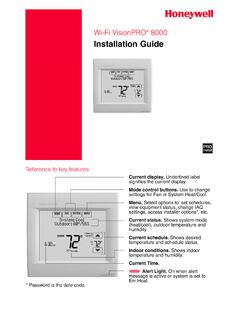
2 You can use the interaction log to save time by determining if the issue is a system error or an acciden- The VisionPRO 8000 with RedLINK features an tal user error. The Interaction Log is only viewable on a effortless, 7-Day programmable touchscreen thermostat computer after you download it from the thermostat to that provides control of temperature, humidification, a microSD card. dehumidification, and ventilation for up to 4 Heat/2 Cool heat pump systems or up to 3 Heat/2 Cool conventional Selectable for Residential and Light Commercial systems for residential and commercial applications. Applications One thermostat does it all to meet the needs of Resi- dential and Light Commercial applications.
3 Simply FEATURES select Residential or Commercial during the installer setup. If Commercial is selected, the thermostat will use RedLINK Compatible commercial language, meet building codes and offer Increase your content and profit per job by including 365 day holiday scheduling. RedLINK accessories that meet your customers'. comfort and convenience needs. RedLINK accessories MicroSD Card Port for Quick Installer Setup include the Wireless Outdoor Sensor, Portable Comfort Save time by using a microSD card to upload installer Control (PCC), Equipment Interface Module (EIM), settings and service reminders in one simple step.
4 RedLINK Internet Gateway, Wireless Indoor Sensor, Tru- eSTEAM humidifier with Wireless Adapter, Selectable Sensors TrueZONE zoning panel with Wireless Adapter, Vent When paired with a Wireless Indoor Sensor(s) you have Boost Remote and Entry/Exit Remote. the ability to choose which sensor(s) to use for tem- perature, humidification and dehumidification. They Also Compatible with Equipment Remote Module can be used in combination for temperature averag- (ERM) ERM5220R ing or individually to condition humidity levels in separate spaces. 68-0312-05. VisionPRO 8000 WITH REDLINK . CONTENTS. Application .. 1 Set up Ventilation.
5 93. Specifications .. 3 IAQ Reminders .. 97. Ordering Information .. 2 Customizable Reminders .. 98. System Installation .. 7 MicroSD card .. 101. When Installing this .. 7 Commercial Features .. 103. Installing Equipment Interface Module (if used) 9 Preset Energy-Saving Schedules .. 61. Wiring 24 Vac Common .. 9 Advanced Features .. 71. Selecting Discharge and Return Air Temperature Sen- Adaptive Intelligent Recovery (residential use only) 71. sor Mounting Locations .. 10 Compressor Protection .. 71. Selecting Discharge and Return Air Temperature Sen- Heat Pump and Backup Heat Operation 78. sor Mounting Locations.
6 10 Portable Comfort Control .. 114. Selecting Return Air Temperature Sensor Mounting Remote Indoor Sensors .. 115. Location .. 10. Ramp Rates (Commercial Use) .. 106. Selecting Thermostat Location .. 12. Remote Setback (Commercial Use) .. 106. Installing Wallplate .. 12. Economizer and Time of Day (TOD) Operation . 107. Power Optional RedLINK Accessories .. 14. Pre-Occupancy Purge .. 108. Linking Thermostat to Equipment Interface Module Staging Control .. 76. (if used) .. 15. Linking RedLINK Accessories .. 16 Optional Accessories .. 112. Mounting Optional Accessories .. 57 Troubleshooting .. 145. Data Logs .. 73 Wiring.
7 121. Alerts Log .. 73 EIM Wiring Diagrams .. 124. User Interactions Log .. 73 Geothermal Radiant Heat .. 79. Dry Contact Alerts .. 74 Wiring IAQ Equipment or a Heat/Cool Stage to the Setting the Time/Date .. 60 Universal Terminals .. 133. Setting the Fan .. 60 Economizer Module Wiring Diagrams .. 136. Setting System Mode .. 61 Wiring C7089U1006 Outdoor Sensor .. 139. Installer Tests .. 56 Wiring guide Wired Indoor Sensors .. 140. Using the Equipment Test .. 56 Regulatory Information .. 145. Using the Wireless Signal Strength Test .. 57. Indoor Air Quality (IAQ) Control .. 80. Humidification .. 80. Set up Humidification.
8 81. Control Humidification Level .. 82. Dehumidification - Residential .. 83. Set up Dehumidification With Cooling System .. 83. Set up Dehumidification With Whole House Dehumidi- fier .. 85. Set up Dehumidification Away Mode .. 86. Control Dehumidification Level .. 88. Dehumidification - Commercial .. 88. Set up Dehumidification With Cooling System .. 89. Set up Dehumidification With Dehumidifier .. 90. Control Dehumidification Level .. 92. Ventilation .. 92. ORDERING INFORMATION. When purchasing replacement and modernization products from your TRADELINE wholesaler or distributor, refer to the TRADELINE Catalog or price sheets for complete ordering number.
9 If you have additional questions, need further information, or would like to comment on our products or services, please write or phone: 1. Your local Honeywell Environmental and Combustion Controls Sales Office (check white pages of your phone directory). 2. Honeywell Customer Care 1985 Douglas Drive North Golden Valley, Minnesota 55422-4386. 3. or International Sales and Service Offices in all principal cities of the world. Manufacturing in Belgium, Canada, China, Czech Republic, Germany, Hungary, Italy, Mexico, Netherlands, United Kingdom, and United States. 68-0312 05 2. VisionPRO 8000 WITH REDLINK . SPECIFICATIONS Backlight off: VA.
10 RedLINK Communication: Thermostat Description: Frequency: 900 Mhz frequency range Re-Sync Time: RedLINK devices re-establish communica- Feature Description tion within 6 minutes after AC power resumes. Powering method Common wire or battery Temperature Setting Range: System types (up Gas, oil or electric heat with air Heating: 40 to 90 F ( to 32 C). to 4 heat/2 cool conditioning Cooling: 50 to 99 F (10 to 37 C). heat pump and up Warm air, hot water, high- to 3 heat/2 cool efficiency furnaces, heat pumps, Temperature Sensor Accuracy: conventional) steam and gravity F at 70 F ( C at C). Cool only Humidification Setting Range: Changeover Manual or Auto changeover 10% to 60% RH.