
Advanced User’s Guide
the control panel keys. a Press (FAX). b Press Hook/Hold. c Press or . This setting will stay until you change it again. d Press Hook/Hold. Handset volume 1 a Press Menu, 1, 3, 4. Volume 4.Handset b Press a or b to choose High or Low. Press OK. c Press Stop/Exit. Note • You can adjust the handset volume any time you are talking on the telephone.
Download Advanced User’s Guide

Information
Domain:
Source:
Link to this page:
Documents from same domain
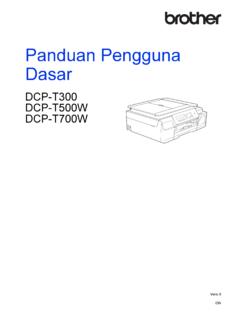
Panduan Pengguna Dasar - download.brother.com
download.brother.comPanduan Pengguna Dasar DCP-T300 DCP-T500W DCP-T700W Versi 0 IDN
Instruction Manual Manuel d’instructions Manual …
download.brother.comPMS8363 Black ENGLISH FRANÇAIS ESPAÑOL PORTUGUÊS 194404-011 Printed in China Instruction Manual Manuel d’instructions Manual de instrucciones Manual …
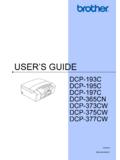
USER’S GUIDE - Brother
download.brother.comuser’s guide dcp-193c dcp-195c dcp-197c dcp-365cn dcp-373cw dcp-375cw dcp-377cw version 0 arl/asa/nz/saf

MFC-8500 Quick Setup Guide - Brother
download.brother.comA. Unpack the drum unit assembly, including the toner cartridge, and gently rock it from side to side five or six times to distribute the toner evenly inside the cartridge.
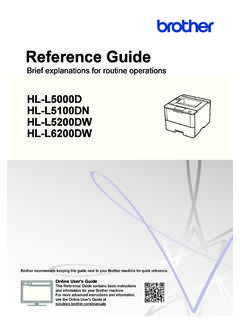
Brief explanations for routine operations HL …
download.brother.comReference Guide Brief explanations for routine operations HL-L5000D HL-L5100DN HL-L5200DW HL-L6200DW Brother recommends keeping this guide next to your Brother machine for quick reference.
BASIC USER’S GUIDE - Brother
download.brother.combasic user’s guide mfc-j425w mfc-j430w mfc-j435w version 0 usa/can
Basic User's Guide - Brother
download.brother.comBasic User's Guide DCP-L5500DN DCP-L5600DN DCP-L5650DN MFC-L5700DW MFC-L5800DW MFC-L5850DW MFC-L5900DW MFC-L6700DW MFC-L6800DW Brother recommends keeping this guide next to your Brother machine for quick reference.
Mini2e DCP UG UK - Brother
download.brother.comi Compilation and Publication Notice Under the supervision of Brother Industries Ltd., this manual has been compiled and published, covering the latest product
R 編 ユーザーズガイド - download.brother.com
download.brother.com4 本書の見かた 本書で使用されている記号 本書では、次の記号が使われています。 大タッチパネルモデル / 小タッチパネルモデル/ 液晶ディスプレーモデルについて
GUIDE DE L’UTILISATEUR - download.brother.com
download.brother.comguide de l’utilisateur dcp-385c dcp-383c dcp-387c dcp-585cw version 0 fre/swi-fre/bel-fre
Related documents

Emergency Action Plan Template
www.cdc.govPhone Paging Radio Other (specify) Fight the fire ONLY if: • The Fire Department has been notified. • The fire is small and is not spreading to other areas. • Escaping the area is possible by backing up to the nearest exit. • The fire extinguisher is in working condition and personnel are trained to use it.

Architecture of the Windows Kernel - Computer Science, FSU
www.cs.fsu.eduPaging Overview Working Sets: list of valid pages for each process (and the kernel) Pages ‘trimmed’ from working set on lists Standby list: pages backed by disk Modified list: dirty pages to push to disk Free list: pages not associated with disk Zero list: supply of demand-zero pages Modify/standby pages can be faulted back into a
Introduction to Bluetooth Device Testing
download.ni.comrate is 3200 hops/s since the paging message is a very short packet. Transmit Power and Operating Range . Power class 1: 1 mW (0 dBm) to 100 mW (20 dBm) control requests. Support of received power control requests is optional for class 2 and class 3 devices. Power class 2: 0.25 mW (–6 dBm) to 2.5 mW (4 dBm)

Sepsis Protocols: A Team Effort
www.health.pa.gov•Infection Control •Laboratory •Radiology •Leadership. The Algorithm •Developing the Algorithm. •Due to the complexity of sepsis each ... operator paging system. The Nursing Sepsis Protocol Order Set •CBC w/ Diff and Platelets •CMP •Lactate •PTT, PT/INR •Blood Culture

Working with SAP Business One Service Layer
help.sap.comUser Manual SAP Business One 9.1, 9.2, 9.3 and 10.0, version for SAP HANA; SAP Business One 10.0 PL01 and later Document Version: 1.22 – 2021-06-10

The von Neumann Computer Model - .NET Framework
ptabdata.blob.core.windows.net11. Control Unit, Cont. Control unit includes Instruction Register IR Instruction Pointier IP (aka Program Counter PC) FSM outputs of the control unit, - - - - -> shown by dash lines, have two purposes: 1. Control processing that takes place inside the ALU. 2. Authorize read/write gate control of the CPU data-path. Control unit demo: cjumpcxx ...
Technical Data Sheet - Bose
assets.bose.comcontrols, and paging/auxiliary routing options. Opti-oicv e paging equalizes the vocal frequency range for clear speech intelligibility while providing seamless transitions. Dynamic EQ ensures full and balanced music at any volume level.