
Atomic Alarm Clock - AcuRite
The atomic clock and calendar will maintain the correct time and date, and ... Once in SET MODE the preference you are currently setting will blink on the clock. To adjust the currently selected (flashing) item, press and release the “ ” or “ “ buttons (press and HOLD to fast adjust).
Download Atomic Alarm Clock - AcuRite

Information
Domain:
Source:
Link to this page:
Documents from same domain

Professional Weather Center - acurite.com
www.acurite.comweather reports for newspapers and websites. Its information comes from the National Weather Service, and over 250,000 personal weather stations. About Weather UndergroundTM Wi-Fi Setup for Weather UndergroundTM This weather station features wireless Internet connectivity in order to connect and send your data to Weather UndergroundTM. If you ...

SAVE THIS MANUAL FOR FUTURE REFERENCE. - AcuRite
www.acurite.comUsing the Weather Station Precision Weather Forecasting AcuRite’s Precision Forecasting provides your personal forecast of morning, noon & night (4 hour, 4 to 8 hour and 8 to 12 hour) weather conditions. The patent-pending technology combines regional weather patterns with data measured by a sensor in your yard. It generates a forecast with ...

Weather Thermometer …
www.acurite.compossible product performance, please read this manual in its entirety . and retain it for future reference. Unpacking Instructions . Remove the protective film that is applied to the LCD screen prior to using this product. Locate the tab and peel off to remove. Package Contents . 1. Display unit 2. Outdoor sensor 3. Instruction Manual. IMPORTANT
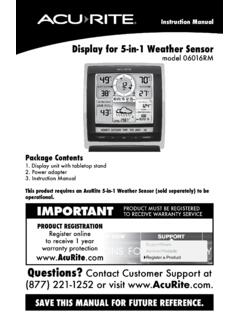
Display for 5-in-1 Weather Sensor model 06016RM Instructions
www.acurite.comInstruction Manual Display for 5-in-1 Weather Sensor model 06016RM Package Contents . 1. Display unit with tabletop stand Power adapter 3. Instruction Manual . This product requires an AcuRite 5-in-1 Weather Sensor (sold separately) to be operational. IMPORTANT. PRODUCT MUST BE REGISTERED TO RECEIVE WARRANTY SERVICE
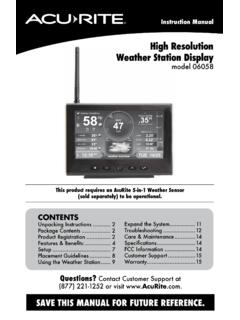
High Resolution Weather Station Display model 06058
www.acurite.comCongratulations on your new AcuRite product. To ensure the best possible product performance, please read this manual in its entirety and retain it for future reference.
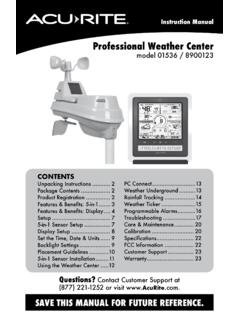
Professional Weather Center - AcuRite
www.acurite.comThis weather station’s color display features three different lighting settings: High (100%) brightness, Medium (60%) brightness and Low (15%) brightness. Using battery power alone, the backlight is available momentarily for 10 seconds by pressing the “
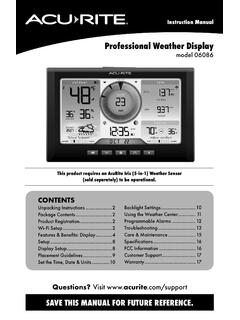
Professional Weather Display - AcuRite
www.acurite.com** This weather station display only supports 2.4 GHz wireless networks. About Weather Underground Weather Underground is a commercial weather service providing real-time weather information via the internet. Weather Underground provides weather reports for most major cities worldwide and local weather reports for newspapers and websites.
PCConnect for Windows Instruction Manual
www.acurite.compublication may be reproduced, stored in a retrieval system, or transmitted in any form or by any. means, electronic, mechanical or otherwise, for any purpose, without the prior written. permission of Chaney Instrument Co.. Chaney Instrument Co. 965 Wells Street. Lake Geneva WI 53147. Web: www.acurite.com. Phone: + 1 844 228 5465. Fax: +1 262 ...
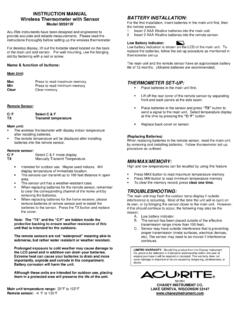
00591W Wireless Thermometer with Sensor
www.acurite.comThe remote temperature will be displayed after installing batteries into the remote sensor. Remote sensor: C/ F Select C & F mode display TX Manually Transmit Temperature. Intended for outdoor use. Maybe used indoors. Will display temperature of immediate location. The sensors can transmit up to 100 feet distance in open area.

AcuRite Iris (5-in-1) Weather Station with Color Display ...
www.acurite.com5. Backup Battery Compartment 6. A-B-C Switch ID code that must match AcuRite Iris sensor’s A-B-C switch to ensure units synchronize. 7. CLEAR RECORD / RESET Button Press and HOLD for 8 seconds to clear all records. Press and HOLD for 10 seconds for full reset to factory defaults. 8. Power Adapter 9. USB Cable for PC Connection 10.
Related documents

Red Hat Enterprise Linux 7 System Administrator’s Guide
access.redhat.comJan 31, 2022 · Synchronizing the System Clock with a Remote Server 3.2. USING THE DATE COMMAND 3.2.1. Displaying the Current Date and Time 3.2.2. Changing the Current Time 3.2.3. Changing the Current Date ... SETTING DEFAULT ACLS 5.4. RETRIEVING ACLS 5.5. ARCHIVING FILE SYSTEMS WITH ACLS 5.6. COMPATIBILITY WITH OLDER SYSTEMS …
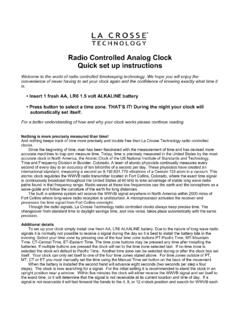
Radio-controlled clock instructions - Yahoo
lib.store.yahoo.netsteps). The clock is now searching for a signal. For the initial setting it is recommended to stand the clock in an upright position near a window. Within five minutes the clock will either receive the WWVB signal and set itself to the exact time, or it will determine that the signal is not receivable at its current location and time of day. If a

Instructions & Warranty - SharpClocks
sharpclocks.comAug 21, 2012 · SETTING UP THE ATOMIC CLOCK: 1. Remove the battery door from the back of the weather station and insert 2 AA batteries. Insert them according to the marked polarity. 2. Replace the battery door. 3. Press the RESET button on the back of the clock to set and synchronize the transmitter automatically.

Introduction • SPI Pin Functionality Features
ww1.microchip.comenabled. Setting the SPI Interrupt Enable (SPIE) bit in the SPCR enables the interrupt of the SPI while setting the I bit in the SREG enables the global interrupts. 1.2. Pins of the SPI The SPI consists of four different signal lines. These lines are the shift clock (SCK), the Master Out Slave

Cognitive Assessment Toolkit - Alzheimer's Association
www.alz.orgClock Draw: _____ (0 or 2 points) Normal clock = 2 points. A normal clock has all numbers placed in the correct sequence and approximately correct position (e.g., 12, 3, 6 and 9 are in anchor positions) with no missing or duplicate numbers. Hands are pointing to the 11 and 2 (11:10). Hand length is not scored.

Setting up the TS-990S for FT8 operations - KENWOOD
www.kenwood.comCheck the "TX Method" setting of "USB Audi o" - "DATA SEND (PF)" is "On" (default) as shown below. 8. Configure the DSP filter control method in Menu [6-08] "Filter Control in SSB-DATA mode (High/Low and Shift/Width)". Select "High & Low Cut" to switch the RX bandwidth by cutting off the high or low fr equencies within the frequency range of 0Hz