Computerized Patient Record System (CPRS) Setup Guide
Computerized Patient Record System (CPRS) 1 October 2019 Setup Guide I. Introduction Purpose of CPRS Setup Guide This guide is directed towards staff in IRMS and Clinical Coordinators who will be implementing the CPRS package for their local medical center. Post-Installation Set-up
Download Computerized Patient Record System (CPRS) Setup Guide

Information
Domain:
Source:
Link to this page:
Documents from same domain

Prescription medications delivered right to your …
www.va.govAre you tired of paying for your maintenance medications? Find out if you qualify for Meds by Mail with no cost share or annual deductible! What is Meds by Mail?

Only by Center Provided Eligibility Health VA
www.va.govToday’s Veterans receive a Medical Benefits Package, which VA administers through a patient enrollment program. Along with your enrollment in the VA health care system

Veterans Benefits Administration Administrative ...
www.va.govDepartment of Veterans Affairs Office of Inspector General . Veterans Benefits Administration Administrative Investigation Misuse of Official Time
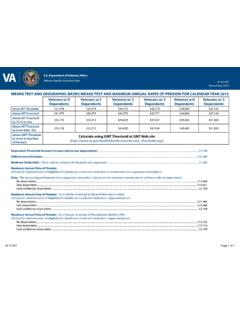
IB 10-497 MEANS TEST, GEOGRAPHIC-BASED …
www.va.govTitle: IB 10-497 MEANS TEST, GEOGRAPHIC-BASED MEANS TEST AND PENSION THRESHOLDS FOR CALENDAR YEAR 2015 Author: U.S. …
VA MENTAL HEALTH NURSE PRACTITIONER …
www.va.govDepartment of Veterans Affairs VA Mental Health Nurse Practitioner Residency Veterans Health Administration Program Announcement Washington, DC July 9, 2013

Vol III Chapter 3 Managerial Cost Accounting
www.va.govDepartment of Veterans Affairs July 2010 Managerial Cost Accounting Volume XIII – Chapter 3 VA Financial Policies and Procedures Managerial Cost Accounting

VA Financial Policies and Procedures, Volume V, …
www.va.govDepartment of Veterans Affairs August 2009 Other Assets Volume V - Chapter 10 VA Financial Policies and Procedures Other Assets . CHAPTER 10

VETERANS HEALTH ADMI NISTRATION Critical …
www.va.govReport suspected wrongdoing in VA programs and operations to the VA OIG Hotline: www.va.gov/oig/hotline 1-800-488-8244. In addition to general privacy laws that govern release of medical information,
Fact Sheet 11-01: CHAMPVA Health Care Benefits …
www.va.govTitle: Fact Sheet 11-01: CHAMPVA Health Care Benefits for the Primary Family Caregiver Author: VHA Office of Community Care Subject: Information on CHAMPVA for the Primary Family Caregiver, a Department of Veterans Affairs (VA) health care benefits program that shares the cost of certain health care services and supplies with …
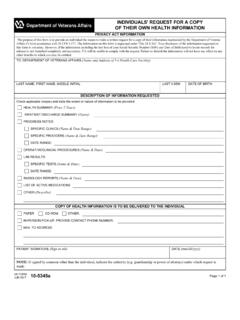
INDIVIDUALS' REQUEST FOR A COPY OF THEIR …
www.va.govTitle: VA Form 10-5345a Subject: INDIVIDUALS' REQUEST FOR A COPY OF THEIR OWN HEALTH INFORMATION Created Date: 6/29/2017 9:22:15 AM
Related documents
Speed Dome Camera Installation Guide
www.surveillance-download.comINSTALLATION Step1: Set the camera mode, ID and baud rate as needed. NOTE: This camera could be used as an IP camera, a TVI camera or an AHD camera. You need to manually set the camera for this device to work properly. For details, plea se check the section, “CAMERA MODE, ID & BAUD RATE SETUP”.
HRConnect Setup and Troubleshooting Guide for Remote Users
www.ccf.orgOperating System 2. Internet Browser 3. Java Version ... HRConnect Setup and Troubleshooting Guide ... installation to complete. Some security suite programs will need to be disabled completely to complete the installation. Users running Windows 7 with elevated security, may receive a message that requires administrative rights to run the ...
Security Center Installation and Upgrade Guide 5.8 GA
downloadcenter1.genetec.com16 Download the Security Center installation package. 17 Unblock any blocked files. After downloading the Security Center installation package, the ZIP files may need to be unblocked before their contents are extracted. After you finish Install Security Center. Activating the Media Foundation feature

Remote Programming Software (RPS)
resources-boschsecurity-cdn.azureedge.netoperating system is 32 bit, the RPS installation will automatically install Microsoft SQL 2012. 4.1 Choose setup language, express install or advanced install Start the installation process 1. Access the RPS-Installation-Files folder. 2. Right-click the setup.exe file and select Run as Administrator. Choose the setup language 1.

N150 Wireless Router WNR1000v3 Setup Manual
www.downloads.netgear.comThe Smart Wizard setup procedure should take about 15 minutes to complete. Before using the Smart Wizard, ensure that: • You are using a PC with either a Mac operating system or a Windows operating system (Windows 7, Windows Vista, Windows 2000, or Windows XP with Service Pack 2); and a wired Ethernet connection, not a wireless connection.

Logitech® Webcam C930e Setup Guide
www.logitech.comby the operating system? Connect the camera in any USB 2.0/3.0 port. Once the camera is connected it takes a few moments before the new hardware is recognized. To ensure that the camera has installed correctly on the Windows 8 system check the following: Under Control Panel > System and Security > System > Device Manager • Review the Imaging ...