
Control Setup Remote - Bell
If you are programming the remote to control a combination device, such as a TV/VCR or a TV/DVD, program the remote control in one mode, and then repeat the procedure in the other mode. For example, to program the remote to control a TV/VCR using code 748, follow the instructions to program the remote to control the TV using code 748, and
Download Control Setup Remote - Bell

Information
Domain:
Source:
Link to this page:
Documents from same domain

Installation and Setup -- A 5 Step Process
support.bell.ca7. Ground the satellite antenna, and wire it to the ExpressVu™ receiver (see pages 4-38). 8. Aim the satellite antenna for the strongest possible signal (see pages 4-29 through 4-33). 9. Connect the receiver to an active telephone connection (see page 4-39). With the receiver wired to the TV and the antenna properly installed, you will be ...
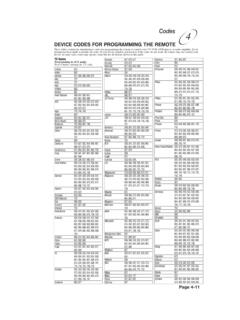
Remote Codes - Device codes for programming the Bell …
support.bell.caDEVICE CODES FOR PROGRAMMING THE REMOTE These tables contain the manufacturer codes for programming the remote to control your TV, VCR, DVD player, or audio amplifier. Every attempt has been made to include all codes. If your device brand is not listed or if the codes do not work, the remote may not control your device.
User’s Guide PlugLink 9650 Ethernet Adapter
support.bell.caand other Powerline devices on your network. The screen displays the Device Name, MAC Address, and Type (local or remote; 14mbps or 85mbps) of connection for each device on your network. To refresh the list of Powerline devices, Click on the ‘Rescan’ icon. (Note: Devices set up with a different network password will NOT show up on this list.)
Bell Customer Support Centre
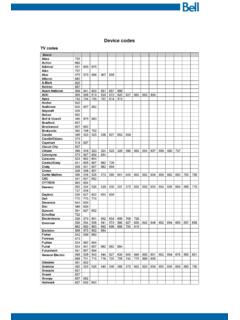
support.bell.caTV codes Brand Abex Action Admiral Aiko Akai Alleron A-Mark Amtron Anam National AOC Apex Archer Audiovox Ba craft Belcor Bell & Howell Bradford Brockwood Broksonic Candle Candle/Citizen Capehart Circuit Cit Citizen Colortyme Concerto Contec/Con Craig Crown Curtis Mathes cxc CYTRON Daewoo Da ron Dell Dimensia

Slim Remote Programming | Bell TV
support.bell.caFibe™ TV remote instructions Programming the remote to your TV 1. Turn on your TV and Fibe receiver. 2.Press and hold the options key for 3 seconds, until the green light flashes twice. Within 10 seconds, enter the Ll-digit code for the brand of your TV (see table below), or use 0001 to search through all brands.
User Guide - Bell
support.bell.ca3 Disclaimer ZTE Corporation expressly disclaims any liability for faults and damages caused by unauthorized modifications of the software. Images and …
Related documents
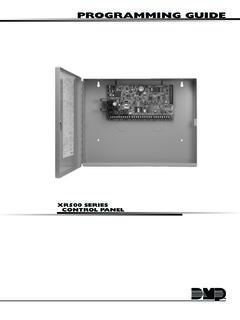
PROGRAMMING GUIDE
buy.dmp.comCONTROL PANEL PROGRAMMING GUIDE Contains programming Instructions for use with the Model XR500, XR500N, XR500E Series Control Panels XR500FC, XR500NFC Series Fire Control Panels When using the XR500 Series panel for any UL, NFPA, CSFM, or other listing organization’s approved methods, refer to this

IFT-RC400 & IFT-ACM IntelliFire Touch Remote Control ...
downloads.hearthnhome.comconfirm the remote is on. 2. Locate the programming hole on the back side of the remote. It is marked as “P” on the right side above the battery cover as shown in Figure 5. 3. Using a paper clip or similar item, press and release the programming button. This sequence must be done while the screen is illuminated. 4.

How to Program Your Cablevision/IO remote to your T.V.
openlab.citytech.cuny.eduStep 3: Now point the Cablevision/IO remote to the destined T.V. you are programming and enter the three digit code you will need that is assigned to brand of T.V. List below the three digit codes in order to program below. Above is the list that contains the three digit codes in order to program your T.V.
Unit 2: Fitness Training and Programming for Health, Sport ...
qualifications.pearson.comUnit 2: Fitness Training and Programming for Health, Sport and Wellbeing Part B You must have: Your research notes from Part A (maximum four A4 sides) Centre Number Learner Registration Number Write your name here Surname Other names Total Marks 31525H Window for supervised period: Paper Reference Wednesday 10 January 2018 – Morning

SOMFY INSTRUCTIONS TELIS RTS REMOTE CONTROLS …
service.somfy.comremote, press and hold the programming button on back of remote until window covering “jogs.” 2. Using the new Telis 1 remote, briefly press the programming button until the window covering “jogs.” Window covering has now learned the commands of the new Telis remote.
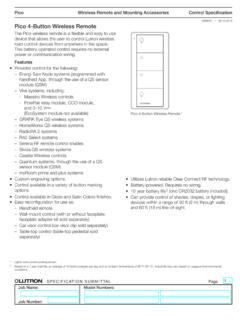
Pico 4-Button Wireless Remote Spec (369847)
www.lutron.comWireless Remote and Mounting Accessories SPECIFICATION SUBMITTAL Page Job Name: Job Number: Model Numbers: Pico Control Specification 369847j 4 09.19.2018 Operation Indicator LED Flashes to indicate a button press or when unit is in programming mode. Zone Controls Lights Models: L01, EL1 ON Button Lights brighten to full intensity. Raise Button