
DIR-853 - D-Link
Chapter 2 gives an overview of the router's hardware and software features, describes its appearance and the package contents. Chapter 3 explains how to install the router DIR-853 and configure a PC in order to access its web-based interface. Chapter 4 describes all pages of the web-based interface in detail.
Download DIR-853 - D-Link

Information
Domain:
Source:
Link to this page:
Documents from same domain

QUICK INSTALLATION GUIDE - eu.dlink.com
eu.dlink.comconnect additional wireless devices in the future. You can use the included Wi-Fi ... den Namen des Netzwerks (SSID) und das WLAN-Kennwort auf der Wi-Fi Konfigurationskarte verwenden. - Haben Sie den Netzwerknamen (SSID) oder das WLAN Kennwort geändert und Sie haben

DIR-615 Wireless N300 Router - eu.dlink.com
eu.dlink.comWireless N300 Router DIR-615 Easily set up a fast, reliable, and secure wireless home network with the DIR-615 Wireless N300 Router. The setup wizard gets you up and running in no time, and with the

Wireless N300 ADSL2+ Modem Router - eu.dlink.com
eu.dlink.comThe Wireless N300 ADSL2+ Modem Router offers Quality of Service (QoS), which allows priority queues to enable a group of home or office users to experience the benefit of a smooth network connection without worrying about traffic congestion.

Wireless AC1200 Dual-Band Gigabit ADSL2+/VDSL2 Modem …
eu.dlink.comDSL-3785 Home is where the SMART is Wireless AC1200 Dual-Band Gigabit ADSL2+/VDSL2 Modem Router File Sharing Right at Your Fingertips The DSL-3785 lets you connect a …
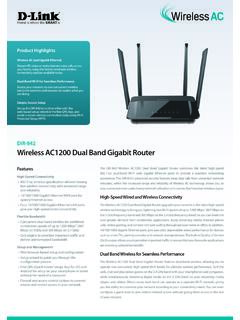
Wireless AC1200 Dual Band Gigabit Router - eu.dlink.com
eu.dlink.comThe Wireless AC1200 Dual Band Gigabit Router upgrades your network to the latest high-speed wireless technology to bring you lightning-fast Wi-Fi speeds of up to 1200 Mbps 1 ... • Cable/DSL modem or other Internet Service Provider equipment with Ethernet port Functionality Security • WPA & WPA2 (Wi-Fi Protected Access) • WPS (Wi-Fi ...
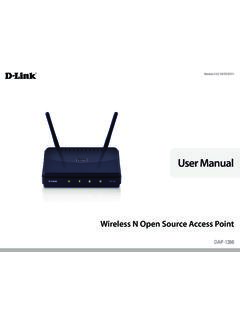
Wireless N Open Source Access Point - eu.dlink.com
eu.dlink.comThe DAP-1360 is Wi-Fi IEEE 802.11n compliant, meaning that it can connect and interoperate with other 802.11n compatible wireless client devices. The DAP-1360 is also backwards compatible with 802.11b/g.

DAP-1360 Wireless N Range Extender - eu.dlink.com
eu.dlink.comDAP-1360 Hoe is where the SMART is The D-Link DAP-1360 Wireless N Range Extender can provide your wired network with wireless connectivity, or upgrade your existing wireless network and extend its coverage. Enjoy surfing the web, checking e-mail, and chatting with family and friends online, at faster speeds and from
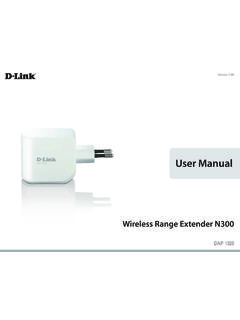
User Manual - eu.dlink.com
eu.dlink.comD-Link DAP-1320 User Manual 4 Section 1 - Product vervie • Faster Wireess Networking - The DAP-1320 provides a ireless connection o up to 300 Mbps ith other 0211n ireless clients This capabilit allows users to participate in real-time activities online such as video
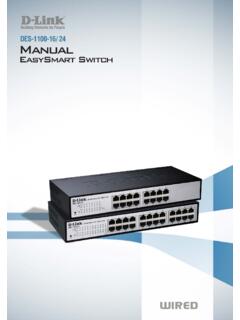
D-Link Web Smart Switch User Manual
eu.dlink.comD-Link Web Smart Switch User Manual 3 Getting Started . This chapter introduces the management interface of D-Link EasySmart Switch. Management Options . The D-Link EasySmart Switch can be managed through any port on the device by using the Web-based Management or through any PC using the SmartConsole Utility.

DGS-1248T A1 Manual v1.01
eu.dlink.comCongratulations on your purchase of the DGS-1248T Web Smart 48-Port 10/100/1000Mbps Gigabit Switch. This device integrates 1000Mbps Gigabit Ethernet, 100Mbps Fast Ethernet, and 10Mbps Ethernet network capabilities in a highly flexible package. Purpose This manual discusses how to install your 48-Port 10/100/1000Mbps Gigabit Web Smart Switch.
Related documents

Introduction to Ad hoc Networks - Department of …
www.cs.jhu.edu1-11 Ad Hoc Networks – Operating Principle Fig. depicts a peer-to-peer multihop ad hoc network Mobile node A communicates directly with B (single hop) when a channel is available If Channel is not available, then multi-hop communication is necessary e.g. A->D->B For multi-hop communication to work, the intermediate nodes should route the packet i.e. they should act as a
Palo Alto Networks Administrator’s Guide - Altaware
www.altaware.com† Chapter 4, “Network Configuration” —Describes how to configure the firewall for your network, including routing configuration. † Chapter 5, “Policies and Security Profiles” —Describes how to configure security policies and profiles by zone, users, …
CCNA Routing and Switching - pearsoncmg.com
ptgmedia.pearsoncmg.comChapter 14 Network Address Translation for IPv4 167 Chapter 15 Broadband Solutions 177 Chapter 16 Securing Site-to-Site Connectivity 187 Chapter 17 Monitoring the Network 197 Chapter 18 Troubleshooting the Network 207 viii CCNA …
CompTIA Network+ Certification Study Guide
opencloudacademy.rackspace.comCircuit Switching and Packet Switching (3:30) Transmission Media, Speed, and Distance (4:34) PRACTICE: From Appendix D: Memory Tables (found on DVD), print the section for Chapter 7: Wide-Area Networks and complete the tables and lists from memory.
Understanding Layer 2, 3, and 4 Protocols - pearsoncmg.com
ptgmedia.pearsoncmg.comthis successful packet delivery. Other applications will make use of different Transport layer protocols. TFTP, for example, uses the User Datagram Protocol (UDP) as its Layer 4 transport because it does not require the guaranteed deliv-ery provided by TCP. Routing updates sent between Layer 3 devices can use OSPF, RIP, or BGP as their Layer 4 ...