Driver Installation Guide - Ricoh
Operating Instructions Driver Installation Guide For safe and correct use, be sure to read the Safety Information in "Read This First" before using the machine.
Download Driver Installation Guide - Ricoh

Information
Domain:
Source:
Link to this page:
Documents from same domain

Istruzioni per l’uso Risoluzione dei problemi
support.ricoh.comIstruzioni per l’uso Risoluzione dei problemi Leggere attentamente questo manuale prima di utilizzare la macchina e tenerlo a disposizione per …

Operating Instructions General Settings Guide - …
support.ricoh.comOperating Instructions General Settings Guide Read this manual carefully before you use this machine and keep it handy for future reference. For safe and correct use, be sure to …

DDST Unit Type A / Type B - Ricoh
support.ricoh.comDDST Unit Type A / Type B Operating Instructions Printer / Scanner Reference Read this manual carefully before you use this machine and keep it handy for future reference.

Gebruiksaanwijzing Scannerhandleiding - …
support.ricoh.comGebruiksaanwijzing Scannerhandleiding Lees deze handleiding zorgvuldig door voordat u dit apparaat gebruikt en houd hem bij de hand voor toekomstig gebruik.

SP 210/SP 210SU/SP 210SF/ SP 211/SP ... - …
support.ricoh.com5 CTT213 CTT073 CTT074 DCT032 DCT049 CTT029 To connect to the network via wireless LAN, see Wi‑ Fi Settings Guide. Otherwise, see page 7 "2. Install‑

Manuel utilisateur Guide de paramétrage général
support.ricoh.comManuel utilisateur Guide de paramétrage général Lisez attentivement ce manuel avant d’utiliser ce copieur et conservez-le dans un endroit accessible afin de pouvoir vous y référer ultérieure-

SP 212/SP 213 Series Wi-Fi Settings Guide - Ricoh
support.ricoh.com1 Model No. SP 212/SP 213 Series Wi-Fi Settings Guide Introduction There are two wireless LAN modes: infrastructure mode for connection through an access point and ad-hoc mode for establishing direct connection with a wireless LAN-capable device

Operating Instructions General Settings Guide - …
support.ricoh.comOperating Instructions General Settings Guide Read this manual carefully before you use this machine and keep it handy for future reference. For safe and correct use, be sure to …

Operating Instructions Troubleshooting - Ricoh
support.ricoh.comOperating Instructions Troubleshooting Read this manual carefully before you use this machine and keep it handy for future reference. For safe and correct use, be …

Network Guide - Ricoh
support.ricoh.comNetwork Guide Read this manual carefully before you use this machine and keep it handy for future reference. For safe and correct use, be sure to read the
Related documents
Dell Wyse Thni OS thin clients - Arcy Solutions
site.arcy.comSpecifications Dell Wyse C10LE thin client Features Product page Task-specific affordable performance DVI-I video output Two PS/2 ports for keyboard and mouse

Citrix TCP Ports - TesCitrixOuPas
www.tescitrixoupas.netPage 2 Overview Introduction This document provides an overview of TCP ports that are used by Citrix components and must be considered as part of Citrix architecture, especially if communication traffic traverses network
Accessing CNErgy Off Campus Using http - Rhode …
www.carenewengland.orgAccessing CNErgy Off Campus Using http://home.carenewengland.org Page 1 System Requirements The following minimum requirements must be met in order to access CNErgy applications from

0291 Eaton IPP User's Guide - Software Download
pqsoftware.eaton.comntp udp/123 out out x x snmp udp/161 in in out out snmp traps udp/162 out out x x unmp udp/200 x out in/out in/out https tcp/443 in in in/out in/out

La gamme AX3000 Terminaux Clients Léger - axel.com
www.axel.comLa gamme AX3000 Terminaux Clients Léger Informations techniques Mars 2017 AX3CC-2017-12-F
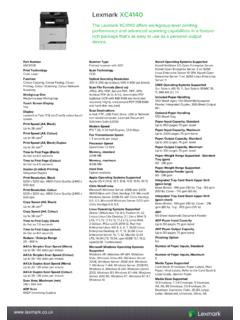
Lexmark XC4140 device. - Twofold Ltd
www.twofold.co.ukwww.lexmark.co.uk Standard Ports One Internal Card Slot, USB 2.0 Specification Hi-Speed Certified (Type B), Gigabit Ethernet (10/100/1000), Front USB 2.0 Specification
TACACS+ Advantages comp - TACACS.net | Free …
www.tacacs.net2 RADIUS was designed for subscriber AAA, and TACACS+ is designed for administrator AAA. RADIUS can still be used for small network administrator AAA, but only if authorization is not required,

Citrix NetScaler - The world's most advanced cloud …
cloudleverage.comData Sheet Citrix NetScaler citrix.com 1 Citrix NetScaler The world’s most advanced cloud network platform. Citrix® NetScaler® is the industry’s leading web application delivery solution, and maximizes the

SimaPro 8 Installation Manual - pre-sustainability.com
www.pre-sustainability.com4 2 Multi-user installation SimaPro multi-user installation installs both temporary and indefinite licenses of all SimaPro 8 multi-user versions,