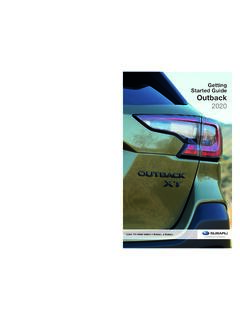
Getting Started Guide Outback
3 Instrument Panel Switches (p. 27) 4 I Switch (p. 25) 5 Audio Controls (p. 24) 6 Light Controls (p. 25) 7 Combination Meter (p. 29) INSTRUMENT PANEL 8. 8 Advanced Adaptive Cruise Control (p. 24) 9 Center Information Display (CID) 10 Windshield Wipers (p. 26) 11 SUBARU STARLINK™ Multimedia Touchscreen (p. 52)
Download Getting Started Guide Outback

Information
Domain:
Source:
Link to this page:
Documents from same domain
SUBARU OF AMERICA initial - techinfo.subaru.com
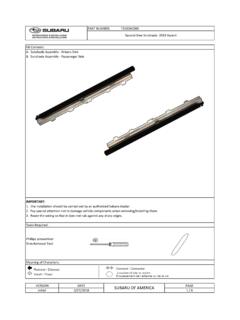
techinfo.subaru.comPART NUMBER: F501SXC000 A. Sunshade Assembly - Drivers Side B. Sunshade Assembly - Passeneger Side IMPORTANT: 1. The installation should be carried out by an authorized Subaru Dealer.
INSTALLATION REMOTE ENGINE START SYSTEM IMPREZA ...
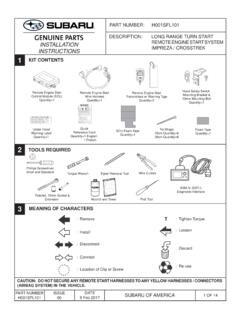
techinfo.subaru.comremote engine start system impreza / crosstrek installation instructions 1 2 3 kit contents tools required meaning of characters caution: do not secure any remote start harnesses to any yellow harnesses / connectors (airbag system) in the vehicle. ... part number subaru of america h001sfl101.
INSTALLATION REMOTE ENGINE START SYSTEM …
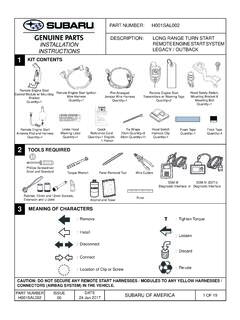
techinfo.subaru.comJan 24, 2017 · shroud panel. (FIGURE G) NOTE: Rotate the steering wheel to access the Phillips screws on the face of the steering column. FIGURE G Left Side Right Side FIGURE F 5. Using a 10mm socket/ratchet, remove the two (2) 10mm bolts securing the metal knee bolster. (FIGURE F) 4 OF 19 PART NUMBER H001SAL002 ISSUE 00 DATE

Update Your STARLINK MultimediaSoftware and Navigation …
techinfo.subaru.comTomTom navigation maps. 2. USB Drive Using Your Computer: This will update the multimedia system software AND the TomTom navigation maps at the same time. Option 1 Step 1- Connect your Subaru to an active Wi-Fi connection: • Connect your Subaru vehicle to an active Wi-Fi connection. • You can use one of two Wi-Fi sources.

Update Your STARLINK MultimediaSoftware - Subaru
techinfo.subaru.com2019, 2020 and 2021 Ascent, Forester, Crosstrek, Impreza, BRZ, WRX/STI and 2019 Outback and Legacy (with 7-inch or 8-inch display) Your Subaru is equipped with over the air “OTA” software update capability. Follow these steps to update your software to improve software performance and functionality. CAUTIONS:

Quick Guide CROSSTREK 2019 - Subaru
techinfo.subaru.comHomeLink® 5 Accessory Mirror (if equipped) Personalize The HomeLink 5 accessory mirror provides three buttons to replace up to three hand-held radio frequency remotes used to activate devices such as garage door openers, gate openers, …
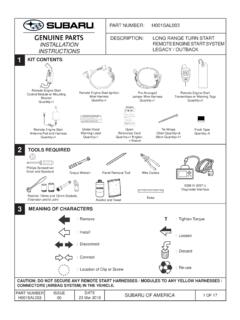
INSTALLATION REMOTE ENGINE START SYSTEM …
techinfo.subaru.comMar 23, 2018 · In some areas, use of the Remote Engine Start System may violate state, provincial or local laws. Before using the Remote Engine Start System, check your state, provincial and local laws. * See the vehicle owner’s manual for more details. ** Provided the remote start fob is within the operating range of the system (up to 400’ with long ...

Quick Guide Ascent 2020 - Subaru
techinfo.subaru.com3 IN CASE OF EMERGENCY SUBARU STARLINK™ Safety and Security (subscription required) SOS Emergency: Press the red “SOS” button on the overhead console in the event of an emergency to speak with a SUBARU STARLINK™ Customer Care Advisor. Enhanced Roadside Assistance: Press the blue “i” button on the overhead console or select the “Roadside …

SUBARU STARLINK Features
techinfo.subaru.com1. STARLINK Safety Plus Package - Automatic Collision Notification (ACN), SOS Emergency Assistance and Enhanced Roadside Assistance 2. STARLINK Safety Plus & Security Plus - includes Safety Plus and adds security and remote services A free trial period of STARLINK Safety Plus is available for the first year of ownership
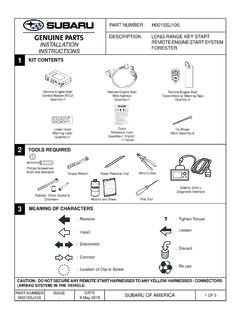
INSTALLATION REMOTE ENGINE START SYSTEM FORESTER …
techinfo.subaru.comP. B 600 0 CH E Y HIL L, NJ 8 03 4-600 0 SIVE GASES e t, o r u ld cau se ba y to shie l fr o m ba t. Do no t c ha e or u s e boost er cabl es or ad just post c o ti n s wit op er instr uc tion and. KEEP VENT C TIGHT AND L E VEL VER BURNS Con tai ns sul fu ric ac. A ntac i n, es or c e nt o cident fl ush with wa r or call a sic ian i mme d. KE C ...
Related documents
Invitation to the Future - Yaesu
www.yaesu.comSep 10, 2013 · The increased amount of voice data permits high quality voice communication, providing superb sound quality for a “rag chew” with friends. ... The transceiver automatically switches to Data FR mode when trans-mitting Snapshot pictures, and can be used to transmit large quantities of data at high speed.
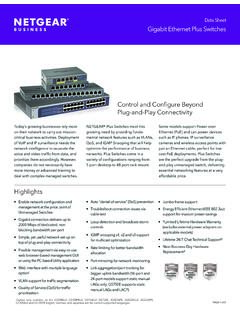
Data et Ggabit Ethernet Plus withes - Netgear
www.netgear.comvoice and video traffic from data, and prioritize them accordingly. However, companies do not necessarily have more money or advanced training to deal with complex managed switches. NETGEAR® Plus Switches meet this growing need by providing funda-mental network features such as VLANs, QoS, and IGMP Snooping that will help
MS250 SERIES - Switches | Routers | Cisco Meraki
meraki.cisco.comConverged Voice, Video and Data Environments The Meraki switch family is designed to unify data, voice, and video onto a single IP backbone. All Meraki switches support rich quality-of-service (QoS) functionality for prioritizing data, voice, and video traffic. The switches support eight class-of-service (CoS) queues on

Cisco Catalyst 1000 Series Switches Data Sheet
www.cisco.comCommand-Line Interface (CLI) as well as an on-box web UI. These switches deliver enhanced network security, network reliability, and operational efficiency for small organizations. Product highlights Cisco Catalyst 1000 Series Switches feature: 8, 16, 24, or 48 Gigabit Ethernet and 24, 48 port Fast Ethernet data or PoE+ ports with line-rate

DCS Voice Chat - Quick Start Guide
www.digitalcombatsimulator.comVo I P P T T. All other radio functions are controlledusing the in cockpit switches. For FC3 aircraft, and any custom radios added by the player ther. 1 ( 2 to 9) … Ra d i o 1 binds must be used. Up to 9 radios but with 15 binds each. All controls for DC3 and custom radios are by keybind only, due to the lack or in cockpit controls.