Getting Started Guide Outback - Subaru
Congratulations on choosing a Subaru vehicle! This Getting Started Guide is designed to provide information on the basic operation and key features of your Subaru and STARLINK Systems on your Subaru vehicle. IMPORTANT SAFETY INFORMATION The Getting Started Guide is not intended as a substitute for the Owner’s Manual. We
Download Getting Started Guide Outback - Subaru

Information
Domain:
Source:
Link to this page:
Documents from same domain
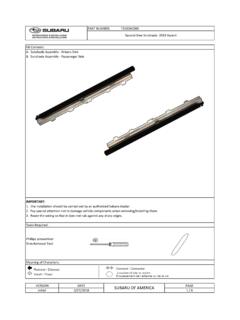
SUBARU OF AMERICA initial - techinfo.subaru.com
techinfo.subaru.comPART NUMBER: F501SXC000 A. Sunshade Assembly - Drivers Side B. Sunshade Assembly - Passeneger Side IMPORTANT: 1. The installation should be carried out by an authorized Subaru Dealer.
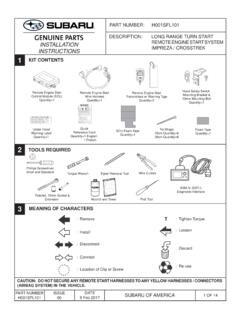
INSTALLATION REMOTE ENGINE START SYSTEM IMPREZA ...
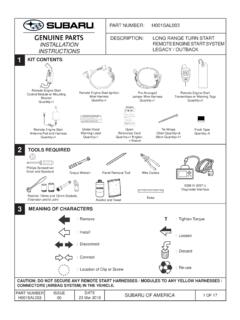
techinfo.subaru.comremote engine start system impreza / crosstrek installation instructions 1 2 3 kit contents tools required meaning of characters caution: do not secure any remote start harnesses to any yellow harnesses / connectors (airbag system) in the vehicle. ... part number subaru of america h001sfl101.
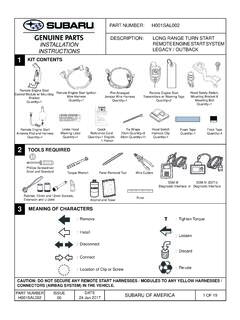
INSTALLATION REMOTE ENGINE START SYSTEM …
techinfo.subaru.comJan 24, 2017 · shroud panel. (FIGURE G) NOTE: Rotate the steering wheel to access the Phillips screws on the face of the steering column. FIGURE G Left Side Right Side FIGURE F 5. Using a 10mm socket/ratchet, remove the two (2) 10mm bolts securing the metal knee bolster. (FIGURE F) 4 OF 19 PART NUMBER H001SAL002 ISSUE 00 DATE

Update Your STARLINK MultimediaSoftware and Navigation …
techinfo.subaru.comTomTom navigation maps. 2. USB Drive Using Your Computer: This will update the multimedia system software AND the TomTom navigation maps at the same time. Option 1 Step 1- Connect your Subaru to an active Wi-Fi connection: • Connect your Subaru vehicle to an active Wi-Fi connection. • You can use one of two Wi-Fi sources.

Update Your STARLINK MultimediaSoftware - Subaru
techinfo.subaru.com2019, 2020 and 2021 Ascent, Forester, Crosstrek, Impreza, BRZ, WRX/STI and 2019 Outback and Legacy (with 7-inch or 8-inch display) Your Subaru is equipped with over the air “OTA” software update capability. Follow these steps to update your software to improve software performance and functionality. CAUTIONS:

Quick Guide CROSSTREK 2019 - Subaru
techinfo.subaru.comHomeLink® 5 Accessory Mirror (if equipped) Personalize The HomeLink 5 accessory mirror provides three buttons to replace up to three hand-held radio frequency remotes used to activate devices such as garage door openers, gate openers, …
INSTALLATION REMOTE ENGINE START SYSTEM …
techinfo.subaru.comMar 23, 2018 · In some areas, use of the Remote Engine Start System may violate state, provincial or local laws. Before using the Remote Engine Start System, check your state, provincial and local laws. * See the vehicle owner’s manual for more details. ** Provided the remote start fob is within the operating range of the system (up to 400’ with long ...

Quick Guide Ascent 2020 - Subaru
techinfo.subaru.com3 IN CASE OF EMERGENCY SUBARU STARLINK™ Safety and Security (subscription required) SOS Emergency: Press the red “SOS” button on the overhead console in the event of an emergency to speak with a SUBARU STARLINK™ Customer Care Advisor. Enhanced Roadside Assistance: Press the blue “i” button on the overhead console or select the “Roadside …

SUBARU STARLINK Features
techinfo.subaru.com1. STARLINK Safety Plus Package - Automatic Collision Notification (ACN), SOS Emergency Assistance and Enhanced Roadside Assistance 2. STARLINK Safety Plus & Security Plus - includes Safety Plus and adds security and remote services A free trial period of STARLINK Safety Plus is available for the first year of ownership
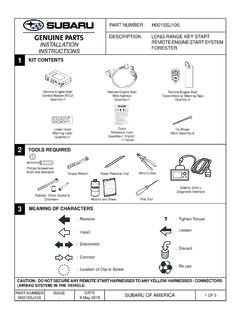
INSTALLATION REMOTE ENGINE START SYSTEM FORESTER …
techinfo.subaru.comP. B 600 0 CH E Y HIL L, NJ 8 03 4-600 0 SIVE GASES e t, o r u ld cau se ba y to shie l fr o m ba t. Do no t c ha e or u s e boost er cabl es or ad just post c o ti n s wit op er instr uc tion and. KEEP VENT C TIGHT AND L E VEL VER BURNS Con tai ns sul fu ric ac. A ntac i n, es or c e nt o cident fl ush with wa r or call a sic ian i mme d. KE C ...
Related documents

MyBCA User Guide (version 2.31) - Minnesota
dps.mn.goviPod Touch and iPad). There is no mobile version of MyBCA. 1.3.5 Windows 8 compatibility MyBCA has not been tested with Windows 8 or 8.1. ... Getting Started: 5. Check your email for the email containing the passcode. Open the email …
User Manual - D-Link
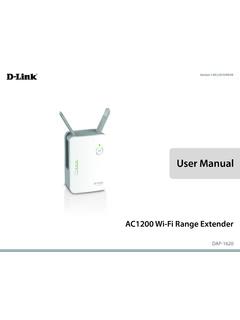
eu.dlink.comSep 08, 2015 · • An Apple® iPhone®, iPod touch®, iPad®, or Android™ mobile device Browser Requirements: • Internet Explorer® 9 or later • Firefox® 20.0 or later • Safari® 5.1 or later • Google Chrome™ 25.0 or later System Requirements
User Manual - D-Link
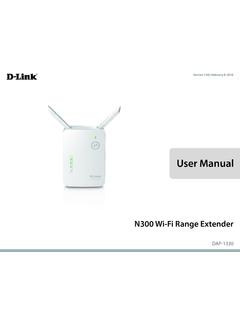
support.dlink.comMar 08, 2021 · • An Apple® iPhone®, iPod touch®, iPad®, or Android™ mobile device Browser Requirements: • Internet Explorer® 9 or later • Firefox® 20.0 or later • Safari® 5.1 or later • Google Chrome™ 25.0 or later System Requirements
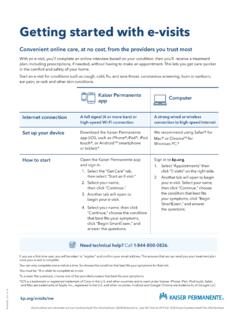
Getting started with e-visits - Thrive
thrive.kaiserpermanente.orgGetting started with e-visits Convenient online care, at no cost, from the providers you trust most With an e-visit, you’ll complete an online interview based on your condition, then you’ll receive a treatment plan, including prescriptions, if needed, without having to make an appointment. This lets you get care quicker

Apple Business Manager - Getting Started Guide
www.apple.comGetting Started Getting Started Signing Up for Apple Business Manager Enrollment is simple and takes only a few minutes, so you can get started with Apple Business Manager quickly. Any business is eligible to participate, subject to the service terms and conditions. Apple reserves the right to determine program eligibility for each organization.