HP Array Configuration Utility User Guide
In North America, call the HP Technical Support Phone Center at 1-800-652-6672. This service is available 24 hours a day, 7 days a week. For continuous quality improvement, calls may be recorded or monitored. Outside North America, call the nearest HP Technical Support Phone Center. Telephone numbers for worldwide
Download HP Array Configuration Utility User Guide

Information
Domain:
Source:
Link to this page:
Documents from same domain
HP Pavilion PC User™s Guide - HP® Official Site
h10032.www1.hp.com2 HP Pavilion PC User’s Guide Putting Your Computer Together For step-by-step instructions on putting your computer together, refer to the Welcome Poster that came in your computer box.

Quick Start Guide - HP
h10032.www1.hp.comHP Web Sites. Quick Start Guide Filename: ma2usqs.doc Title: HP-Print2k.dot Template: HP-Print2K.dot Author: jiml Last Saved By: WASSER, Inc. ® ® Start. ...
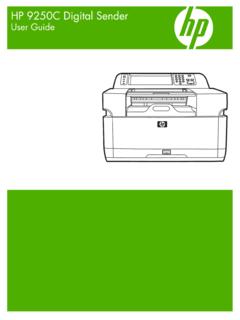
HP 9250C Digital Sender - HP® Official Site
h10032.www1.hp.comDevice information The HP 9250C Digital Sender connects directly to your network converts black-and-white and color documents, drawings, and photographs into an electronic form and then distributes them directly to
Technical Reference Guide HP Compaq dc7800 …
h10032.www1.hp.comTechnical Reference Guide HP Compaq dc7800 Series Business Desktop Computers ... deal with the system board and the power supply assembly.
Reference Guide - HP
h10032.www1.hp.comReference Guide A–1 A Troubleshooting This section provides three methods for resolving issues you may encounter when using your docking station. Use the methods
HP Pavilion 15 Notebook PC - HP® Official Site
h10032.www1.hp.com1 Product description Category Description Computer models equipped with an AMD processor Computer models equipped with an Intel processor Product Name HP Pavilion 15 Notebook PC √√

HP MINI User Guide
h10032.www1.hp.comSafety warning notice WARNING! To reduce the possibility of heat-related injuries or of overheating the device, do not place the device directly on …

User Guide - HP
h10032.www1.hp.comproprietor and used by Hewlett-Packard Company under license. Google, ... bound by the terms of the HP End User License ... see the printed Quick Start guide included ...
Manuel de l'utilisateur de l'ordinateur portable HP
h10032.www1.hp.comAvis d'avertissement sur la sécurité AVERTISSEMENT ! Pour éviter tout risque de blessure liée à la chaleur ou tout risque de surchauffe de l'ordinateur, ne le posez pas directement sur vos genoux et n'obstruez pas les ouvertures d'aération.

Manuel de l'utilisateur - HP® Official Site
h10032.www1.hp.comL'ordinateur et l'adaptateur secteur sont conformes aux limites de température de surface accessible à l'utilisateur, définies par la norme internationale sur la …
Related documents
One Talk T41S IP ser guide desk phone user guide - VZW
ss7.vzw.comCall volume Press on the phone console to adjust the volume of the receiver when you are on a call (using the handset, speakerphone or headset). Ringer volume Press on the phone console to adjust the volume of the ringer when the phone is idle. Ringtones 1. From Sound settings, scroll to Ringtone and press to select 2. Highlight the desired line
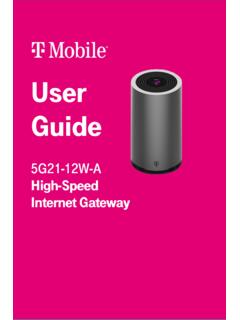
User Guide - T-Mobile
www.t-mobile.comor call T-Mobile customer service at 1-844-275-9310 Configuring your network with the web GUI You can configure the gateway and any connected client devices via web GUI on a PC, laptop, smart phone, or tablet. This section describes: • How to establish a connection between the device on which you will access the web GUI and the gateway.
Configuring Voice VLAN - Cisco
www.cisco.coman IP phone call can deteriorate if the data is unev enly sent, the switch supports quality of service (QoS) based on IEEE 802.1p CoS. QoS uses classification and scheduling to send network traffic from the switch in a predictable manner. For more information on QoS, see Chapter 28, “Configuring QoS.”
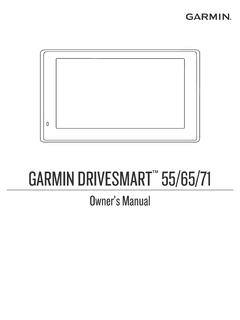
GARMIN DRIVESMART Owner’s Manual 55/65/71
www8.garmin.comGetting Started. Garmin DriveSmart 55/65/71 Device Overview. 1 ®

Configuring the ABAP Back-end for ABAP Development Tools
help.sap.comCall the transaction SICF in the relevant back-end system. 2. In the Virtual Host entry field, enter DEFAULT_HOST. Entry page of the SICF transaction 3. Press F8 or use the Execute icon from the toolbar to display the services tree. Configuring the ABAP Back-end …
ACCESS TO INTERNET-FACING APD SYSTEMS
idpass.apd.myflorida.comYou will receive an authentication Phone Call. When the voice prompts you, simply use the phone key pad to enter the phone call authentication PIN you previously chose, and then press the # key. (See Step 2: Set your Phone PIN under the Configuring MFA Access section.)
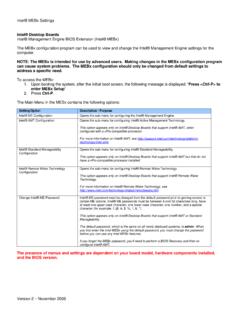
Intel® MEBx Settings
www.intel.comIntel® ME Configuration Opens the sub-menu for configuring the Intel® Management Engine. Intel® AMT Configuration Opens the sub-menu for configuring Intel® Active Management Technology. This option appears only on Intel® Desktop Boards that support Intel® AMT, when configured with a vPro-compatible processor.
Configuring Call Transfer and Forwarding - Cisco
www.cisco.comMar 15, 2013 · “Configuring Call Forward Unregistered for SIP IP Phones: Example” section on page 831. Note In earlier versions of Cisco Unified CME, a busy tone was played for callers wh en the callers are unable to reach the SCCP phone nu mber. In Cisco Unified CME 8.6 and later versions, a fast busy tone is played

Grandstream Networks, Inc.
www.grandstream.comPredictive Dialing from Call History..... 60 Predictive Dialing Search including Broadsoft Directories ... Configuring Eventlist BLF ..... 95 CONNECTING TO DEVICES ...