
Jabra Engage 75
headset port. These phones typically have a button on the front panel for switching between the desk phone handset and the headset. 1. Plug the supplied telephone cable into the port marked on the base, and into the headset port on the desk phone. 2. Plug the base into a power supply using the supplied power cable. 3.
Download Jabra Engage 75

Information
Domain:
Source:
Link to this page:
Documents from same domain

OVERCOMING THE CHALLENGES OF …
www.jabra.comjabra.com An in-depth examination of the benefits and challenges of implementing Unified Communications applications across industries and company sizes.
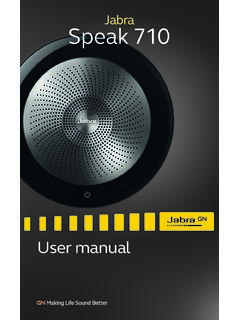
Jabra Speak 710
www.jabra.comPlug the Jabra Speak 710 into a USB power source using the attached USB cable. The Jabra Speak 710 battery lasts for up to 15 hours of talk time and takes approx. 3 hours to fully charge. jabra. 4.2 Automatic power off. To preserve battery while unplugged, the Jabra Speak 710 will automatically power off when it
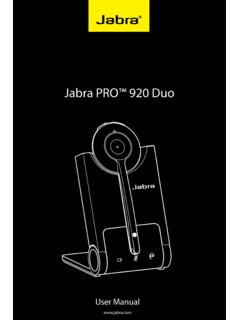
Jabra PRO™ 920 DuoJabra PRO™ 920
www.jabra.comThe multi-function button can answer calls and end calls using a combination of taps, double-taps or presses. Multi-function button Function Tap Double-tap Press (hold 1-3 seconds) Answer incoming call End current call Reject incoming call Put current call on hold, and accept incoming call (not supported by all phones) Power on Power off
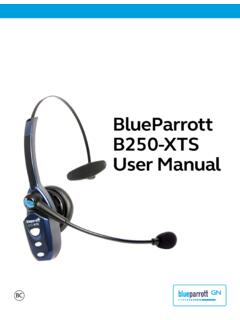
BlueParrott B250-XTS User Manual - Jabra
www.jabra.comMFB: Abbreviation for “Multifunction Button . ” Multipoint Mode: Multipoint Mode allows you to pair and switch between two Bluetooth devices . Paired: Two Bluetooth devices agree to communicate with one another . Standby Mode: Headset is on, Bluetooth link is active, and the user is not on a call (blue light will flash) .
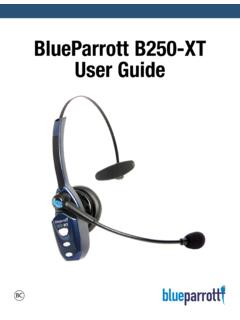
BlueParrott B250-XT User Guide - Jabra
www.jabra.comHeadset will be visible for pairing to devices for 120 seconds . Pairing to a Cell Phone • Make sure that other Bluetooth devices are turned off or out of range . • Place headset into pairing mode . • Put your cell phone in Bluetooth Search/Scan Mode per the manufacturer’s instructions . • Select “BlueParrott B250-XT USB” to pair .

Jabra Elite Active 65t
www.jabra.com5.1 Pairing with a smartphone 1.Ensure the right earbud is turned off and not in the charging case. To manually turn off the earbud, hold the Multi-function button until the LED flashes red. 2.Next, hold the Multi-function button on the right earbud for 5 seconds until you hear the connection instructions in the earbud and the LED flashes blue.
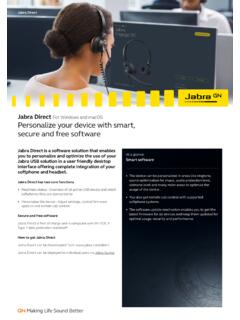
Jabra Direct For Windows and macOS Personalize your device ...
www.jabra.comMicrosoft Lync 2010/2013 and Skype for Business presence integration Skype version 7.1 to 7.40.0.104 Zoom Zoom Meetings for Windows version 4.4.6 or later NEC NEC SP350 version 5.1.0 or later Mitel Mitel Communicator version 14 or later Other softphones

Jabra Evolve 75
www.jabra.comJabra Evolve 75 5. How to connect 5.1 PC (using Jabra Link 370) Plug the supplied Jabra Link 370 into a USB port on your PC. The Jabra Evolve 75 and the Jabra Link 370 are pre-paired and ready for use out of the box. The Bluetooth range is up to 30 meters or 100 feet. jabra To hear music in the headset you may need to
EVOLVE2 65 - Jabra
www.jabra.comThe Jabra Evolve2 65 and the Jabra Link 380 are pre-paired and ready for use out of the box. The Bluetooth range is up to 30 meters or 100 feet. To hear music in the headset you may need to select the Jabra Link 380 as the playback device in your operating system’s audio settings. To manually pair the Jabra Evolve2 65 with the

Jabra Elite 7 Pro
www.jabra.comearbuds and a total of 42 hours with the charging case. 4.1 Charging the earbuds Place the earbuds in the charging case and close the lid. It takes up to 2.5 hours to fully recharge the earbuds. When the charging case is opened, the LEDs on the earbuds will light up red, yellow or green to indicate the battery status of the earbuds. The
Related documents

ADVANCED SERIES COLOR DOCUMENT SYSTEMS - Sharp for …
business.sharpusa.comtablets and smart phones using Sharpdesk® Mobile, a free downloadable app available for most common mobile devices. 1 The color Advanced Series also supports popular mobile technologies such as AirPrint ® , Mopria™, 2 Android™ printing framework and Google Cloud Print™ .

Poly CCX Business Media Phones with Microsoft ...
support.polycom.comPoly CCX Business Media Phones with Microsoft Getting Help For more information about installing, configuring, and administering Poly/Polycom products or services, go to ... See the following sites for information related to this product. The Polycom Support Site is the entry point to online product, service, and solution support

Money Laundering Using New Payment Methods
www.fatf-gafi.org7. Across jurisdictions, there is no uniform standard for the circumstances in which a product or service can be considered to be of “low risk”. Many jurisdictions use thresholds for NPM transactions or ... establish the business relationship on a nonface- -to-face basis, which, according to ... mobile phones or data storage cards. 1: 14 ...

FINANCIAL AND STRATEGIC MANAGEMENT - ICSI
www.icsi.eduPhones 41504444, 45341000 Fax 011-24626727 Website www.icsi.edu ... (BCG) growth-share Matrix, Ansoff’s Product Growth Matrix, ADL Matrix and General Electric (GE) Model; Strategic Planning; Strategic Alternatives-Glueck and Jauch and Michael ... Business Policy and Formulation of Functional Strategy 14. Strategic Analysis and Planning

Polycom VVX 301 and 311 Business Media Phones Datasheet
www.polycom.comThe VVX 301 and 311 Business Media Phones bring high-quality, cost-effective solutions to any environment through advanced unified communications (UC) features. The intuitive user interface of the VVX 301 and 311 Business Media Phones make usability and navigation easy and require minimal training. Unsurpassed voice quality and clarity The VVX ...
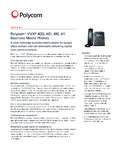
Polycom® VVX® 400, 401, 410, 411 Business Media Phones
www.polycom.comBusiness Media Phones A color midrange business media phone for today’s office workers and call attendants delivering crystal clear communications The Polycom ® VVX 400 Series are expandable color business media phones that deliver crystal clear communications, enhanced collaboration and personal productivity. Simplicity and ease of use