
Jabra Evolve 75
4.2 Using the USB charging cable 4.3 Battery status 5. How to connect ..... 14 5.1 PC (using Jabra Link 370) ... Jabra Link 370 are pre-paired and ready for use out of the box. The Bluetooth range is up to 30 meters or 100 feet. ... follow the voice-guided instructions to begin pairing the headset to your smartphone. 3 sec.
Download Jabra Evolve 75

Information
Domain:
Source:
Link to this page:
Documents from same domain

OVERCOMING THE CHALLENGES OF …
www.jabra.comjabra.com An in-depth examination of the benefits and challenges of implementing Unified Communications applications across industries and company sizes.

Jabra Speak 710
www.jabra.comPlug the Jabra Speak 710 into a USB power source using the attached USB cable. The Jabra Speak 710 battery lasts for up to 15 hours of talk time and takes approx. 3 hours to fully charge. jabra. 4.2 Automatic power off. To preserve battery while unplugged, the Jabra Speak 710 will automatically power off when it

Jabra PRO™ 920 DuoJabra PRO™ 920
www.jabra.comThe multi-function button can answer calls and end calls using a combination of taps, double-taps or presses. Multi-function button Function Tap Double-tap Press (hold 1-3 seconds) Answer incoming call End current call Reject incoming call Put current call on hold, and accept incoming call (not supported by all phones) Power on Power off

BlueParrott B250-XTS User Manual - Jabra
www.jabra.comMFB: Abbreviation for “Multifunction Button . ” Multipoint Mode: Multipoint Mode allows you to pair and switch between two Bluetooth devices . Paired: Two Bluetooth devices agree to communicate with one another . Standby Mode: Headset is on, Bluetooth link is active, and the user is not on a call (blue light will flash) .

BlueParrott B250-XT User Guide - Jabra
www.jabra.comHeadset will be visible for pairing to devices for 120 seconds . Pairing to a Cell Phone • Make sure that other Bluetooth devices are turned off or out of range . • Place headset into pairing mode . • Put your cell phone in Bluetooth Search/Scan Mode per the manufacturer’s instructions . • Select “BlueParrott B250-XT USB” to pair .

Jabra Elite Active 65t
www.jabra.com5.1 Pairing with a smartphone 1.Ensure the right earbud is turned off and not in the charging case. To manually turn off the earbud, hold the Multi-function button until the LED flashes red. 2.Next, hold the Multi-function button on the right earbud for 5 seconds until you hear the connection instructions in the earbud and the LED flashes blue.

Jabra Direct For Windows and macOS Personalize your device ...
www.jabra.comMicrosoft Lync 2010/2013 and Skype for Business presence integration Skype version 7.1 to 7.40.0.104 Zoom Zoom Meetings for Windows version 4.4.6 or later NEC NEC SP350 version 5.1.0 or later Mitel Mitel Communicator version 14 or later Other softphones

EVOLVE2 65 - Jabra
www.jabra.comThe Jabra Evolve2 65 and the Jabra Link 380 are pre-paired and ready for use out of the box. The Bluetooth range is up to 30 meters or 100 feet. To hear music in the headset you may need to select the Jabra Link 380 as the playback device in your operating system’s audio settings. To manually pair the Jabra Evolve2 65 with the

Jabra Elite 7 Pro
www.jabra.comearbuds and a total of 42 hours with the charging case. 4.1 Charging the earbuds Place the earbuds in the charging case and close the lid. It takes up to 2.5 hours to fully recharge the earbuds. When the charging case is opened, the LEDs on the earbuds will light up red, yellow or green to indicate the battery status of the earbuds. The

Jabra Speak 510
www.jabra.comlight flashes blue. Release the button when you hear the connection instructions. 2.Enable Bluetooth on your mobile device, and select the Jabra Speak 510 from the list of available Bluetooth devices. If prompted for a password enter 0000.
Related documents

EQUIPMENT PRE-STARTUP AND STARTUP CHECKLIST
cgproducts.johnsoncontrols.comJOHNSON CONTROLS 1 Supersedes: 201.28-CL2 (318) EQUIPMENT PRE-STARTUP AND STARTUP CHECKLIST MODEL YVAA Form 201.28-CL2 (119) The following work must be completed in accordance with the installation instructions:

Wire Harness Installation Instructions - Painless Performance
www.painlessperformance.comThe contents of these instructions are divided into major Sections, as follows: 1.0 Introduction 2.0 About These Instructions 3.0 Tools Needed 4.0 Contents of Painless Wire Harness Kit 5.0 Pre-Installation and General Harness Routing Guidelines 6.0 Fuse Block Connection and General Harness Installation Instructions
Digital Camera DMC-FZ300 - Panasonic
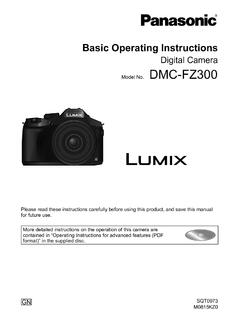
www.panasonic.comJan 01, 2011 · Basic Operating Instructions Digital Camera Model No. DMC-FZ300 Please read these instructions carefully before using this product, and save this manual for future use. More detailed instructions on the operation of this camera are contained in “Operating Instructions for advanced features (PDF format)” in the supplied disc.
SDW 5000 Series - Sennheiser
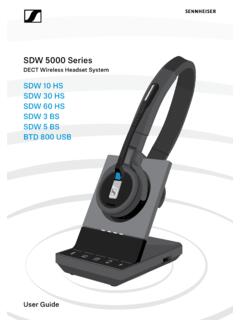
assets.sennheiser.comPairing and charging the headset before first use Charge the rechargeable battery for at least 20 minutes before using it for the first time. A complete charging process takes about 60 minutes for sDW 10 Hs and 90 minutes for sDW 30 Hs/ sDW 60 Hs (see page 46). 1 2 3x Place the headset into the magnetic holder of the base station.

Maximum Care Plans (Pre-Owned) - Mopar Vehicle Protection
www.mopar.comMopar ¨ Vehicle Protection Pre-Owned Maximum Care SM provides complete mechanical coverage for over 5000+ ... ¥ In-Vehicle Wireless Charging Stations ¥ Backup Assist Cameras and much more! WHATÕS NOT COVERED UNDER ... service instructions. Toll-free telephone assistance is available 1-800-521-9922 IN UNITED STATES 8:00 a.m. to 8:00 p.m ...

Wire Harness Installation Instructions - Painless Performance
www.painlessperformance.com2.0 ABOUT THESE INSTRUCTIONS The contents of these instructions are divided into major Sections, as follows: 1.0 Introduction 2.0 About These Instructions 3.0 Tools Needed 4.0 Contents of Painless Wire Harness Kit 5.0 Pre-Installation and General Harness Routing Guidelines 6.0 General Harness Installation Instructions

Charger Instructions for Duracell High-Speed Chargers (ALL)
docs.rs-online.comSAVE THESE INSTRUCTIONS – this sheet contains important safety and operating instructions for this charger 2. Before using battery charger, read all instructions and caution markings on the ... New non-pre-charged batteries may require charging before use 5. The charger is capable of accepting 100-240 V AV 50/60 Hz and therefore, can be
Automotive Battery Chargers Battery Constant Voltage ...
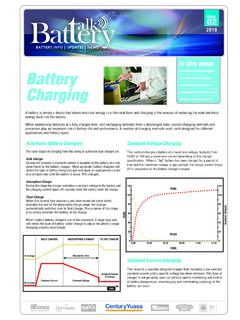
www.centurybatteries.com.auA higher charging voltage is used however care should be taken to avoid leaving the battery on charge indefinately as this will overcharge and destroy the battery. (Cyclic voltage for Yuasa NP range = 2.4 - 2.5 volts/cell). Refer to the battery labels for charging instructions or refer to the manufacturer’s instructions where possible.
Jabra Speak 510
www.jabra.comand Jabra Link 370 are pre-paired and ready to use out of the box. To connect the speaker and Jabra Link 370: 1.Press and hold (2 secs) the Bluetooth button on the Jabra Speak 510 until the Bluetooth light flashes blue. Release the button when you hear the connection instructions. 2.Plug the Jabra Link 370 into any available USB port on your ...