
L805 User's Guide
You can use the printer software to change the time period before the product enters sleep mode or turns off automatically. 1. Make sure your product is turned on. 2. Access the Windows Desktop and right-click the product icon in the Windows taskbar. 3. Select Printer Settings. 4. Click the Maintenance tab. 5. Click the Printer and Option ...
Download L805 User's Guide

Information
Domain:
Source:
Link to this page:
Documents from same domain

User's Guide - XP-410 - Epson
files.support.epson.comChanging or Updating Network Connections ..... 34 Accessing the Web Config Utility..... 35

WF-2630 User's Guide - Epson
files.support.epson.comUsing WPS to Connect to a Network..... 35 Printing a Network Status Sheet..... 36

Manual del usuario L575 - files.support.epson.com
files.support.epson.com3 Contenido Manual del usuario L575..... 13

Manual del usuario de la L555 - …
files.support.epson.comCómo escanear utilizando el panel de control del producto..... 74 Cómo cambiar los ajustes predeterminados de los botones de escaneo ..... 75

User's Guide - WF-100 - Epson
files.support.epson.comWF-100 User's Guide Welcome to the WF-100 User's Guide. For a printable PDF copy of this guide, click here. 9. Product Basics

User Manual - PowerLite S18+/W15+/W18+/X24+
files.support.epson.comCorrección de la forma de la imagen con los botones de corrección trapezoidal ..... 72 Corrección de la forma de la imagen con Quick Corner ..... 74

2 Guía de instalación OK - files.support.epson.com
files.support.epson.com2 Introduzca el CD del producto o descargue y ejecute el paquete de software del producto: global.latin.epson.com/Soporte/L575 3 …

Manual do usuário - files.support.epson.com
files.support.epson.com2 L Todos os direitos reservados. Nenhuma parte desta publicação pode ser reproduzida, armazenada em sistemas de recuperação ou transmitida de alguma forma ou meio

XP-310 User's Guide - Epson
files.support.epson.comAvailable EPSON Papers ... XP-310 User's Guide Welcome to the XP-310 User's Guide. For a printable PDF copy of this guide, click here. 11. Product Basics

User's Guide - WF-7610/WF-7620 - Epson
files.support.epson.comAvailable Epson Papers ... Welcome to the WF-7610/WF-7620 User's Guide. For a printable PDF copy of this guide, click here. 13. Product Basics
Related documents
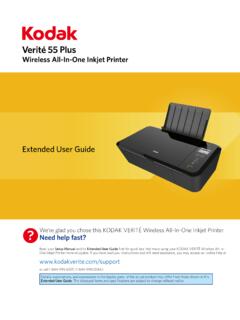
55 Plus - Kodak Verite Printer Software and Driver Downloads
www.funaihelp.comMar 09, 2017 · Wireless All-In-One Inkjet Printer 55 Plus? We’re glad you chose this KODAK VERITÉ Wireless All-In-One Inkjet Printer. Need help fast? Read your Setup Manual and/or Extended User Guide first for quick tips that make using your KODAK VERITÉ Wireless All-In-One Inkjet Printer more enjoyable.

Artisan 1430 User's Guide - files.support.epson.com
files.support.epson.comYou can use the printer software to change the time period before the product turns off automatically. 1. Right-click the product icon in the Windows taskbar and select Printer Settings. 2. Click the Maintenance tab. 3. Click the Printer and Option Information button. You see this screen: 4. Select the time period you want as the Power Off ...
Standard Operating Procedure: Waste Management
www.fm.virginia.eduWhite Paper includes any white paper such as printer/copy paper, notebook paper, and spiral bound notebooks. Paper can be deposited in any white paper recycling bin or box or in the appropriate box in any paper recycling cabinet. g. Mixed Office Paper includes colored paper, newspaper, magazines, envelopes, phone

LaserJet Enterprise 700 M712 printer series - HP
www.hp.comLaserJet Enterprise 700 M712 printer series . M712n • M712dn • M712xh. Upsize and accelerate—fast A3 printing • Save time and keep business moving with blazing-fast printing from this black-and-white A3 workgroup printer. • Expand black-and-white printing options on paper sizes up to A3 and near edge-to-edge printing.
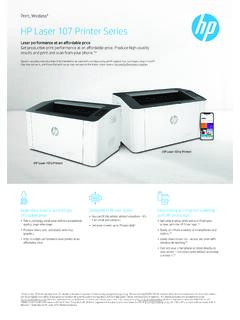
6 HP Laser 107 Printer Series
www8.hp.comyour printer – and easily print without accessing a network.5,6 Laser performance at an affordable price Get productive print performance at an affordable price. Produce high-quality results and print and scan from your phone.1,6 Dynamic security enabled printer. Only intended to be used with cartridges using an HP original chip.