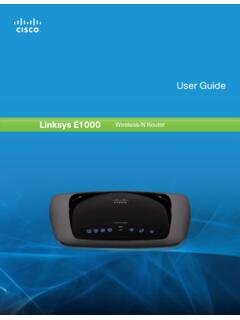
Linksys E1000 User Guide
guest access (Guest access option) . Computers and devices with local access will have access to the Internet and to other devices on your local network, including shared computers and printers that are connected to the Router . Local access can be given to a wired or wireless device . Refer to Computers and Other Devices, page 6 for more ...
Download Linksys E1000 User Guide

Information
Domain:
Source:
Link to this page:
Documents from same domain

User Guide - WRT1900AC Dual Band Gigabit Wi-Fi …
downloads.linksys.comWRT 1900AC | Contents PRODUCT OVERVIEW 1 WRT1900AC 3 Wall-mounting placement SETTING UP: BASICS 5 How to create a home network 5 What is a network? 5 How to set up a home network

Compact Wireless-G Broadband Router - Linksys
downloads.linksys.comTable of Contents Compact Wireless-G Broadband Router ii Chapter 1: Product Overview 4 Front Panel.

Linksys EG005W Gigabit 5-Port Workgroup Switch
downloads.linksys.comAbout This Guide Gigabit 5-Port Workgroup Switch i ... Address learning and aging is ... refund the purchase price of the

16-Port and 24-Port 10/100 Switches - Linksys
downloads.linksys.comChapter 1: Introduction r With its advanced switching technology, the Linksys 16- or 24-Port 10/100 Switch will boost your network performance with much more than just full

Wireless-G Broadband Router - Linksys
downloads.linksys.comChapter 1 Product Overview W reless-G Broadband Router Chapter : Product Overv ew Thank you for choosing the Linksys Wireless-G Broadband Router. The Router lets you access the Internet via a

Routeur sans fil N pour la maison - …
downloads.linksys.comÀ propos de ce guide Routeur sans fil N pour la maison i ... Linksys, Cisco et le logo Cisco sont des marques de commerce ou des marques

Routeur Gigabit sans fil N double bande en simultané
downloads.linksys.comÀ propos de ce guide Routeur Gigabit sans fil N double bande en simultané i À propos de ce guide Description des icônes Pendant la lecture de ce guide …

Valet and Valet Plus User Guide - Linksys
downloads.linksys.com5 UserGuide Chapter2:CiscoConnect b . Plugthepoweradapterintoanelectricaloutlet . ConnecttoElectricalOutlet

Linksys PLW400 User Guide
downloads.linksys.comUser Guide Linksys PLW400 Powerline AV Wireless Network Extender. 2 Linksys PLW400 Contents ... see your wireless network device’s user documentation The PLW400’s Wireless LED flashes, then stays on when a wireless network device successfully connects Setting .up .advanced .security

Linksys PLWK400 User Guide
downloads.linksys.com4 Linksys PLWK400 Overview PLW400 Wi-Fi Protected Setup button—Press this button to connect with other wireless network devices that have a Wi-Fi Protected Setup button HomePlug Simple Connect button—Configures advanced security (the network password) for your Powerline network
Related documents

DiskStation DS918+ - Synology
global.download.synology.com• Windows ACL support provides fine-grained access control and efficient privilege settings, allowing DS918+ to fit seamlessly into current infrastructure. • Internet file access is simplified by the encrypted FTP server and Synology File Station, a web-based file explorer. HTTPS, firewall, and IP auto-block support ensure file sharing

User Guide - TP-Link
static.tp-link.comWith the web-based utility, it is easy to configure and manage the router. The web-based utility can be used on any Windows, Macintosh or UNIX OS with a Web browser, such as Microsoft the Internet Explorer, Mozilla Firefox or Apple Safari. Follow the steps below to log into your router. 1.
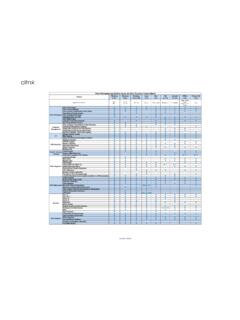
Citrix Workspace app Feature Matrix
www.citrix.comJan 09, 2022 · Controls access to available applications through the use of Gateway policies and filters. Provides users with secure access to enterprise applications, virtual desktops, and data anywhere without a VPN Access to hosted applications or virtual desktops using a browser. Enables use on IPV6 networks. DTLS is a derivation of SSL protocol.
FortiClient Data Sheet
www.fortinet.comThe above list is based on the latest OS for each platform. FORTICLIENT Supported Operating Systems* Microsoft Windows 7 (32-bit and 64-bit) Microsoft Windows 8, 8.1 (32-bit and 64-bit) Microsoft Windows 10 (32-bit and 64-bit) Microsoft Windows Server 2012 or later macOS 11+, 10.15, 10.14 iOS 9.0 or later Android 5.0 or later

Go-Remote Access Service
www.gorasregistration.gov.on.caOnly Government-issued computing devices should be used for remote access to the ... which is located in your “Start” menu under “OPS Remote Access Service.” For Windows 10, you will find OPS Remote Access Service under òAll apps ó in the Start menu (See ... • Under òRequest Type ó select: Add New VPN Service access