Network Management Card User’s Guide
UPS Network Management Card 2 User’s Guide 1 Introduction Product Description Features The AP9630 Network Management Card 2: • Provides UPS control and self-test scheduling features. • Provides data and event logs. • Enables you to set up notifications through event logging, e-mail, and SNMP traps.
Download Network Management Card User’s Guide

Information
Domain:
Source:
Link to this page:
Documents from same domain
Table of Contents Section 4 - Schneider Electric
iportal2.schneider-electric.comDownload Section 04 PDF Table of Contents Section 4 Power Monitoring and Control ... Table 4.3: PowerLogic ION Power and Energy Meter Selection Featuresb ION8600 ION7650 ION7550 ION7350 ION7330 ION7300 ION6200 ABC Inputs, outputs and control power

Selection Guide schneider-electric.com | Mx41-730x Series
iportal2.schneider-electric.com• This equipment must only be installed and serviced by quali˜ed electrical personnel. • Read, understand and follow the instructions before installing this product. • Turn off all power supplying equipment before working on or inside the equipment.
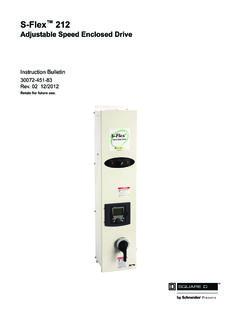
S-Flex 212 - Schneider Electric
iportal2.schneider-electric.comSchneider Electric for any consequences arising out of the use of this material. Product Support For support and assistance, contact the Product Support Group.
TAC I/A Series JACE 645 Network Controller
iportal2.schneider-electric.comThe TAC I/A Series™ JACE 645 Network Controller is a compact, embedded-processor platform with flash memory for backup. The JACE 645 provides integrated control, supervision, and network management solutions for a network of LonWorks™-based, BACnet-based, or Modbus-based controllers
TAC I/A Series MicroNet BACnet Wiring, Networking, and ...
iportal2.schneider-electric.comThis TAC I/A Series MicroNet™ BACnet™ Wiring, Networking, and Best Practices Guide is a reference for creating a network of TAC I/A Series MicroNet BACnet controllers. This guide provides the following discussions and instructions for …
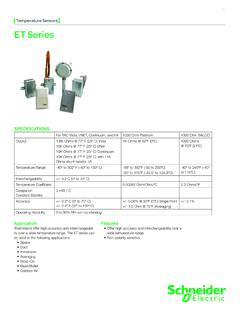
Temperature Sensors ET Series - Schneider Electric
iportal2.schneider-electric.comET Series 01 Temperature Sensors Features • Offer high accuracy and interchangeability over a wide temperature range. • Non-polarity sensitive SPECIFICATIONS For TAC Vista, I/NET, Continuum, and I/A 1000 Ohm Platinum 1000 Ohm BALCO Output 1.8K Ohms @ 77º F (25º C) Vista 10K Ohms @ 77º F (25º C) I/Net 10K Ohms @ 77º F (25º C) Continuum
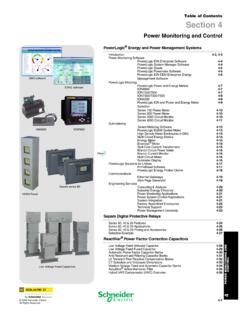
Power Monitoring Control - Schneider Electric
iportal2.schneider-electric.compower management systems will help you make the most of your energy by: Reducing Utility Costs & Increasing Energy Efficiency Achieve significantly r educed direct consumption-related co sts through improved efficiency, lower emissions and more accountability. And if you're a property manager, you can
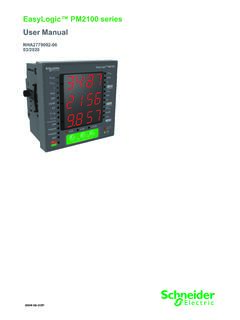
EasyLogic™ PM2100 series User Manual
iportal2.schneider-electric.comfollowing special messages may appear throughout this manual or on the equipment to warn of potential hazards or to call attention to information that clarifies or simplifies a procedure. The addition of either symbol to a “Danger” or “Warning” safety label indicates that an electrical hazard exists which will result in personal injury ...

Product Catalog - Schneider Electric
iportal2.schneider-electric.comProportional band for room temperature range control: Cooling & Heating: 1.8°C ( 3.2°F ) Binary inputs: Dry contact across terminal BI1, BI2 & UI3 to Scom Outputs rating: Triac output: 30 Vac, 1 Amp. Maximum, 3 Amp. in-rush Analog: 0 to 10 Vdc into 2KΩ resistance min. Wire gauge: 18 gauge maximum, 22 gauge recommended
Command Line Interface - Schneider Electric
iportal2.schneider-electric.comCommand Line Interface (CLI) How To Log On Overview To access the command line interface, you can use either a local, serial connection, or a remote connection ... A vertical line between items enclosed in brackets or angle brackets indicates that the items are mutually exclusive. You must use one of the items.
Related documents

Office-Hours Telephone Triage Protocols User’s Guide 2021
www.cleartriage.comversion of this User's Guide which includes an additional 23 pages of FAQs and more than twenty appendixes. There is also a separate version of the User's Guide for users of the After-Hours protocols. Paid customers can request the appropriate User's Guide by contacting us at support@cleartriage.com or 800-755-3545.

SOIL SCREENING GUIDANCE: USER'S GUIDE
semspub.epa.govMar 08, 1990 · production of the User’s Guide and Technical Background Document under EPA Contract 68-W1-0005. In addition, the authors would like to thank all EPA, State, public and peer reviewers whose careful review and thoughtful comments contributed to …

imageCLASS D570 User's Guide - GfK Etilize
content.etilize.comConfiguring Printing Protocols and WSD Functions..... 191 Configuring Printer Ports ... Screen Layout of User's Guide..... 416 Viewing User's Guide ...

CFX Maestro Software User Guide
www.dbi.udel.eduBio-Rad reserves the right to modify its products and services at any time. This user guide is subject to change without notice. Although prepared to ensure accuracy, Bio-Rad assumes no liability for errors or omissions, or for any damage resulting from the …

Desktop Agent User Guide - AG Mednet Portal
portal.agmednet.netDesktop Agent User's Guide Document Revision 6, DCO# 1834 Page 4 . The Locate Exam tab lets you select exam files for importing. The imported exams appear in the Exam List tab. This is where you process an exam to comply with a trial’s specific protocols.
Wonderware MBTCP DAServer User's Guide - Logic Control
cdn.logic-control.comMar 01, 2007 · Introduction 9 MBTCP DAServer User’s Guide CHAPTER 1 Introduction This chapter provides you with an overview of the Wonderware® MBTCP DAServer™, including the application- and bus-level communications protocols, …

Dell EMC OpenManage Enterprise User's Guide
dl.dell.comJan 12, 2013 · Dell EMC OpenManage Enterprise User's Guide Version 3.8 October 2021 Rev. 1

User 's Guide
gdlp01.c-wss.comConfiguring Initial Settings of the Machine (Setup Guide) ou can easily Y configure the initial settings required to use the machine, such as date, time, and network settings, by following the on-screen guidance. Setting Up Using the Setup Guide(P. 9) Setting Up 3