
Operating Instructions General Settings Guide - Ricoh
Operating Instructions General Settings Guide Read this manual carefully before you use this machine and keep it handy for future reference. For safe and correct use, be sure to read the
Download Operating Instructions General Settings Guide - Ricoh

Information
Domain:
Source:
Link to this page:
Documents from same domain

Istruzioni per l’uso Risoluzione dei problemi
support.ricoh.comIstruzioni per l’uso Risoluzione dei problemi Leggere attentamente questo manuale prima di utilizzare la macchina e tenerlo a disposizione per …

Operating Instructions General Settings Guide - …
support.ricoh.comOperating Instructions General Settings Guide Read this manual carefully before you use this machine and keep it handy for future reference. For safe and correct use, be sure to …

DDST Unit Type A / Type B - Ricoh
support.ricoh.comDDST Unit Type A / Type B Operating Instructions Printer / Scanner Reference Read this manual carefully before you use this machine and keep it handy for future reference.

Gebruiksaanwijzing Scannerhandleiding - …
support.ricoh.comGebruiksaanwijzing Scannerhandleiding Lees deze handleiding zorgvuldig door voordat u dit apparaat gebruikt en houd hem bij de hand voor toekomstig gebruik.

SP 210/SP 210SU/SP 210SF/ SP 211/SP ... - …
support.ricoh.com5 CTT213 CTT073 CTT074 DCT032 DCT049 CTT029 To connect to the network via wireless LAN, see Wi‑ Fi Settings Guide. Otherwise, see page 7 "2. Install‑

Manuel utilisateur Guide de paramétrage général
support.ricoh.comManuel utilisateur Guide de paramétrage général Lisez attentivement ce manuel avant d’utiliser ce copieur et conservez-le dans un endroit accessible afin de pouvoir vous y référer ultérieure-

SP 212/SP 213 Series Wi-Fi Settings Guide - Ricoh
support.ricoh.com1 Model No. SP 212/SP 213 Series Wi-Fi Settings Guide Introduction There are two wireless LAN modes: infrastructure mode for connection through an access point and ad-hoc mode for establishing direct connection with a wireless LAN-capable device

Operating Instructions Troubleshooting - Ricoh
support.ricoh.comOperating Instructions Troubleshooting Read this manual carefully before you use this machine and keep it handy for future reference. For safe and correct use, be …

Network Guide - Ricoh
support.ricoh.comNetwork Guide Read this manual carefully before you use this machine and keep it handy for future reference. For safe and correct use, be sure to read the
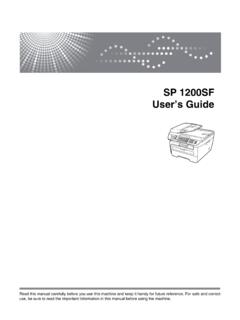
SP 1200SF User’s Guide - Ricoh
support.ricoh.comSP 1200SF User’s Guide Read this manual carefully before you use this machine and keep it handy for future reference. For safe and correct use, be sure to read the Important Information in this manual before using the machine.
Related documents

SP C250SF/SP C252SF - Ricoh
support.ricoh.comRICOH SP C250SF/SP C252SF Color Multifunction Printer s Getting Started Guide 6 Acronym Reference . Acronym Full Name AES Advanced Encryption Standard ADF Automatic Document Feeder AP Access Point (Wi -Fi Router) DHCP Dynamic Host Configuration Protocol dpi dots per inch IP Internet Protocol JPEG Joint Photographic Experts Group
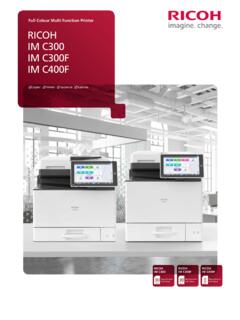
Full Colour Multi Function Printer RICOH IM C300 IM C300F ...
www.ricoh-ap.comRICOH IM C300/ IM C300F/ IM C400F are categorised under the group of RICOH Intelligent Devices which provides smooth access to functionality upgrades and productivity enhancements when they are released. Not only does your device’s software gets automatic updates to the latest features, you can also include additional functionality or

GROUP AND LISTED - loveracing.nz
loveracing.nzNEW ZEALAND GROUP & LISTED RACES BY DATE 2021/2022 DAY 21/22 DATE CLUB NAME CURRENT RACE NAME REGISTERED NAME CURRENT STATUS AGE/SEX DISTANCE 2021/22 STAKE. 2 Saturday 30/10/2021 Auckland TR PRH Transport Trophy Jim & John Evans Metric Mile LR H 3+ 1600 60,000 Saturday 30/10/2021 Feilding JC Ricoh Feilding Gold Cup …
Postscript Programming Guide - Ricoh USA
rfg-esource.ricoh-usa.comPostScript Language Printer Commands 1-3 Device Setup The page device parameters represent particular raster output device features or processing options; the values represent the current settings of those features or
RICOH ARMS User Manual
rfg-esource.ricoh-usa.comRICOH Family Group Users can apply for ARMS with their Office365 Account . Please contact to ARMS/@Remote administration team in your company for the application. [RICOH Family Group Dealer Users] Single User ID and Ricoh ARMS access can be obtained by completing the Ricoh ARMS Training in RLI. The expiration date of Ricoh Group Service Account ...

オートデスク認定販売店一覧 およびその他の製品 は、米国 …
damassets.autodesk.netオートデスク認定販売店一覧 9 15 16 17 20 21 23 24 LT 製品等 AutoCAD 製品 建築、土木エンジニアリング、建設向け 都道府県 販売 ...
画像処理による歪曲収差補正と ... - Ricoh
jp.ricoh.comRicoh System Kaihatsu Co., Ltd. ** 研究開発本部 中央研究所 Research and Development Center, Research and Development Group *** 研究開発本部 情報通信研究所 Information and Communication R&D Center, Research and Development Group
ボンディングパッド下におけるクラックと応力の同時評価技 …
jp.ricoh.comElectronic Device Development Department , Corporate Technology Development Group . Ricoh Technical Report No.38 119 DECEMBER, 2012 1.

SBS RICOH LOGISTICS News - sbs-group.co.jp
www.sbs-group.co.jpSBS RICOH LOGISTICS News ご参考 <SBSリコーロジスティクス株式会社 概要>(2020年12月期時点) 本社住所:東京都墨田区太平4丁目1番3号 オリナスタワー ... TEL:03-4214-5500/e-mail: SGID00000049@rlsc.sbs-group.co.jp