
Operating Instructions General Settings Guide - Ricoh
Operating Instructions General Settings Guide Read this manual carefully before you use this machine and keep it handy for future reference. For safe and correct use, be sure to read the
Download Operating Instructions General Settings Guide - Ricoh

Information
Domain:
Source:
Link to this page:
Documents from same domain

Istruzioni per l’uso Risoluzione dei problemi
support.ricoh.comIstruzioni per l’uso Risoluzione dei problemi Leggere attentamente questo manuale prima di utilizzare la macchina e tenerlo a disposizione per …

Operating Instructions General Settings Guide - …
support.ricoh.comOperating Instructions General Settings Guide Read this manual carefully before you use this machine and keep it handy for future reference. For safe and correct use, be sure to …

DDST Unit Type A / Type B - Ricoh
support.ricoh.comDDST Unit Type A / Type B Operating Instructions Printer / Scanner Reference Read this manual carefully before you use this machine and keep it handy for future reference.

Gebruiksaanwijzing Scannerhandleiding - …
support.ricoh.comGebruiksaanwijzing Scannerhandleiding Lees deze handleiding zorgvuldig door voordat u dit apparaat gebruikt en houd hem bij de hand voor toekomstig gebruik.

SP 210/SP 210SU/SP 210SF/ SP 211/SP ... - …
support.ricoh.com5 CTT213 CTT073 CTT074 DCT032 DCT049 CTT029 To connect to the network via wireless LAN, see Wi‑ Fi Settings Guide. Otherwise, see page 7 "2. Install‑

Manuel utilisateur Guide de paramétrage général
support.ricoh.comManuel utilisateur Guide de paramétrage général Lisez attentivement ce manuel avant d’utiliser ce copieur et conservez-le dans un endroit accessible afin de pouvoir vous y référer ultérieure-

SP 212/SP 213 Series Wi-Fi Settings Guide - Ricoh
support.ricoh.com1 Model No. SP 212/SP 213 Series Wi-Fi Settings Guide Introduction There are two wireless LAN modes: infrastructure mode for connection through an access point and ad-hoc mode for establishing direct connection with a wireless LAN-capable device

Operating Instructions Troubleshooting - Ricoh
support.ricoh.comOperating Instructions Troubleshooting Read this manual carefully before you use this machine and keep it handy for future reference. For safe and correct use, be …

Network Guide - Ricoh
support.ricoh.comNetwork Guide Read this manual carefully before you use this machine and keep it handy for future reference. For safe and correct use, be sure to read the
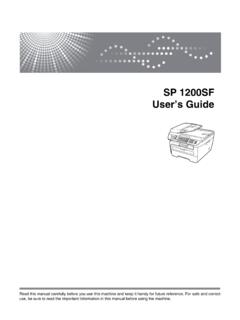
SP 1200SF User’s Guide - Ricoh
support.ricoh.comSP 1200SF User’s Guide Read this manual carefully before you use this machine and keep it handy for future reference. For safe and correct use, be sure to read the Important Information in this manual before using the machine.
Related documents

Operating Instructions Troubleshooting - Ricoh
support.ricoh.comOperating Instructions Troubleshooting Read this manual carefully before you use this machine and keep it handy for future reference. For safe and correct use, be sure to read the

Scan to E-mail White Paper - Ricoh USA
www.tsrc.ricoh-usa.comB276 Aficio MP 1600 9016 DSm716 LD316 B277 Aficio MP 2000 9021d DSm721d LD320 B284 Aficio MP 161F 816f DSm416f LD016f B288 Aficio MP 161SPF 816mf DSm416pf LD016SPF B291 Aficio MP 3500G 8035eg DSm735eg - B295 Aficio 4500G 8045eg DSm745eg - B296 Aficio MP 3500 8035e DSm735e LD335 B297 Aficio MP 4500 8045e DSm 745e LD345 D007 …

Multifunction B&W RICOH MP 501SPF/ MP 601SPF
brochure.copiercatalog.comUse the RICOH ¨ MP 501SPF/MP 601SPF to print forms, invoices and a wide range of document types at high speeds, copy important meeting notes, scan full-color images and brochures and fax or distribute information in digital format to anybody, anywhere with a tap of your finger.
Multifunction Color RICOH MP C3003/MP C3503/ MP …
brochure.copiercatalog.comThe RICOH® MP C3003/MP C3503/MP C4503/MP C5503/MP C6003 series of Multifunction Products (MFPs) is engineered to work the way you do. It combines high-quality, full-color output with productivity-enhancing capabilities so you can leverage a wider range of information in newer, smarter ways.
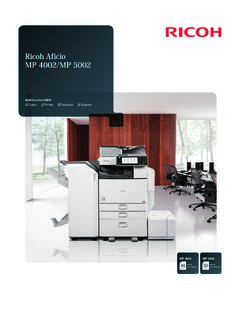
Ricoh Aficio MP 4002/MP 5002
www.ricoh-usa.comThe powerful Ricoh Aficio MP 4002/MP 5002 combines advanced copy, print, scan and fax capabilities in a sleek, intuitive design to streamline everyday document management tasks and enhance office productivity. Advanced Device Management integration with Ricoh workflow solutions and customized interactivity support your unique business requirements.
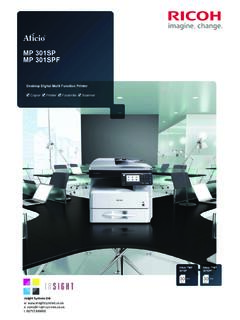
MP 301SP MP 301SPF - Ricoh Copiers
www.ricohcopiers.orgAt Ricoh we help you lower your environmental footprint. The MP 301SP/ MP 301SPF have eco-friendly features such as sleep mode, duplex printing and paperless fax. The Typical Electricity Consumption is 1.5 kW/h at 30 cpm. An eco-friendly indicator displays information to help you reduce paper usage.