Operating Instructions Scanner Reference - Ricoh
Operating Instructions Scanner Reference Read this manual carefully before you use this machine and keep it handy for future reference. For safe and correct use, be sure to read the
Download Operating Instructions Scanner Reference - Ricoh

Information
Domain:
Source:
Link to this page:
Documents from same domain

Istruzioni per l’uso Risoluzione dei problemi
support.ricoh.comIstruzioni per l’uso Risoluzione dei problemi Leggere attentamente questo manuale prima di utilizzare la macchina e tenerlo a disposizione per …

Operating Instructions General Settings Guide - …
support.ricoh.comOperating Instructions General Settings Guide Read this manual carefully before you use this machine and keep it handy for future reference. For safe and correct use, be sure to …

DDST Unit Type A / Type B - Ricoh
support.ricoh.comDDST Unit Type A / Type B Operating Instructions Printer / Scanner Reference Read this manual carefully before you use this machine and keep it handy for future reference.

Gebruiksaanwijzing Scannerhandleiding - …
support.ricoh.comGebruiksaanwijzing Scannerhandleiding Lees deze handleiding zorgvuldig door voordat u dit apparaat gebruikt en houd hem bij de hand voor toekomstig gebruik.

SP 210/SP 210SU/SP 210SF/ SP 211/SP ... - …
support.ricoh.com5 CTT213 CTT073 CTT074 DCT032 DCT049 CTT029 To connect to the network via wireless LAN, see Wi‑ Fi Settings Guide. Otherwise, see page 7 "2. Install‑

Manuel utilisateur Guide de paramétrage général
support.ricoh.comManuel utilisateur Guide de paramétrage général Lisez attentivement ce manuel avant d’utiliser ce copieur et conservez-le dans un endroit accessible afin de pouvoir vous y référer ultérieure-

SP 212/SP 213 Series Wi-Fi Settings Guide - Ricoh
support.ricoh.com1 Model No. SP 212/SP 213 Series Wi-Fi Settings Guide Introduction There are two wireless LAN modes: infrastructure mode for connection through an access point and ad-hoc mode for establishing direct connection with a wireless LAN-capable device

Operating Instructions General Settings Guide - …
support.ricoh.comOperating Instructions General Settings Guide Read this manual carefully before you use this machine and keep it handy for future reference. For safe and correct use, be sure to …

Operating Instructions Troubleshooting - Ricoh
support.ricoh.comOperating Instructions Troubleshooting Read this manual carefully before you use this machine and keep it handy for future reference. For safe and correct use, be …

Network Guide - Ricoh
support.ricoh.comNetwork Guide Read this manual carefully before you use this machine and keep it handy for future reference. For safe and correct use, be sure to read the
Related documents

Printer/Scanner Unit Type 2000 - Ricoh
support.ricoh.comPrinter/Scanner Unit Type 2000 Operating Instructions Scanner Reference Read this manual carefully before you use this machine and keep it handy for future reference.

Full-Page PassPort scanner - arhungary.hu
www.arhungary.huCombo Smart mobile operatorS border Control uality aSSuranCe law enforCement banKing hotel CheCK-in Full-Page PassPort scanner with ocr soFtware library & sDK

FUJITSU TWAIN 32 Scanner Driver
www.fujitsu.comFUJITSU TWAIN 32 Scanner Driver Scanner Utility for Microsoft® Windows® Version 9.21 User's Guide For Use with Microsoft® Windows® 2000, Windows® XP, Windows Server® 2003, and Windows Vista® P3PC-1962-07ENZ0
TWAIN Driver - Fujitsu
www.fujitsu.comi Introduction Thank you for purchasing the "Scanner Utility for Microsoft® Windows®". This software contains a TWAIN-compliant image scanner driver (simply called "driver" in this guide)
ERRORE 12320 Scanner Ricoh - Gamma Office 95 srl
www.gammaoffice95.itERRORE 12320 o 36851 Scanner Ricoh Il driver TWAIN restituisce un errore "36851: Nessuna risposta dallo scanner" o "12320: Impossibile trovare lo scanner".
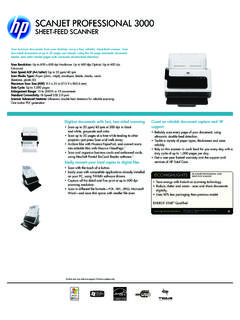
SCANJET PROFESSIONAL 3000 - hp.com
www.hp.comSCANJET PROFESSIONAL 3000 SHEET-FEED SCANNER Scan business documents from your desktop, using a fast, reliable, sheet-feed scanner. Scan two-sided documents at up to 20 pages per minute, using the 50-page automatic document
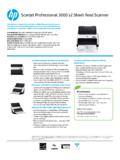
Scanjet Professional 3000 s2 Sheet-feed Scanner
www.hp.comScanjet Professional 3000 s2 Sheet-feed Scanner Transform piles of paper into searchable, editable files your business can use. Plug right in to existing scanning platforms to save time and add efficiency to
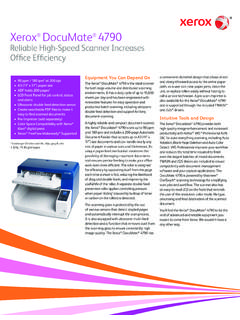
Reliable High-Speed Scanner Increases Office Efficiency
www.xeroxscanners.comEquipment You Can Depend On The Xerox ® DocuMate 4790 is the ideal scanner for both large-volume and distributed scanning environments. It has a duty cycle of up to 15,000 sheets per day and has been engineered with