
Operating Instructions Troubleshooting - Ricoh
other than genuine parts from the supplier with your office products. Power Source 220 - 240V, 50/60Hz, 7A or more. Please be sure to connect the power cord to a power source as shown above. For details about power ... • Auto Document Feeder capable of scanning both sides of a sheet → ARDF. 2. 3 1. When the Machine Does
Download Operating Instructions Troubleshooting - Ricoh

Information
Domain:
Source:
Link to this page:
Documents from same domain

Istruzioni per l’uso Risoluzione dei problemi
support.ricoh.comIstruzioni per l’uso Risoluzione dei problemi Leggere attentamente questo manuale prima di utilizzare la macchina e tenerlo a disposizione per …

Operating Instructions General Settings Guide - …
support.ricoh.comOperating Instructions General Settings Guide Read this manual carefully before you use this machine and keep it handy for future reference. For safe and correct use, be sure to …

DDST Unit Type A / Type B - Ricoh
support.ricoh.comDDST Unit Type A / Type B Operating Instructions Printer / Scanner Reference Read this manual carefully before you use this machine and keep it handy for future reference.

Gebruiksaanwijzing Scannerhandleiding - …
support.ricoh.comGebruiksaanwijzing Scannerhandleiding Lees deze handleiding zorgvuldig door voordat u dit apparaat gebruikt en houd hem bij de hand voor toekomstig gebruik.

SP 210/SP 210SU/SP 210SF/ SP 211/SP ... - …
support.ricoh.com5 CTT213 CTT073 CTT074 DCT032 DCT049 CTT029 To connect to the network via wireless LAN, see Wi‑ Fi Settings Guide. Otherwise, see page 7 "2. Install‑

Manuel utilisateur Guide de paramétrage général
support.ricoh.comManuel utilisateur Guide de paramétrage général Lisez attentivement ce manuel avant d’utiliser ce copieur et conservez-le dans un endroit accessible afin de pouvoir vous y référer ultérieure-

SP 212/SP 213 Series Wi-Fi Settings Guide - Ricoh
support.ricoh.com1 Model No. SP 212/SP 213 Series Wi-Fi Settings Guide Introduction There are two wireless LAN modes: infrastructure mode for connection through an access point and ad-hoc mode for establishing direct connection with a wireless LAN-capable device

Operating Instructions General Settings Guide - …
support.ricoh.comOperating Instructions General Settings Guide Read this manual carefully before you use this machine and keep it handy for future reference. For safe and correct use, be sure to …

Operating Instructions Troubleshooting - Ricoh
support.ricoh.comOperating Instructions Troubleshooting Read this manual carefully before you use this machine and keep it handy for future reference. For safe and correct use, be …

Network Guide - Ricoh
support.ricoh.comNetwork Guide Read this manual carefully before you use this machine and keep it handy for future reference. For safe and correct use, be sure to read the
Related documents

Microsoft Office 2007: Document Imaging Program
www.adesso.comMicrosoft Office 2007: Document Imaging Program Follow these instructions on how to add Microsoft Office Document Imaging program to your computer for use with your scanner or if you have to open a pdf or tiff file to then edit in Word. Once the program is installed you …

DEFENSES
mseries.nalc.orgpages. to navigate around the document itself, it is usually best to go to the table of contents at the top and simply left click on the section you are seeking. the links in greenwill take you to another section of the document, for example: Nexus. the links inbluewill take you to an external document in pDf format such as an arbitration award,

Xerox Standard Accounting: Tracking Usage by Service ...
www.office.xerox.comScans Email, network scanning, and Custom Services (EIP applications). Fax Sent and Received Faxes sent , faxes received, LAN fax. Xerox Standard Accounting: Tracking Usage by Service . Customer Tip . dc09cc0452 June 1, 2011 This document applies to the Xerox products indicated in the table below. X . ColorQube 9201/9202/9203

CSI Codes - Specialty Detail
www.vmgulf.comDocument Management 2015 Structures for Industrial Sites 2016 Lunch Tents/Event Rentals 2017 Climate Controlled Structures 2018 Merge 9I 2019 Pipe Markers 2020 Steel Fabrication 2021 Commercial & Industrial Insulation 2022 Office Recycling 2023 Industrial Painting 2024 Refractory 2025 Labels/Decals 2026 Estimating Software 2027 Sheet Metal 2028
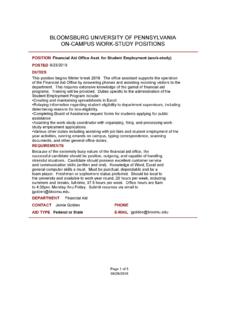
BLOOMSBURG UNIVERSITY OF PENNSYLVANIA ON …
departments.bloomu.eduSep 13, 2021 · The office assistant supports the operation of the Financial Aid Office by answering phones and assisting incoming visitors to the department. This requires extensive knowledge of the gamut of financial aid programs. Training will be provided. Other duties include reviewing and scanning documents, monitoring office email, filing, and

Clean Desk & Office Procedures
www.centralbedfordshirecaninetrust.comTo have a central document that lays out office procedures to assist with contingency planning. It is generally accepted that a tidy desk and office is a sign of efficiency and effectiveness. 2.0 The Policy in Operation 2.1 At the end of the working day staff members are expected to tidy their desk and to tidy away all office papers.

MX-5071 MX-6071 ADVANCED SERIES COLOR DOCUMENT …
business.sharpusa.comscanning, auto duplexing, 1 x 550-sheet paper drawer, 100-sheet bypass tray. Black and color developer is included. Type Color multi-function digital document system Display 10.1" (diagonally-measured) color dot matrix high-resolution touch panel tilting display. 1,024 x …

MX-B376W MX-B476W ADVANCED SERIES DESKTOP …
business.sharpusa.comA compact design with advanced workflow features for virtually any size office. ADVANCED SERIES DESKTOP MONOCHROME DOCUMENT SYSTEMS A higher benchmark of Innovation. The MX-B376W and MX-B476W Advanced Series desktop monochrome document systems deliver crisp, high-quality output with exceptional ease of use.
User's Guide - Perfection V19/V39
files.support.epson.comIf you are scanning a book or other thick document, you can remove the scanner cover. 1. Hold the scanner cover near the hinges and pull straight up, keeping the cover horizontal. 2. Place your document facedown on the scanner glass. Note: Press down on your document gently to flatten it and hold the document down as you scan. 3.

Quick Reference - Document Capture Pro 2
files.support.epson.comScanning with Document Capture Pro in Simple View - Windows Scanning with Document Capture Pro in Standard View - Windows Scanning Two Originals onto One Sheet (Stitching Images) - Windows Scanning Multi-Page Originals as Separate Files - Windows Saving a Scan as an Office Format File - Windows Scanning to a SharePoint Server or Cloud Service ...