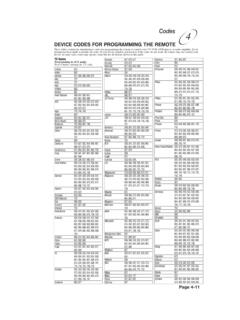
Remote Codes - Device codes for programming the Bell …
DEVICE CODES FOR PROGRAMMING THE REMOTE These tables contain the manufacturer codes for programming the remote to control your TV, VCR, DVD player, or audio amplifier. Every attempt has been made to include all codes. If your device brand is not listed or if the codes do not work, the remote may not control your device.
Download Remote Codes - Device codes for programming the Bell …

Information
Domain:
Source:
Link to this page:
Documents from same domain

Installation and Setup -- A 5 Step Process
support.bell.ca7. Ground the satellite antenna, and wire it to the ExpressVu™ receiver (see pages 4-38). 8. Aim the satellite antenna for the strongest possible signal (see pages 4-29 through 4-33). 9. Connect the receiver to an active telephone connection (see page 4-39). With the receiver wired to the TV and the antenna properly installed, you will be ...

Control Setup Remote - Bell
support.bell.ca4. Press POWER on the remote controls to turn on/off receiver. ADJUSTING THE REMOTE ANTENNA Be sure to set the remote control antenna (back of the receiver) straight up so you can use the remote control from as far away as possible. Don't let the antenna touch anything. If your UHF Pro Remote Control isn't working very well from far away,
User’s Guide PlugLink 9650 Ethernet Adapter
support.bell.caand other Powerline devices on your network. The screen displays the Device Name, MAC Address, and Type (local or remote; 14mbps or 85mbps) of connection for each device on your network. To refresh the list of Powerline devices, Click on the ‘Rescan’ icon. (Note: Devices set up with a different network password will NOT show up on this list.)
Bell Customer Support Centre
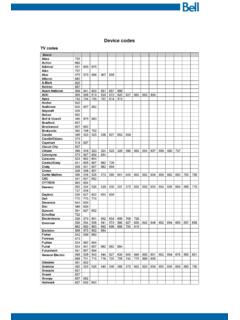
support.bell.caTV codes Brand Abex Action Admiral Aiko Akai Alleron A-Mark Amtron Anam National AOC Apex Archer Audiovox Ba craft Belcor Bell & Howell Bradford Brockwood Broksonic Candle Candle/Citizen Capehart Circuit Cit Citizen Colortyme Concerto Contec/Con Craig Crown Curtis Mathes cxc CYTRON Daewoo Da ron Dell Dimensia

Slim Remote Programming | Bell TV
support.bell.caFibe™ TV remote instructions Programming the remote to your TV 1. Turn on your TV and Fibe receiver. 2.Press and hold the options key for 3 seconds, until the green light flashes twice. Within 10 seconds, enter the Ll-digit code for the brand of your TV (see table below), or use 0001 to search through all brands.
User Guide - Bell
support.bell.ca3 Disclaimer ZTE Corporation expressly disclaims any liability for faults and damages caused by unauthorized modifications of the software. Images and …
Related documents
Get to know your Optional Advanced Auto-Program remote ...
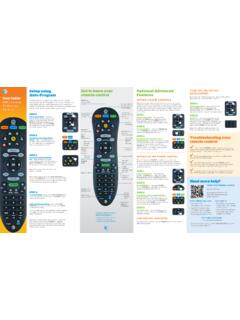
www.att.comAudio device programming: Let go of the FASt ForWArD key when the device mutes. Press mute to unmute the device. Use the volume keys to verify that the remote control is controlling the volume. If it does not work properly, repeat this process. note: If TV programming is interrupted or inactive for more than 10 seconds, the PoWer key will flash
PowerView Remote Control Guide - Hunter Douglas
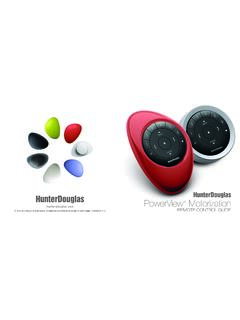
cdn.hunterdouglas.comReplacing batteries in the remote Replacing the batteries in the remote module will not cause the loss of any window covering programming, including GROUPS and FAVORITE. The remote uses two CR 2032 batteries. ™1. For the Pebble Remote, slide your thumb in the indentation, gently lift and remove the remote module from the Pebble.

CLICKER - Lowe's
pdf.lowes.comIf programming fails reverse DIP switches (OFF to ON and ON to OFF). ** 3 Position DIP Switch: For Chamberlain remotes DO NOT use the “0” position, use “+” or “-”. If you already have a 3-button remote, DIP switch #1 must be set to “-” if the large button is to open the door. It may be necessary to reprogram original remote ...

PowerView Remote Control Guide - Hunter Douglas
cdn2.hunterdouglas.comInserting the remote module into the PowerView ® Pebble (hand-held): 1. Center the Hunter Douglas logo on the remote module above the indentation on the bottom rim of the Pebble. 2. Align the ribs on the remote module with the grooves on the Pebble. 3. Gently push the remote module into the Pebble until it is snug. Ribs on remote to be aligned ...
Programming your remote - Telus
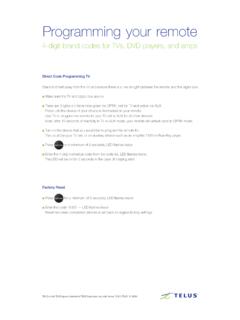
static.telus.comProgramming your remote 4-digit brand codes for TVs, DVD players, and amps Direct Code Programming TV Stand 6-8 feet away from the TV and ensure there is a line of sight between the remote and the digital box. Make sure the TV and digital box are on. There are 3 lights on the remote green for OPTIK, red for TV and yellow for AUX.
Universal Remote Control Programming Guide
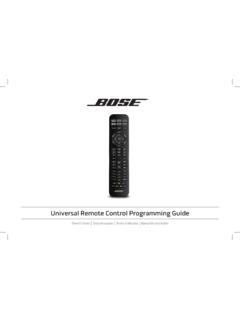
assets.bose.comProgramming your remote to control your source 1. Power on your source. 2. save your settings.Locate the code for your source’s brand in the Universal Remote Device Codes book (provided). 3. On the remote control, press and hold the appropriate source button until all six source buttons glow, then release.

Clicker Remote Programming Instructions
www.gsoverheadsystems.comIf programming fails reverse DIP switches (OFF to ON and ON to OFF). **3 Position DIP Switch: For Chamberlain remotes DO NOT use the “0” position, use “+” or “-”. If you already have a 3-button remote, DIP switch #1 must be set to “-” if the large button is to open the door. It may be necessary to reprogram original remote ...

RVLock Keypad/Remote Programming and Syncing …
www.lancecamper.com-If remote programming did not work or if you have additional remotes to program, repeat steps 1 and 2. -Holding down the LEARN button for 10 seconds will remove all previously synced remotes from the handles memory. - You can have up to 10 remotes operating the same RVLock handle. Remote FOB’s have the ability to control multiple RVLock handles.